

Scenario overview
View, organize, and maintain your scenarios from one place. Check each scenario's status, compare and restore past versions, and recover scenarios you deleted by mistake.
Check scenario status
Each scenario has a status that shows its current state. To find the scenarios you need, go to Campaigns > Scenarios and use the Status filter.
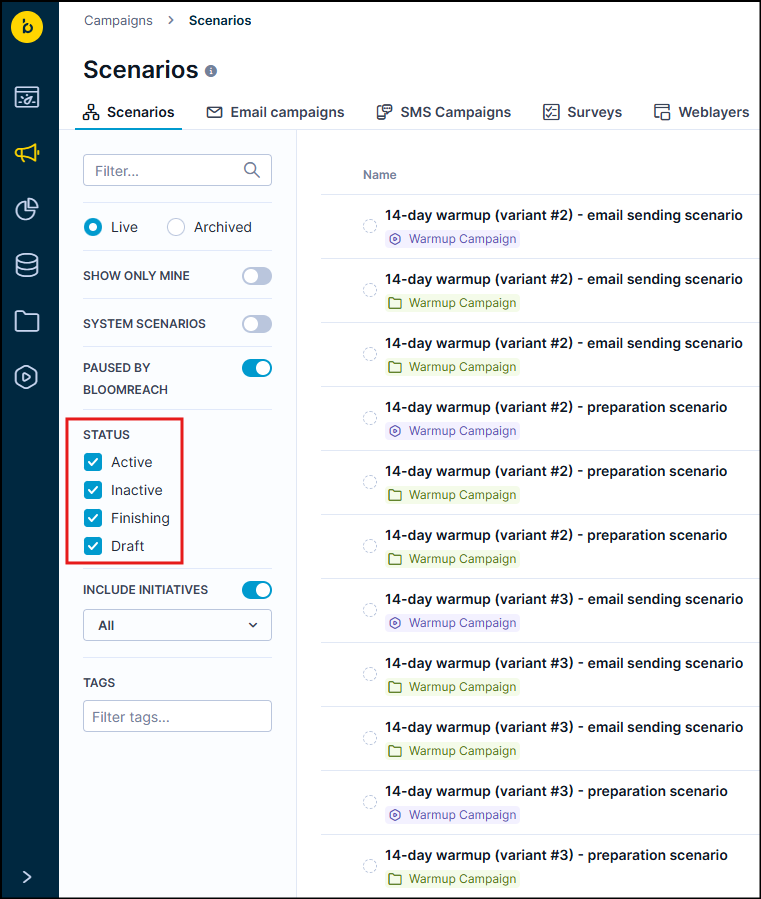
Use the Status filter to find scenarios by their current state
Each status means:
- Active: Your scenario runs and sends messages to customers. Customers move through the journey you built.
- Inactive: You saved your scenario but haven't started it yet. New scenarios always start as drafts.
- Finishing: You asked the scenario to stop, but some customers still need to finish their journey. Once everyone completes their path, the status changes to inactive.
- Draft: The scenario stopped completely. No messages go out and nothing happens.
Scenario version history
Version history saves every change you make to your scenarios. Use it to:
- See what changed between versions.
- Recover work you deleted by mistake.
- Try different approaches safely.
- Work with teammates without breaking things.
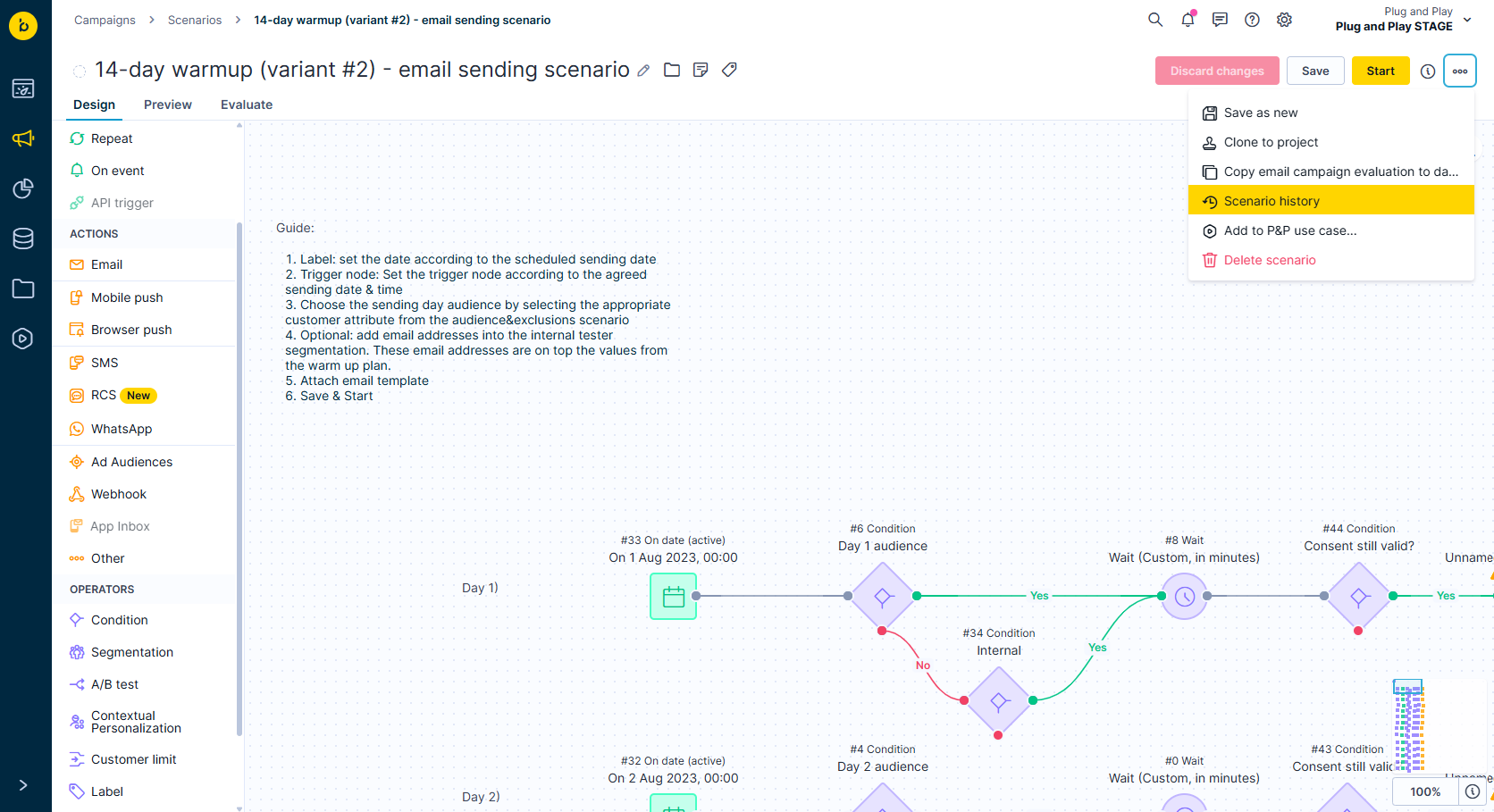
The scenario history panel lists all saved versions with timestamps and actions
See past versions
- Open your scenario.
- Click the three-dots menu.
- Select Scenario history.
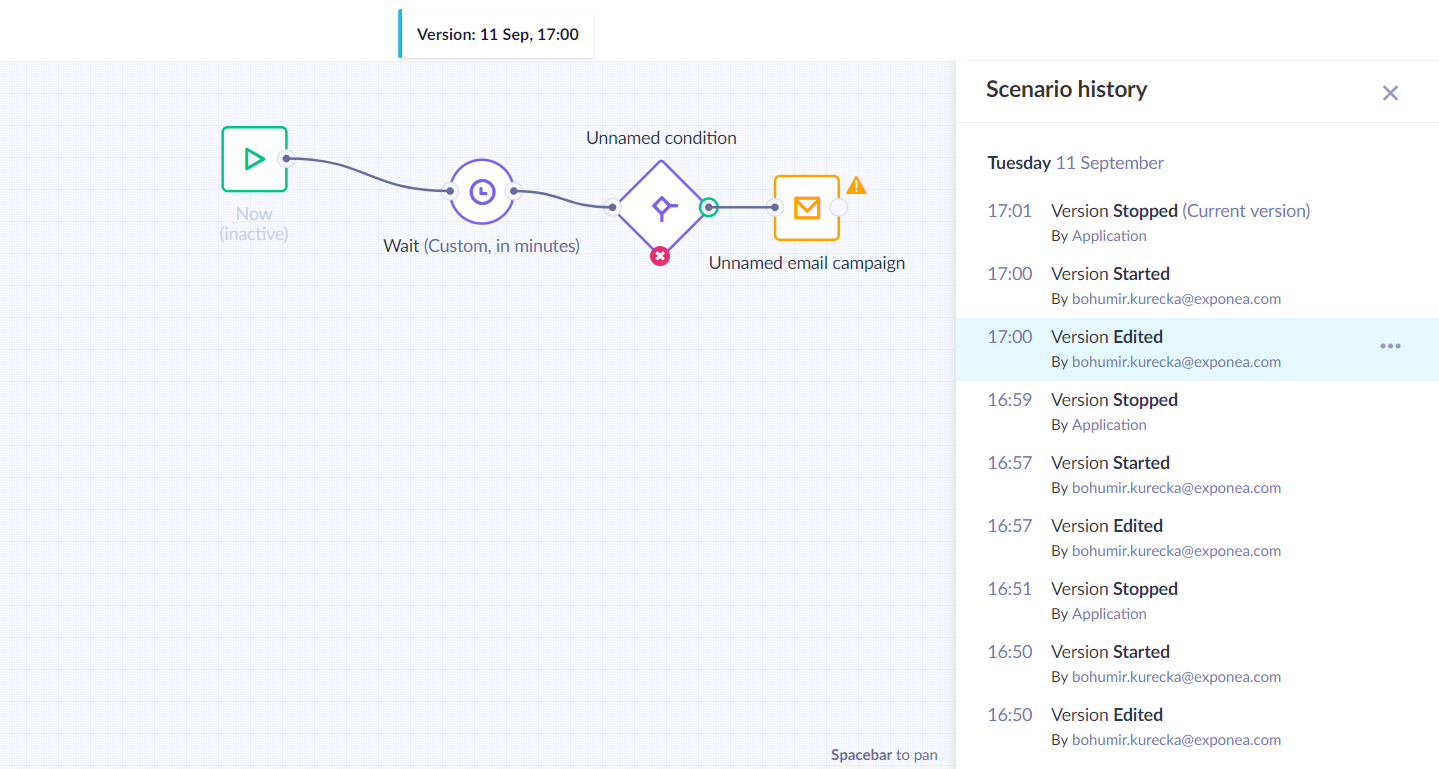
Compare versions at a glance
Compare versions
Click any version to preview it. Changed parts are highlighted, so you can spot the differences.
Go back to old versions
Switch back to any old version or copy it. Use this to:
- Undo changes you don't want.
- Test different ideas.
- Start over from something that worked.
Restore deleted scenarios
Deleted a scenario by accident? You can often restore it from the scenario history.
Find deleted scenarios
- Go to Campaigns > Scenarios.
- Click History in the top-right corner.
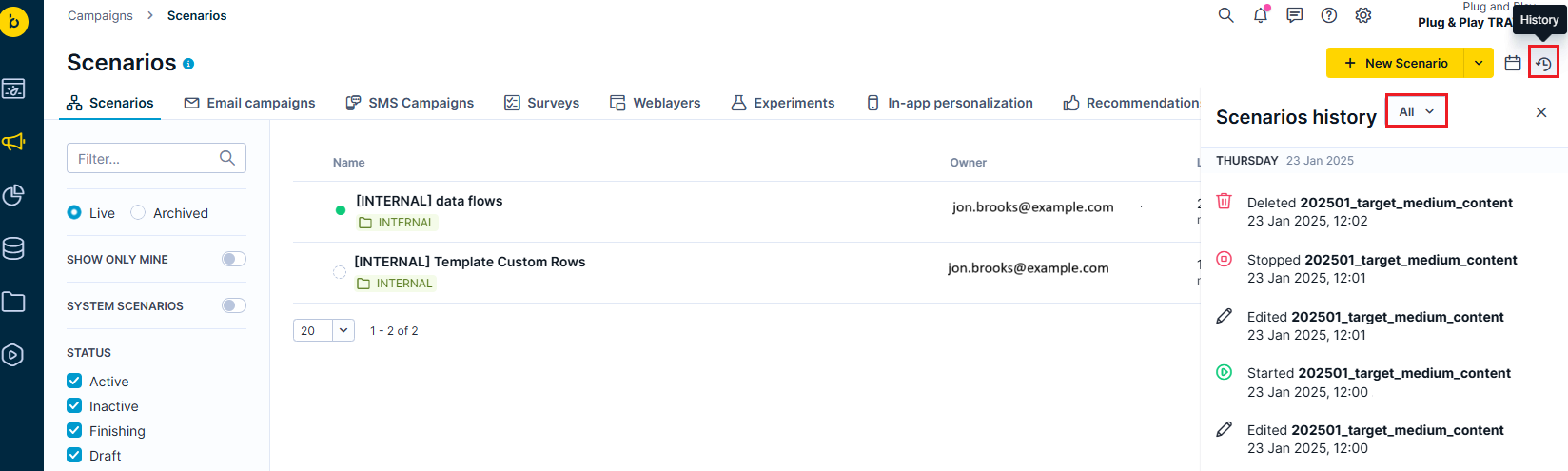
Use the Deleted filter in the history panel to find and restore removed scenarios
- Under Scenarios history, select the Deleted filter.
- Review all deleted scenarios in your project.
Bring back deleted scenarios
If the scenario has a saved version in the scenario history:
- Click the version you want to restore.
- Restore the last version that was saved properly.
Your scenario comes back exactly as it was when you last saved it.
Updated about 1 month ago