

Create and manage catalogs
This guide explains how to set up and manage general catalogs with Data hub integrations. Manage product data with Item collections.
General catalogs with Data hub integration offer enhanced capabilities, including mutable schemas, searchable settings. Modify after creation, and improve data management workflows.
Prerequisites
Before you begin, ensure your workspace meets these requirements:
- Your workspace must be Data hub enabled.
- Ensure you have the appropriate permissions.
Set up general catalogs
The setup process includes these steps:
Monitor general catalog jobs
Use the Jobs tab to track the status of general catalog operations. The tab displays:
-
All jobs, including import jobs, item update jobs, and configuration update jobs, which the system processes sequentially.
-
Job statuses include pending, running, success, fail, and canceled.
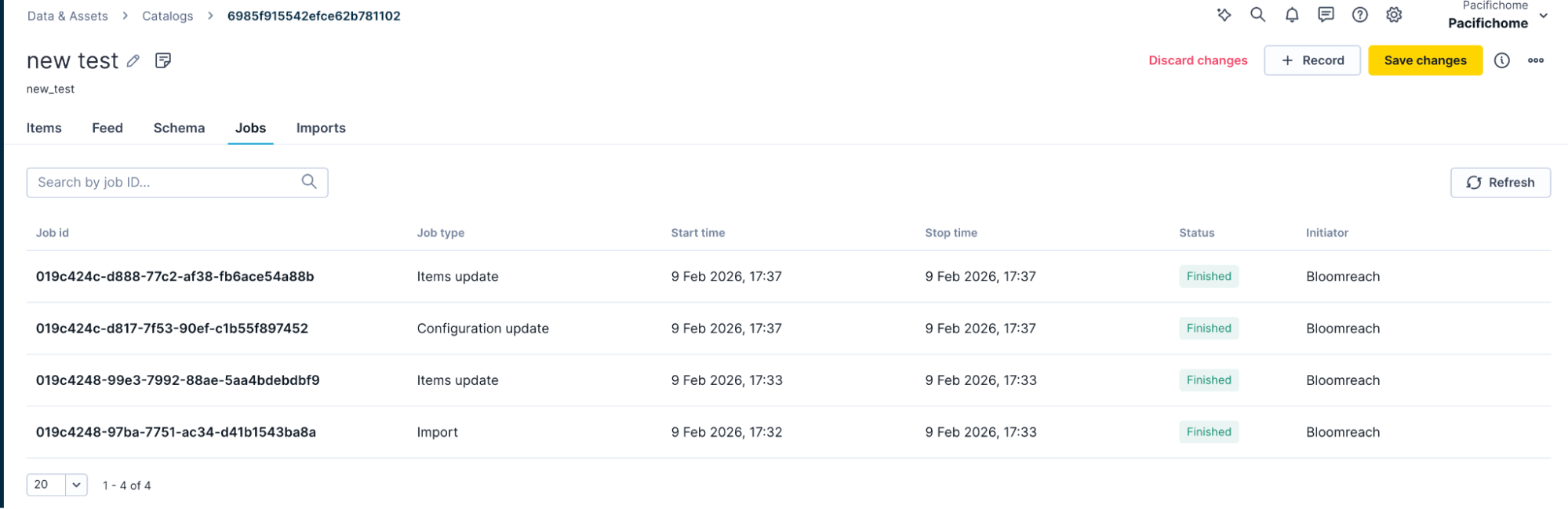
Use Jobs tab to track status of catalog operations
Support
If you see issues, contact Bloomreach Support for help.
Updated 14 days ago