

Evaluate Contextual personalization
After running Contextual personalization, use this guide to measure its impact and select a winner.
Before evaluating, make sure you enabled the Comparative A/B test toggle and set traffic distribution to 80% Contextual personalization and 20% comparative A/B test when configuring your campaign.
This is a Premium tier feature powered by Loomi.
When to evaluate
Don't evaluate performance too early. Wait until at least 10,000 variant selections or delivered messages have accumulated — this gives Loomi enough time to learn and ensures your results reflect optimized decisions, not early exploration.
Example: A campaign has been running for 4 weeks with 10,000 emails delivered per week — 40,000 total. Evaluate using only the last 30,000 emails (the last 3 weeks), excluding the first week when Loomi was still learning.
Exploration and randomization
As part of the reinforcement learning process, Loomi intentionally makes a small portion of decisions randomly. This is called exploration — it helps Loomi confirm existing learnings and discover patterns it wouldn't find by always choosing the current best variant.
This is expected behavior, not a sign of underperformance. Keep it in mind when reviewing your results, especially early in the campaign.
Evaluate results
Use the variant_type property to split your audience into three segments — Contextual personalization, Variant A, and Variant B — and compare their performance.
Where to find variant_type:
- Weblayers: Tracked in the
bannerevent asbanner.variant_type. Note thatvariant_typeis stored in the standardaction=showevent. - Scenarios and email campaigns: Tracked in the campaign event as
campaign.variant_type. Note thatvariant_typeis stored in the standardaction_type=splitevent.
All predefined weblayer templates include variant_type automatically. If you build a weblayer from scratch, add it manually in the tracking JavaScript:
function getEventProperties (action, interactive) {
    return {
        action: action,
        banner_id: self.data.banner_id,
        banner_name: self.data.banner_name,
        banner_type: self.data.banner_type,
        variant_id: self.data.variant_id,
        variant_name: self.data.variant_name,
        variant_type: self.data.contextual_personalization != null ? 'contextual personalisation' : 'ABtest',
        interaction: interactive !== false,
    };
}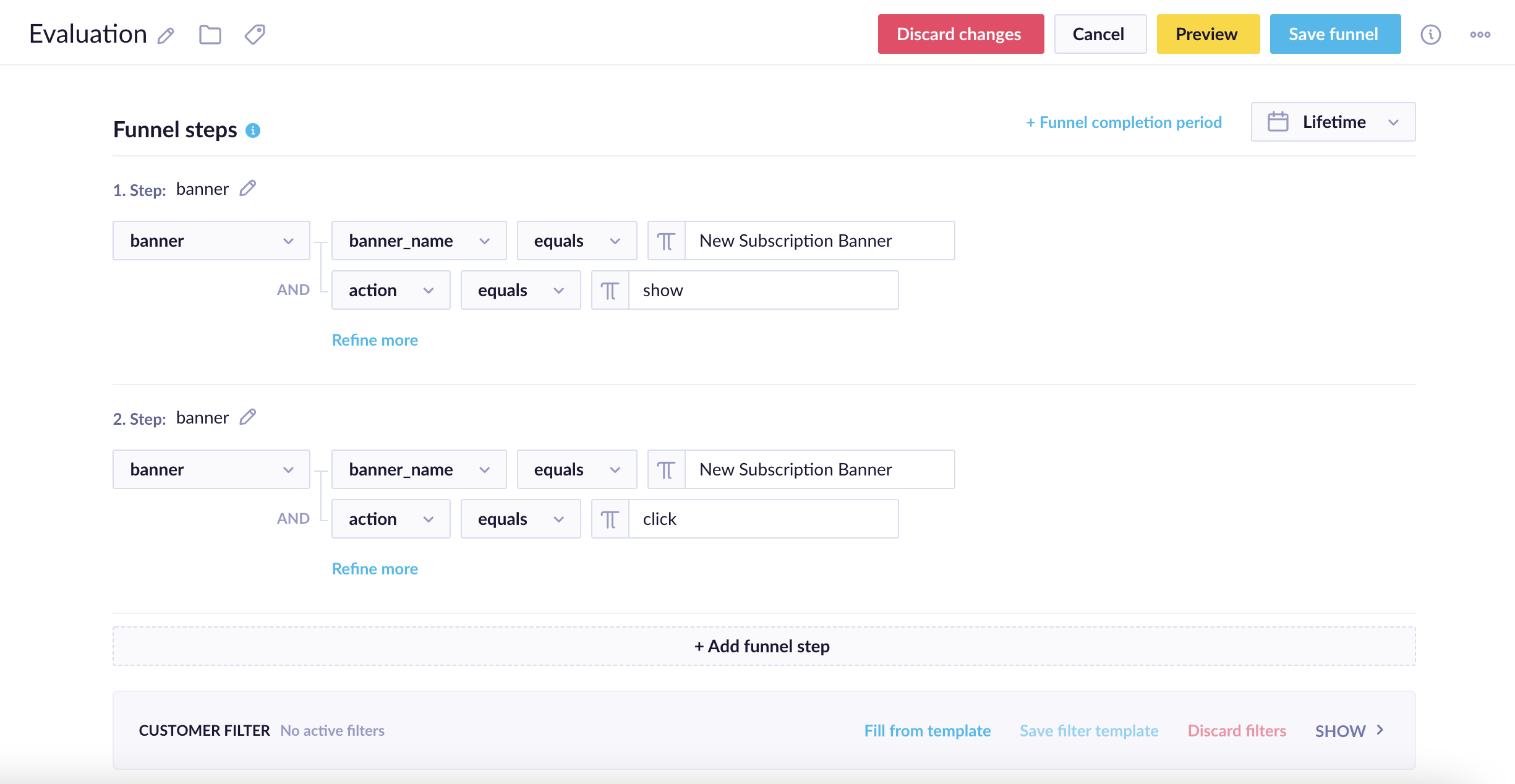
Evaluation funnel for the New Subscription Banner
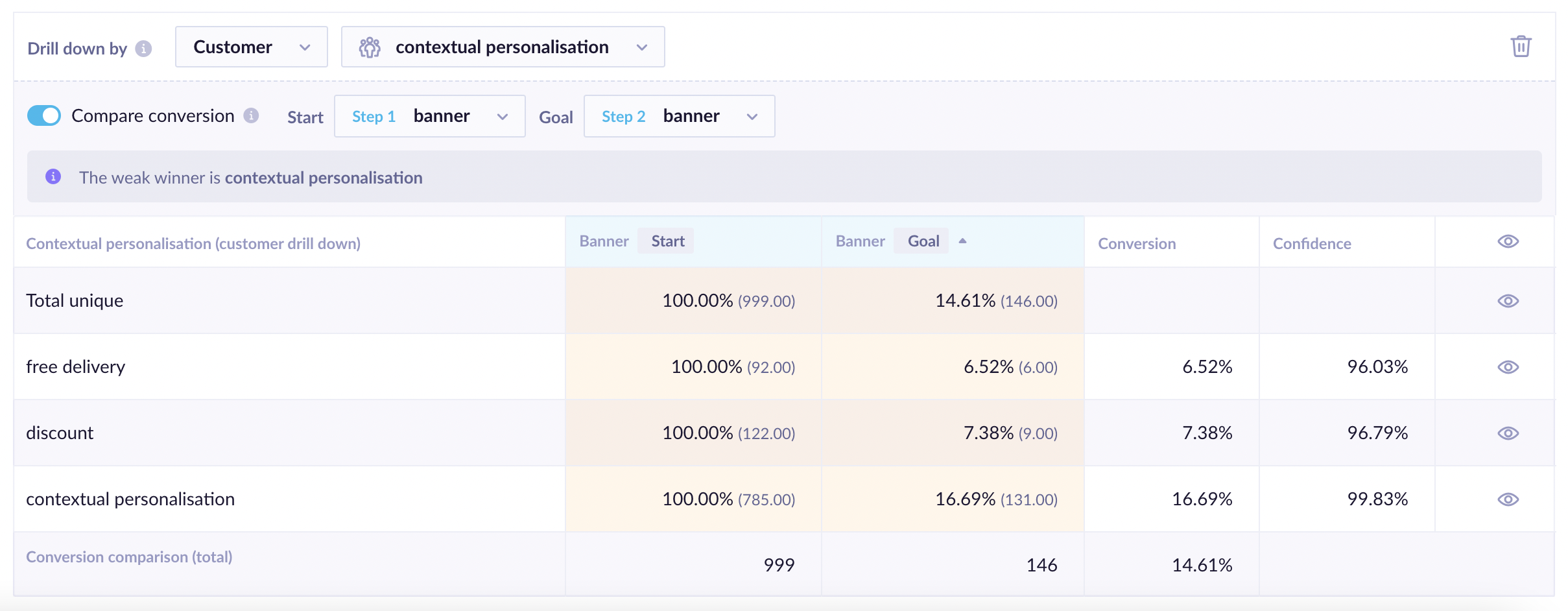
Results of the evaluation funnel for the New Subscription Banner
Contextual personalization typically outperforms individual variants — but this isn't guaranteed. Unpredictable customer behavior and feature selection can affect results. See Exploration and randomization for further context.
Finish the test and select a winner
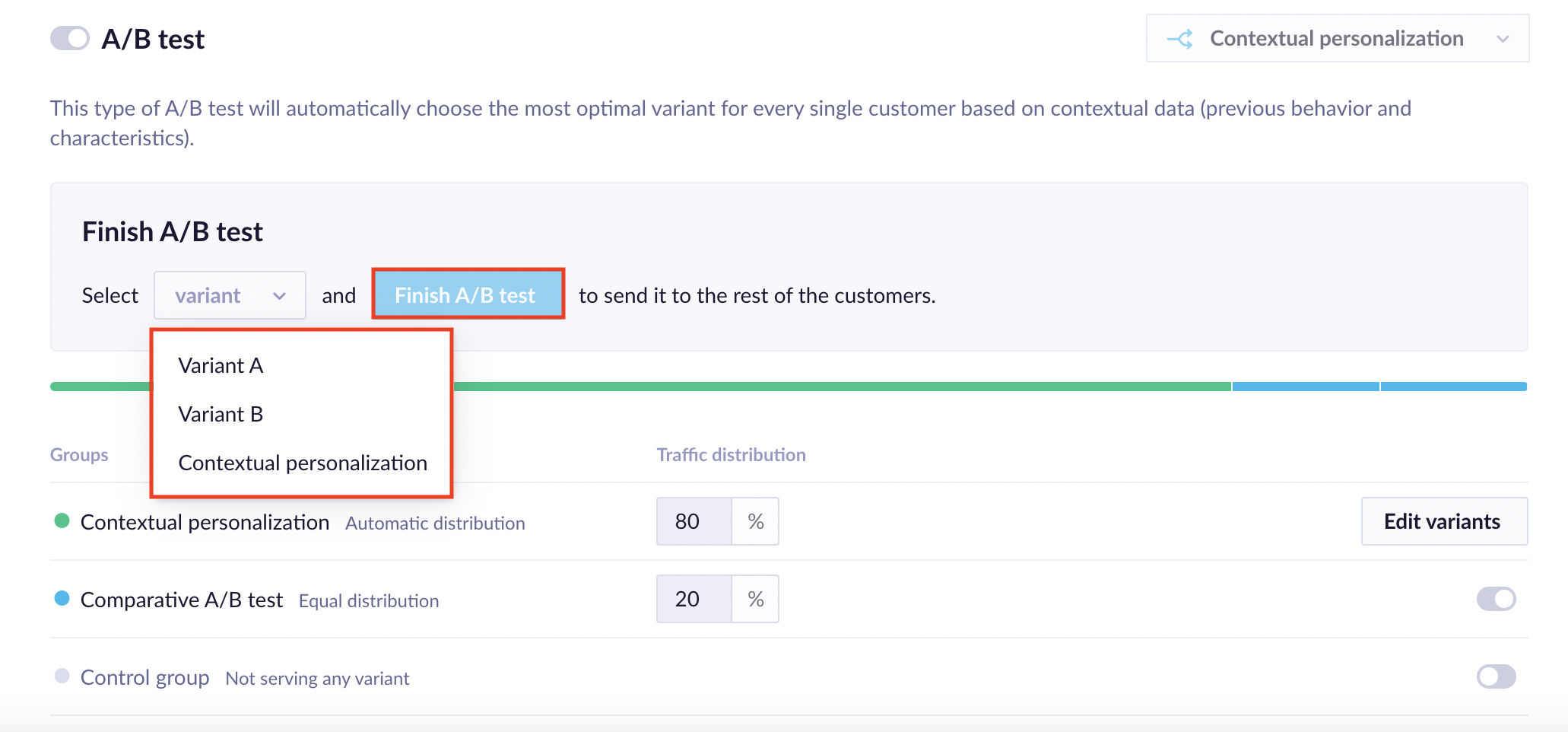
Once you've reviewed your results, go to the Finish A/B test section of the Contextual personalization settings and select a winner — either Contextual personalization or one of the individual variants. After confirmation, all traffic is served the selected variant. This section is only visible for weblayers with less than 100% of traffic sent to Contextual personalization.
Compare results fairly
To measure uplift accurately, don't compare contextual personalization against the average of all A/B variants. Instead:
- Run a standard A/B test to identify the best-performing variant.
- Compare contextual personalization's overall performance against that single winning variant.
This is the most accurate benchmark for whether contextual personalization is adding value beyond traditional A/B testing — since it's designed to be "best per person," not "best on average."
Next steps
- Contextual personalization use cases — explore examples by industry and channel.
- Configure Contextual personalization — revisit your setup to adjust features, goals, or values.
Updated 2 months ago