
Advanced engine for recommendations
The advanced engine lets you combine multiple recommendation models into a single customized setup. Instead of using one model on its own, you can mix different models, set priorities, and choose how results are combined—giving you more control over what gets recommended and when.
Available engines
You can combine any of the following engines:
| Name | Template |
|---|---|
| Manual selection | Manual selection technique |
| New items | New items |
| Chosen by metric | Chosen by metric |
| More like this | More like this |
| Textual similarity | Text model |
| Customer recent interactions | Customer recent interactions |
| Personalized recommendations for you | Personalized recommendations for you |
The Personalized recommendations for you model lets you add as many events as you want, each with its own weight. Weight is a positive number that represents how strongly an event signals user preference. The higher the number, the stronger the signal.
Understanding the weight parameter
Weight controls how much each user action influences recommendations. To use it well, it helps to understand the difference between explicit and implicit feedback.
How weight works with implicit feedback
Explicit feedback is when a user directly rates something. For example, giving a film 1 to 5 stars. The rating itself is the signal.
Implicit feedback uses actions like view_item, add_to_cart, and purchase events. These don't tell you whether a user liked something—only that they interacted with it.
In implicit feedback models, the system infers preference and assigns a confidence level to that inference. Weight directly affects that confidence level. An event with weight: 3makes the model three times more confident that a user likes an item compared to an event with weight: 1.
Recommended weight settings
| Event | Suggested weight | Rationale |
|---|---|---|
view_item | 1 | Lowest intent — just browsing. Gives a broad but weak signal. |
add_to_cart | 5 | Much stronger than a view. The user shows clear intent to buy. |
purchase | 10–20 | The strongest signal. The user has bought the item and shown real preference. |
Set up the advanced engine
Choose a catalog
Select a product catalog containing all your products. Apply a catalog filter to limit results to relevant items — most commonly used to show only in-stock products.

Catalog selection and filter settings.
Add and configure models
Under Choose and set up the recommendation models, click + Add engine to add a model from the list. You can add multiple models and assign each one a priority number.
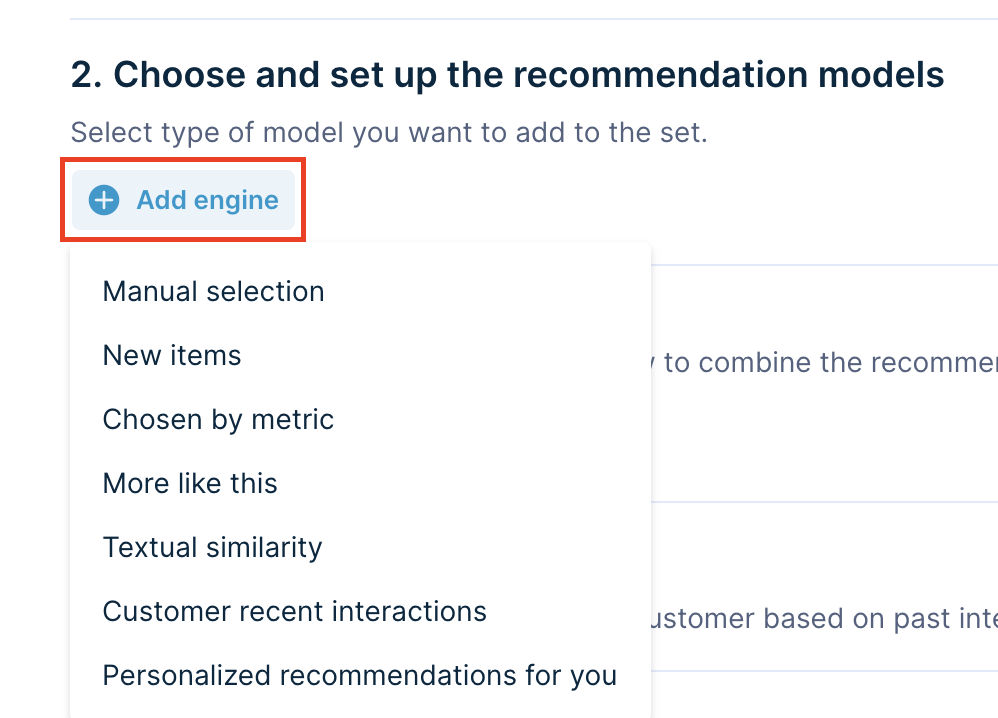
Adding an engine and selecting a model.
This example uses 2 models: More like this and Personalized recommendations for you. They have priorities 1 and 2.
The system shows all results from the More like this model first (priority 1), followed by results from the Personalized recommendations for you model (priority 2).
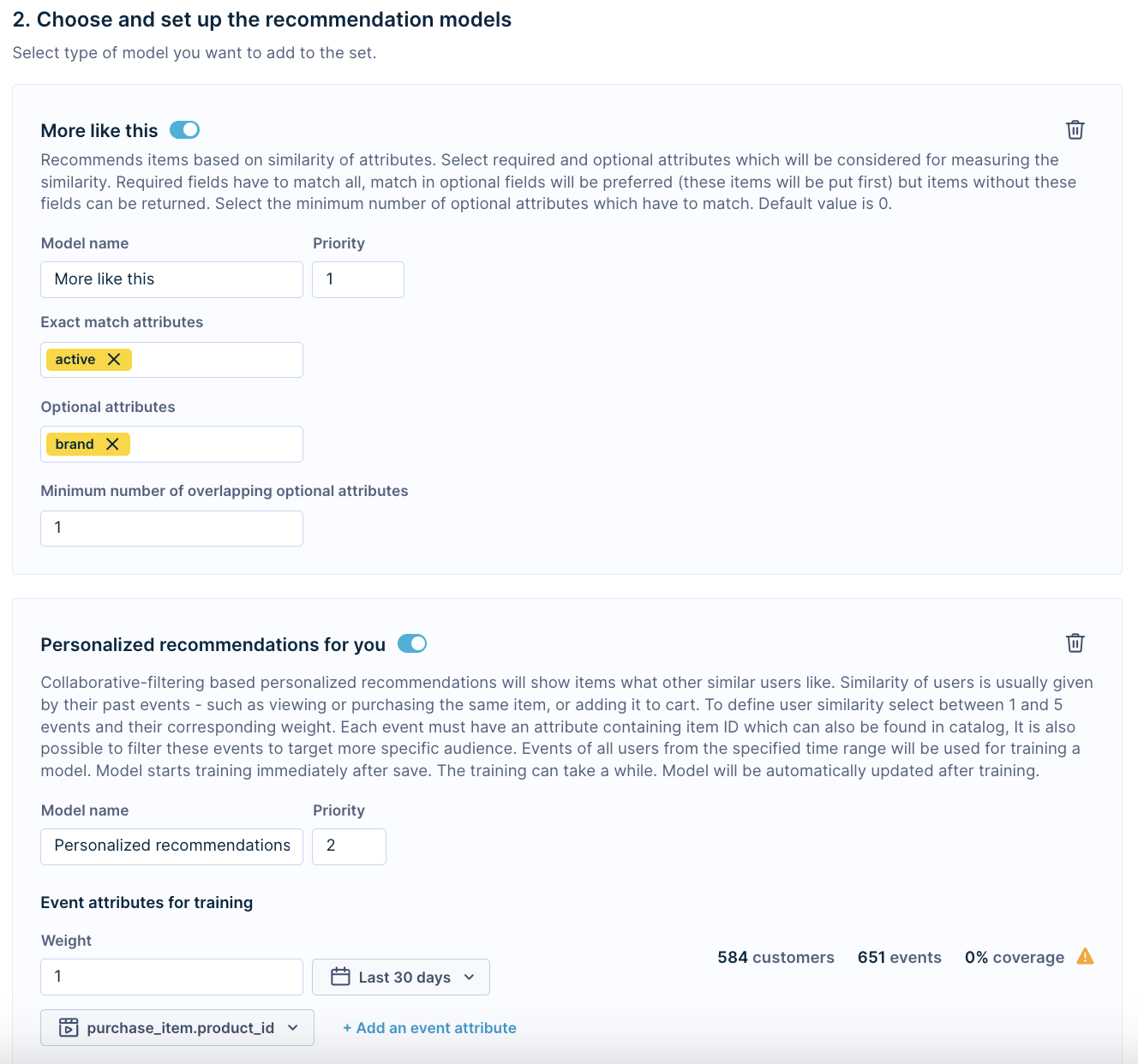
Example of Advanced template with 2 models
Select the combination strategy
Once you've added your engines, choose how to combine their results:
| Combination name | What does it mean |
|---|---|
| Only the best one | The system picks the best-performing model after it receives at least 1,000 views (recommendations.action = view) across all engines. The model with the most clicks (recommendations.action = click) wins. |
| Combine multiple | Results from all engines are mixed together. |
| Order by priority of models (You can set priorities in the previous step while designing engines) | Engines are used in priority order. The system starts with priority 1 and moves to the next only if there aren't enough results. Useful for setting up fallback models when personalization isn't possible. |
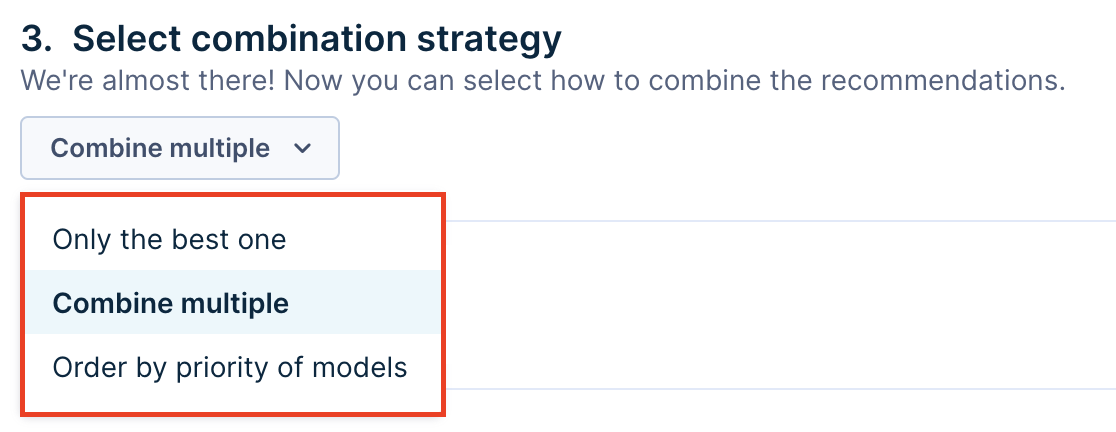
Combination strategy options.
Model combinations
Mixing engines is especially useful for email recommendations, where you want the most relevant results possible. A good pattern is to use a manual selection engine at the lowest priority as a fallback. It kicks in only when other engines don't return enough results.
NoteAdding more models increases API response time.
Updated 2 months ago