

Email deliverability dashboard use case


What to Expect From This Use Case
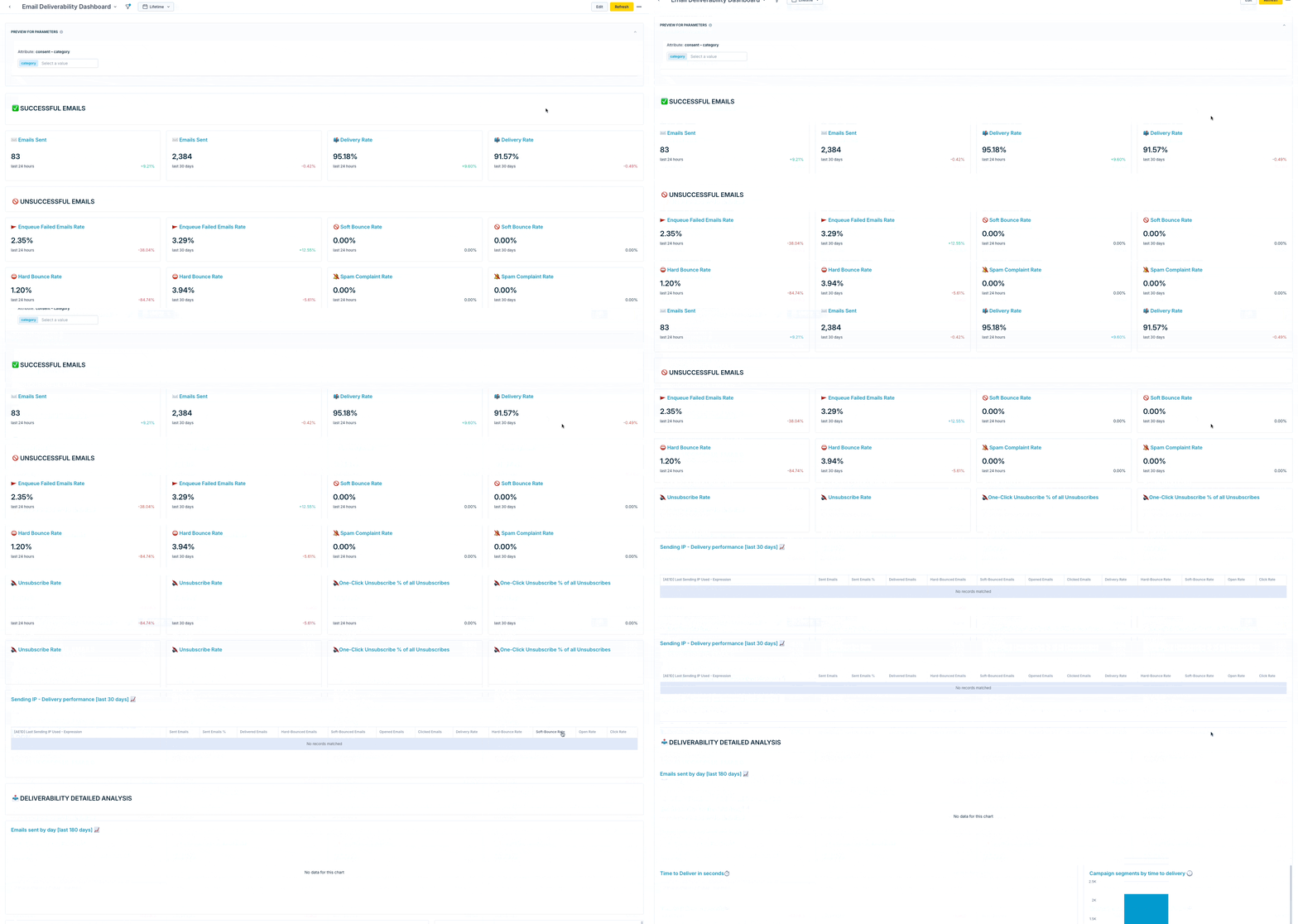
This dashboard enables an overview of main metrics such as delivery rate and hard bounce. It provides detailed information about different aspects of deliverability to support the constant effort to have a good email reputation. Giving a deep insight into emailing metrics helps marketers understand their emails and audience and improve their campaigns and audience segmentations.
TipVisit our microsite to read more about this and other use cases developed by a team of Bloomreach experts.
Use Case Items
With this use case, you’ll get a:
- Evaluation Dashboard
How to deploy the Use Case
After downloading the use case, follow these steps:
Step 1: Meet the Requirements
Verify if the data in your project meets the requirements. Follow this step-by-step setup guide in case of problems.
Step 2: Understand the Use Case Logic
The prebuilt evaluation dashboard includes important deliverability emailing metrics.
The key components that you can adjust include:
- Scenario—You need to start the scenario. No further adjustments are necessary.
- The scenario tracks email_domain as a separate customer property for every customer with email value tracked. The aim is to isolate only the email domain value and use it in deliverability analysis.
- Campaign Event Segmentation—Adjust the definition of the 'exclude' segment.
- This segmentation is used in the dashboard to filter out campaigns you do not wish to analyze, such as test campaigns. Do not change the order of the segments. If you do not wish to exclude any campaigns, leave the segmentation as it is.
- Deliverability Dashboard—Insert your emailing consent into the consent parameter.
- Remember, a filter is used on the dashboard level that filters out only the campaigns narrowed down in the campaign event segmentation above.
TipTo learn more on Email Deliverability Tips, visit this article. To go in depth on Email Marketing Metrics, read this article.
Updated 3 months ago