

Deploy recommendations
Once you confirm the output, select one of the following channels to deploy your recommendations.
Add recommendations to a channel
The Web deployment provides a list of available integration paths. Recommendations are supported by:
- Weblayers: add recommendations using a Jinja catalog lookup or a recommendation Box template.
- Email campaigns: add recommendations using a Product Items content element.
- Experiments: add recommendations using a Product recommendations [web] block. See Web recommendations block.
- Shopify: add recommendations to your Shopify forefront using the Loomi for Shopify app.
To go beyond the auto-generated snippet—for example, to integrate recommendations via Jinja, adjust parameters, or implement event tracking. See Integrate recommendations: developer reference.
Recommendation set ID
Each recommendation set has a unique ID, shown at the bottom of the Web deployment tab. The ID connects your recommendation to an external integration—for example, a Shopify recommendation set that displays personalized items like “Similar" or "Recommended for you" on your storefront.
Click Copy to clipboard to copy the ID.
Web deployment
The Web deployment tab also generates a JavaScript snippet pre-filled with your recommendation ID. The snippet uses the JavaScript SDK to fetch recommendations from the engine and render them on the page.
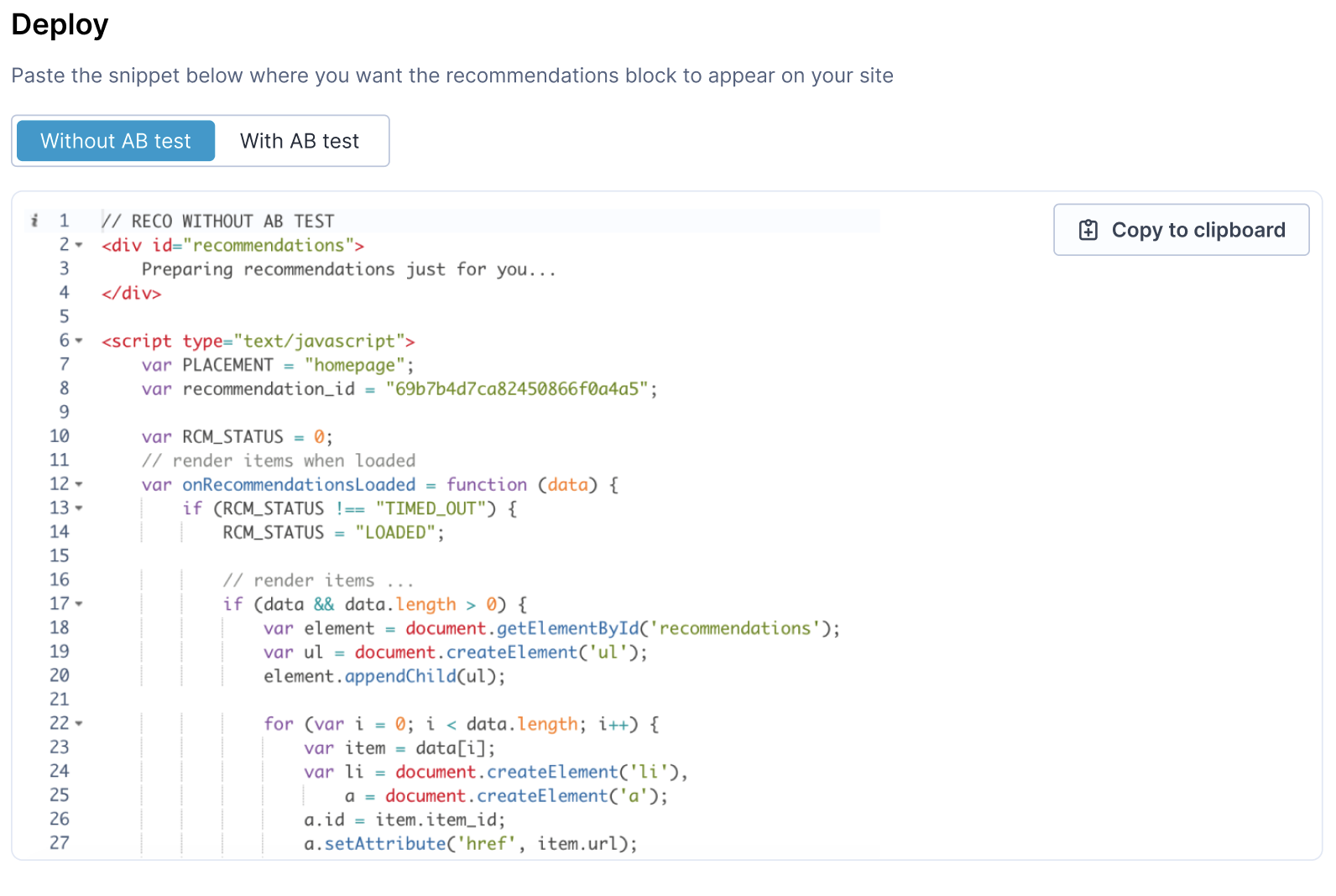
Toggle between two versions:
- Without A/B test: fetches and renders recommendations directly. Paste the snippet into your site's HTML where you want the recommendations block to appear, then customize the rendering logic as needed.
- With A/B test: wraps the recommendation call in an A/B test function that splits traffic between a recommendations variant and a control group. Use this to measure the lift from showing recommendations against a baseline. For more on setting up and evaluating A/B tests, see A/B testing.
Select your version, then click Copy to clipboard.
Updated about 2 months ago