

Smart triggering in weblayers
Smart triggering shows a weblayer based on how a visitor engages with a page. Instead of showing a weblayer the moment a page loads, you can wait until someone has read for 30 seconds, scrolled down to your reviews, or moved their cursor toward the address bar.
How smart triggering works
The Web SDK measures engagement while the visitor uses the page. It checks your conditions in the browser, so the weblayer appears instantly. Nothing is sent to the platform, and no signal data is stored.
Signals start counting when the page loads, and they reset on every page load. A visitor who spends 20 seconds on one product page and 20 seconds on the next never reaches 30 seconds of active time on either page.
NoteSmart triggering decides when a weblayer appears. Your other weblayer settings still decide whether it appears at all. The visitor has to match your Show on, Target devices, and Audience settings first.
Available condition types
| Condition type | What it measures | Example |
|---|---|---|
| Active time on page | Time the visitor spent actively interacting — scrolling, clicking, typing, or moving the mouse. Idle time and time in a background tab don't count. | Active time on page >= 30 seconds |
| Total time on page | Time since the page loaded, including idle time. | Total time on page >= 60 seconds |
| Idle time | Time with no interaction at all. | Idle time >= 15 minutes |
| Click count | Number of clicks on the current page. | Click count >= 5 |
| Scroll position | Furthest point the visitor scrolled, in pixels. The value only goes up, so it holds even if the visitor scrolls back up. | Scroll position >= 3000 px |
| Section in view | Whether a part of the page has come into the visitor's view. You define it with one CSS selector. | Section visible = #reviews |
| Visitor returned | Whether the visitor came back after switching tabs, minimizing the window, or locking the screen. | Visitor returned |
| Exit intent (Desktop only) | Whether the cursor moved out of the page toward the browser's address bar or tabs. | Exit intent |
How conditions combine
- Condition limit: up to four conditions on one weblayer.
- All or nothing: every condition has to be true at the same moment. There's no OR option.
- One condition per signal: you can't use the same signal twice.
What changed for existing weblayers
Before smart triggering, timing rules lived in the weblayer's JavaScript, under a Triggering category in the weblayer editor parameters.
This means two sets of rules can compete. A weblayer that has both old triggering code and smart triggering conditions behaves unpredictably.
Weblayers built from built-in templates
Weblayers you create from now on won't have this conflict, because the built-in templates no longer support the old triggering category.
Weblayers built from your own templates
Your saved weblayer assets and Use Case Center weblayers keep their original JavaScript. We don't change them, because your team may have customized that code. If a weblayer behaves unexpectedly after you add smart triggering conditions:
- Open the weblayer and check its JavaScript for triggering code.
- Remove that code and rely on smart triggering instead.
- Alternatively, recreate the weblayer from a built-in template.
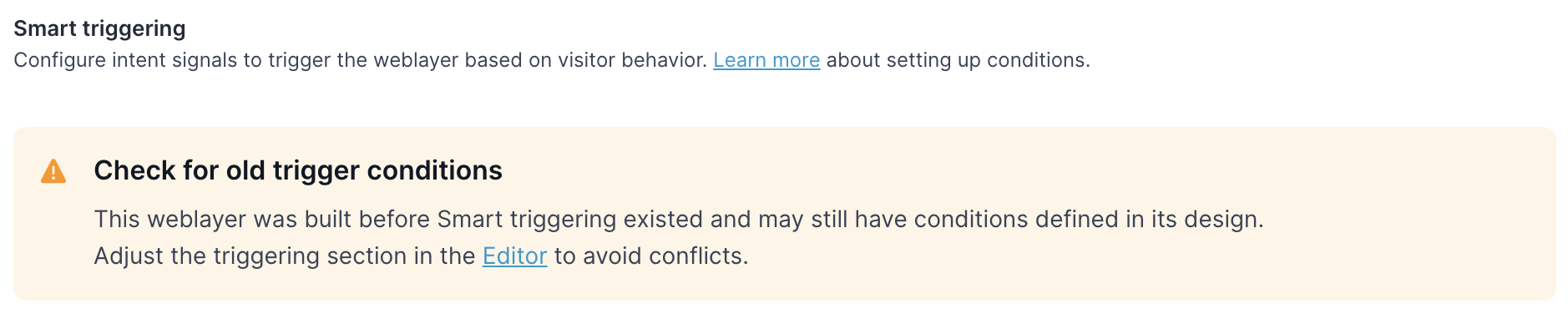
When you edit a weblayer that still holds values in its triggering parameters, a warning appears in the settings.
Limitations
- Web SDK must be v3.57.0 or later. Older versions ignore the conditions and show the weblayer immediately.
- Exit intent works on desktop only. Mobile browsers have no reliable equivalent.
- Section visible accepts one CSS selector, not a list.
- Visitor returned doesn't fire on a page refresh or when the visitor opens a new page.
- Signals reset on every page load, so you can't build conditions that span pages or sessions.
- Signals stay in the browser. You can't use them in customer filters, segmentations, or campaigns in other channels.
To read the current signal values yourself — for your own analytics or a third-party tool — use getPageState().
Ready to configure smart triggers?
See Configure smart triggering.
Updated about 2 months ago