

Manage recommendations
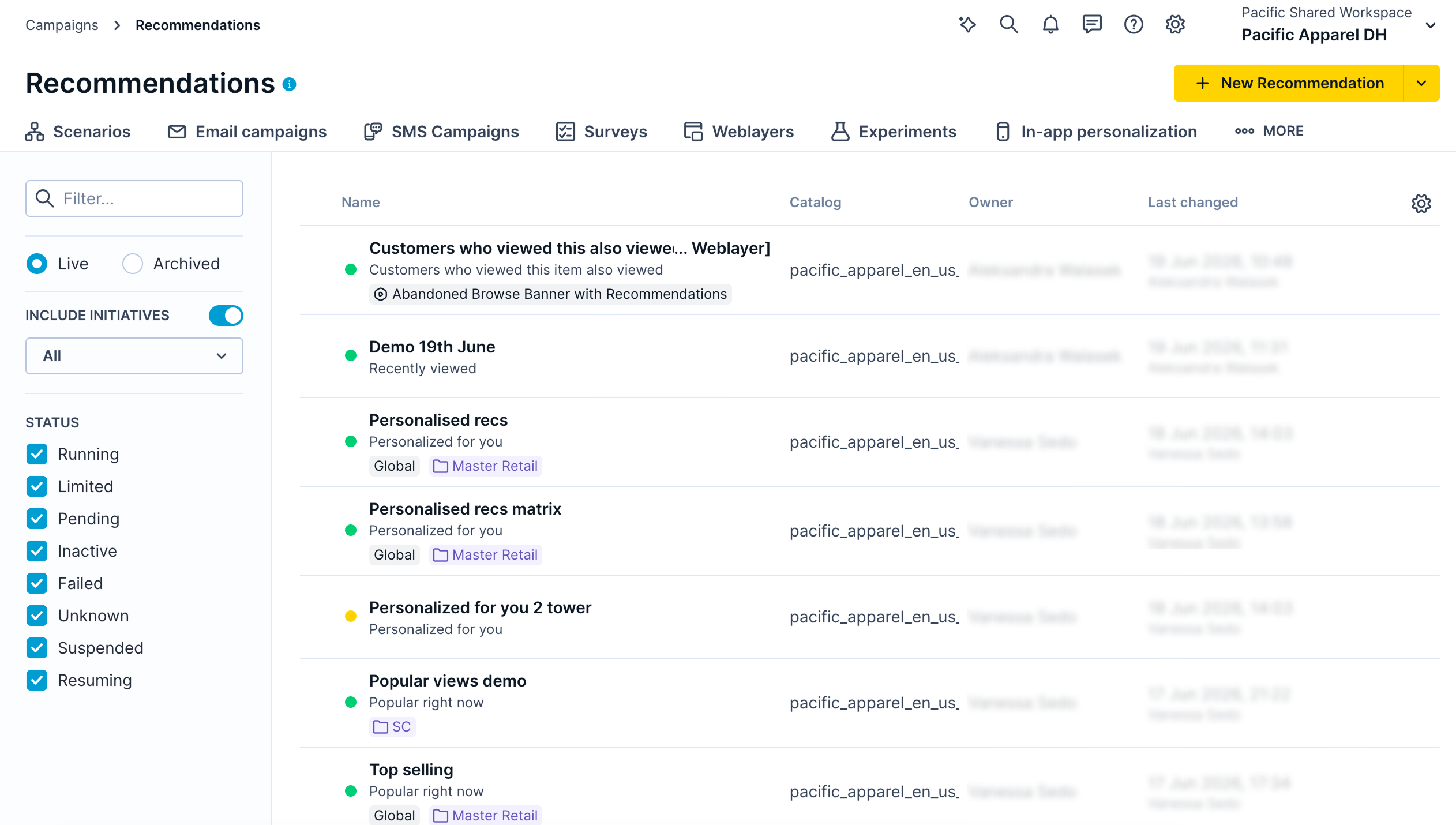
Use the recommendations list to find, edit, archive, and monitor recommendations. The list shows every recommendation in your project with filtering, search, and bulk actions.
Permissions
Two permission levels control access to recommendations:
- Read: view recommendations, preview results, and see metrics. Can't create, edit, or delete.
- Write: full access. Can create, edit, archive, and delete recommendations.
Permissions follow role-based access control.
List of recommendations sets
Open Recommendations from the main navigation to see the full list. Each row shows the recommendation's name, template, state, catalog, and last updated date.
Edit a recommendation
Edit any recommendation regardless of its state. Open the recommendation and switch to the Design tab to update fields, filters, pins, or merchandising settings.
NoteChanges apply on save. If the recommendation is live, the new configuration takes effect on the next request.
Copy a recommendation ID
Each recommendation has a unique ID used when referencing it in APIs and external integrations. To copy the ID:
- Open the recommendations set.
- Scroll to the bottom of the Web deployment tab to the Recommendation set ID section.
- Click Copy to clipboard to copy the ID.
The ID is also visible in the URL when the recommendation is open.
Archive and delete
- Archive: removes the recommendation from the active list but keeps its configuration and history. Model training is still triggered regularly. Archived recommendations can be moved back to active.
- Delete: permanently removes the recommendation. Deleted recommendations can’t be restored.
To archive or delete, hover over your recommendation in the list and use the action menu that appears on the right.
Updated 4 months ago