

Widget webhooks
Widget webhooks let you create custom configuration screens for your scenario actions. These interactive screens embed directly into scenarios through widgets, so you can build interfaces that let users customize their interactions without leaving Bloomreach.
How widget webhooks work
A widget webhook consists of two connected parts:
- A webhook preset configured in Bloomreach, which defines the widget URL, icon, description, and tracked parameters.
- An iFrame widget hosted on your server, which communicates with Bloomreach using the postMessage protocol.
Once configured, the widget appears among Other actions in the scenario builder, where users can load and edit it directly within a scenario.
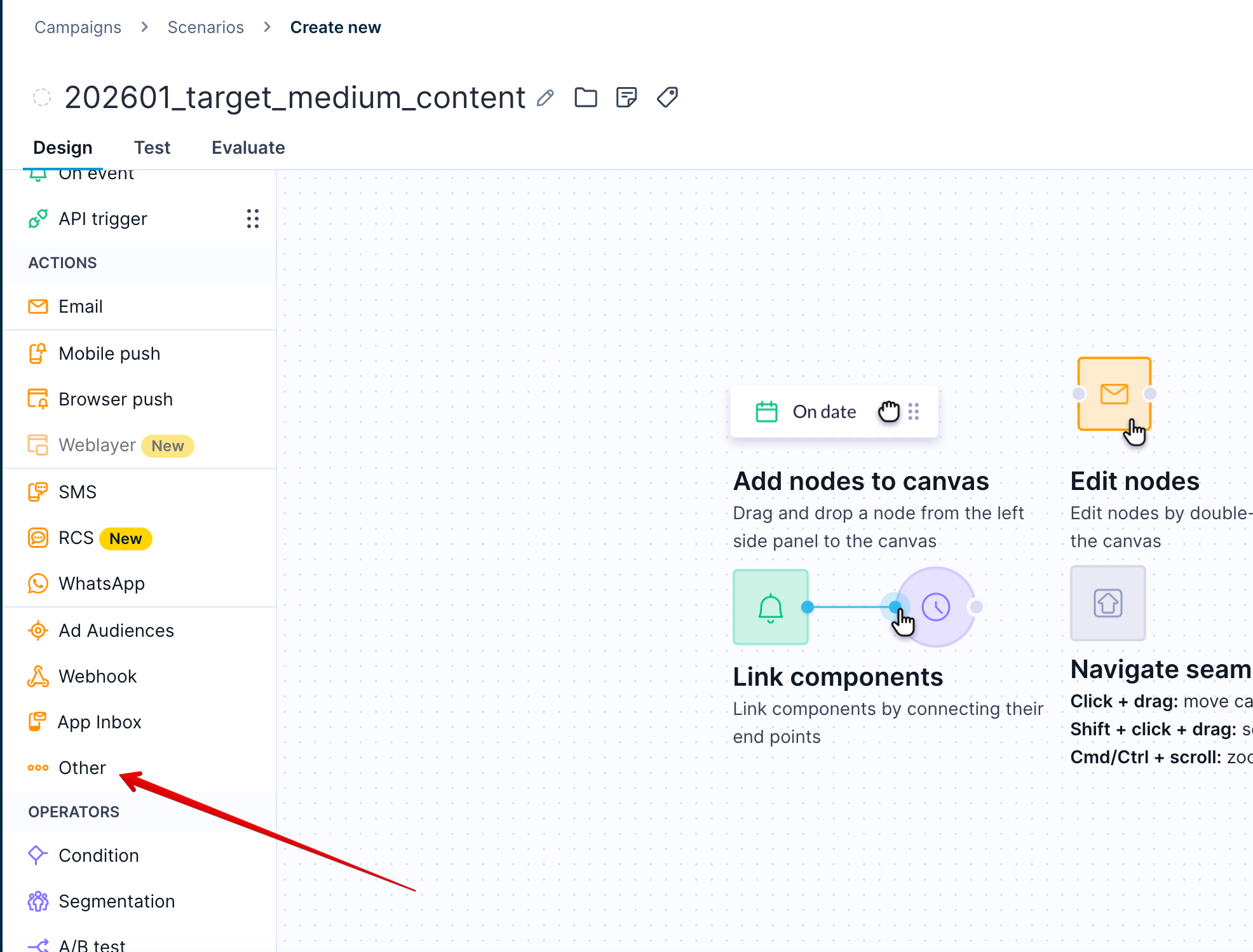
A configured widget webhook appears under Other actions in the scenario builder.
Communication process
The widget and Bloomreach exchange messages through the browser's postMessage API. The sequence below describes how the communication flows.
- The widget loads in the
<iframe>and sends an initialization message (widget_hello). - Bloomreach responds with configuration data (
app_hello). The widget is now initialized. - When a user saves or tests the webhook, Bloomreach sends a state request (
app_request_state). - The widget responds with its current configuration (
widget_state). - If Bloomreach encounters validation errors, it sends error details back to the widget (
errors).
Prerequisites
Widget webhooks require 2 skill types, depending on the setup stage.
To configure a widget webhook in Bloomreach (non-technical):
- Administrator access to your Bloomreach account.
- Basic understanding of scenarios and action nodes in Bloomreach.
To implement the widget communication protocol (technical):
- JavaScript knowledge to build and implement the widget's
postMessagecommunication and iFrame interface. - Basic understanding of HTTP methods and JSON structures.
- A secure web server to host the widget webhook (widget URL).
Limitations
Event properties data type
Only string values are currently supported. The system fails to process event properties passed as lists in the widget webhook configuration.
Widget state size
The widget_state field is limited to 4KB after serialization. Store only essential widget-specific data in this field. Don't include sensitive information like passwords or secrets, as the size limit prevents secure storage.
Next steps
Ready to set up your widget webhook? See Configure and implement widget guide.
Updated 3 months ago