

Catalog trigger types
Every catalog trigger type offers a specific set of configurable fields. The lookback window and minimum occurrence always live in the audience matching filter.
Back in stock
Select items
- Select the item collection and configure item filters.
Trigger when
- Configure the restock threshold.
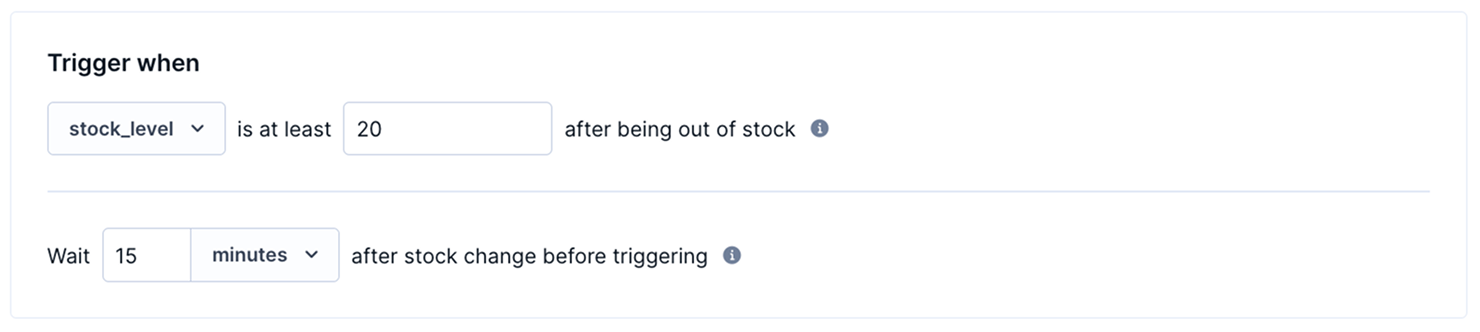
- Set the minimum stock level that counts as restocked to avoid a brief flicker triggering a message using:
| Value type | Trigger example |
|---|---|
| Number | stock_level is at least 10 = the scenario is triggered only if the stock level was 0 and goes to 10 or above |
| String | stock_status goes from out_of_stock to in_stock |
- Configure Safety wait for the scenario to wait a set time after the change, then recheck and continue only if stock is still at or above the threshold.
Audience matching
- Include customers by event, for example, viewed this item at least
1time in the last30days.
Example: Back in stock with a minimum stock threshold
Goal: notify interested customers only when an item is truly back in stock, not when it briefly flickers above zero.
Setup:
- Add a Catalog trigger node and choose Back in stock.
- For Select items, choose your catalog.
- For Trigger when, set
stock_levelto reach at least20after being out of stock, and add a 15-minute safety wait. - For Audience matching
- Include customers who viewed this item at least once in the last 30 days.
- Exclude those who already purchased the item.
- Configure the minimum number of matching items per customer.
At runtime:
- Several customers have viewed the product page for "Jacket Y", recording their interest.
- Stock for "Jacket Y" drops to 0 and stays there for two days.
- An item collection update raises stock from 0 to 100. The trigger confirms the new stock is at least 20, waits 15 minutes, and then notifies qualifying customers with the correct product details.
Price reduction
Select items
- Select the item collection and configure item filters (for example,
[brand_name] [equals] [Brand A]).
Trigger when
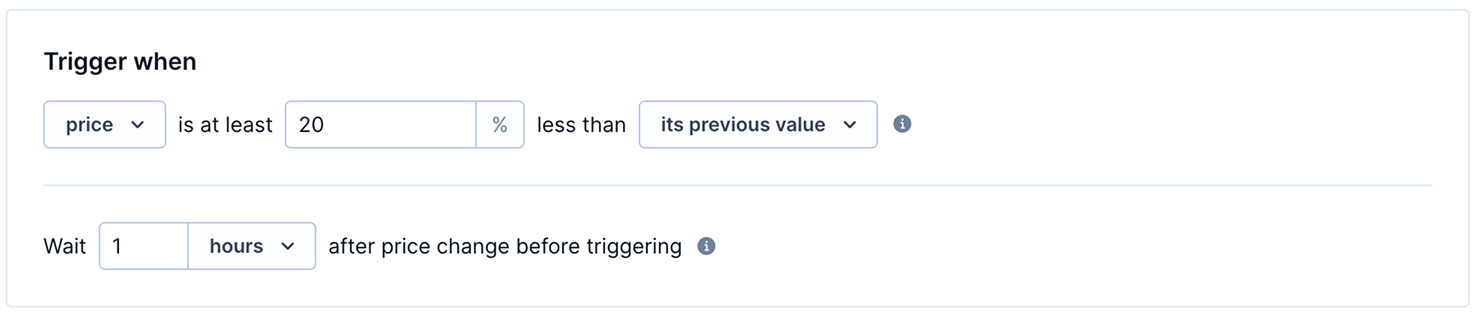
- Configure the drop and the reference it compares against:
| Value type | Trigger example |
|---|---|
| Its previous value (reference) | price is at least 20 % less than its previous value |
| Other attribute (threshold) | price is at least 20 % less than original_price |
- Configure Safety wait for the scenario to wait a set time after the change, then recheck and continue only if the price is still reduced.
Audience matching
- Include customers by event — for example, viewed this item at least
1time in the last30days.
Example: Price drop on a viewed product
Goal: notify customers when a product they viewed drops at least 20% in price.
Setup:
- Add a Catalog trigger node and choose Price reduction.
- For Select items, choose your main product catalog.
- For Trigger when, set the
priceattribute to drop at least20% belowits previous value, and add a two-hour safety wait. - For Audience matching:
- Include customers who viewed this item at least
oncein the last30 days. - Exclude customers who have already bought the item in the same time period.
- Include customers who viewed this item at least
At runtime:
- A customer views "Laptop X1" twice within the last 30 days, at a price of $999.
- The price changes from $999 to $799. The trigger queues the item, since the drop is at least 20%.
- After two hours with the price still at or below $799, the scenario starts.
- The customer receives an email such as "Great news! Your recently viewed Laptop X1 is now available for
$799, down from its original price of$999."
Low inventory
Select items
- Select the item collection and configure item filters.
Trigger when
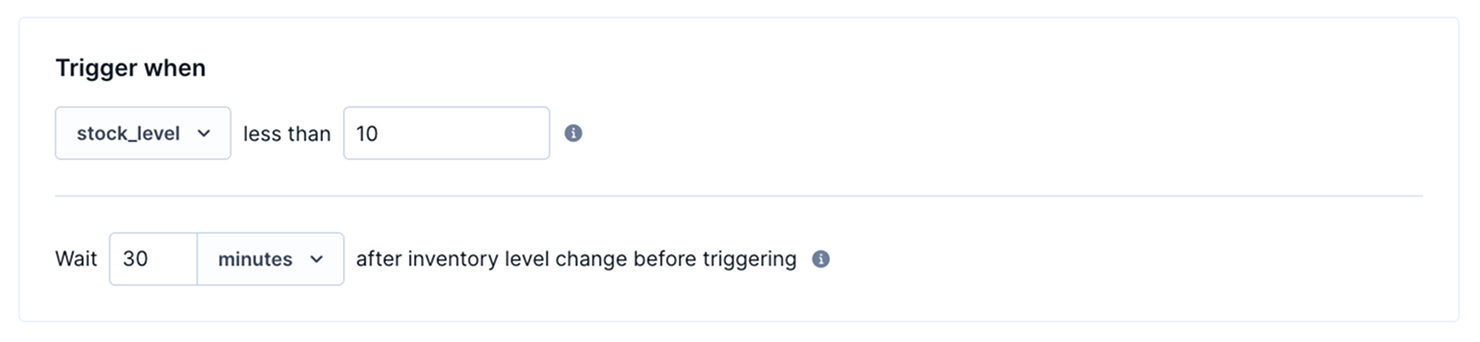
- Configure the threshold:
| Value type | Trigger example |
|---|---|
| Number | stock_level less than 5 |
| String | stock_status goes from in_stock to low_stock |
- Configure Safety wait for the scenario to wait a set time after the change, then recheck and continue only if stock is still below the threshold.
Audience matching
- Include customers by event — for example, viewed this item
2times in the last14days.
Example: Low stock alert for a recently viewed item
Goal: create urgency for customers who viewed a product when its stock drops below a threshold.
Setup:
- Add a Catalog trigger node and choose Low inventory.
- For Select items, choose your main product catalog.
- For Trigger when, set
stock_levelto drop below10units, and add a 30-minute safety wait. - For Audience matching:
- Include customers who viewed this item at least once in the last 14 days.
- Exclude customers who have already purchased the item in the last two years.
At runtime:
- "Vintage Denim Jacket" has a
stock_levelof 42. - A warehouse update reduces stock to 5 units. The trigger confirms the new level is below 10.
- After 30 minutes with stock still below 10, the scenario starts.
- Customers who viewed the jacket in the last 14 days receive an email such as "Only 5 left — the Vintage Denim Jacket you viewed is almost sold out."
New arrival
Select items
- The catalog and the item filters that define a relevant new item — for example, a
categoryorbrand, narrowed further if needed (such as[price][above][100]).

Trigger when
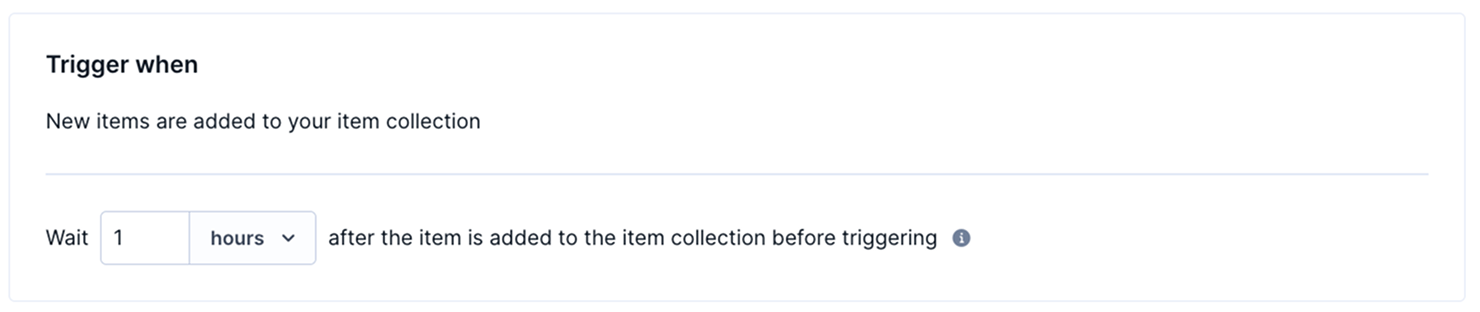
- Trigger is fixed, it activates when a new item matching the set conditions is added to the item collection. There's no condition to set.
- Configure Safety wait for the scenario to wait a set time after the change, then checks if the newly added item is still in the catalogue.
Audience matching
- include customers by event — for example, viewed items in this category
5times in the last60days.
Example: New arrival in a browsed category
Goal: notify customers who have browsed a specific category when a matching new item is added.
Setup:
- Add a Catalog trigger node and choose New arrival.
- For Select items, choose your product catalog and filter by
pricethat equals or is greater than100. - For Audience matching, include customers who viewed items similar to the new arrival (for example, the same brand) at least 3 times in the last 60 days.
At runtime:
- A new item, "Brand A Air Cushion Unicorn 50," is added to the catalog with
brand = Brand A. - The trigger activates because the item matches the filter conditions.
- Customers who viewed Brand A products at least three times in the last 60 days receive an email such as "Just arrived: Brand A Air Cushion Unicorn 50 is now in stock."
Item date
NoteThe date attribute can be at most 1 year in the future when the item is added to the collection. Otherwise, the trigger won't consider it.
Select items
- Select the item collection and configure item filters.
Trigger when
- Configure the offset from the date attribute:
- The amount and unit — minutes, hours, or days, up to a maximum of 14 days in either direction.
- The direction — before or after.
- Examples:
7days beforeexpiry_date7days afterrelease_date
NoteScenarios read dates in UTC. If the date attribute has no time value, the system reads it as midnight UTC — which can shift when the trigger activates in a different project time zone. For example, a trigger set to activate 12 hours before the date attribute may actually activate 12 hours plus the UTC offset. Add a UTC time value to the date attribute to avoid this.

Audience matching
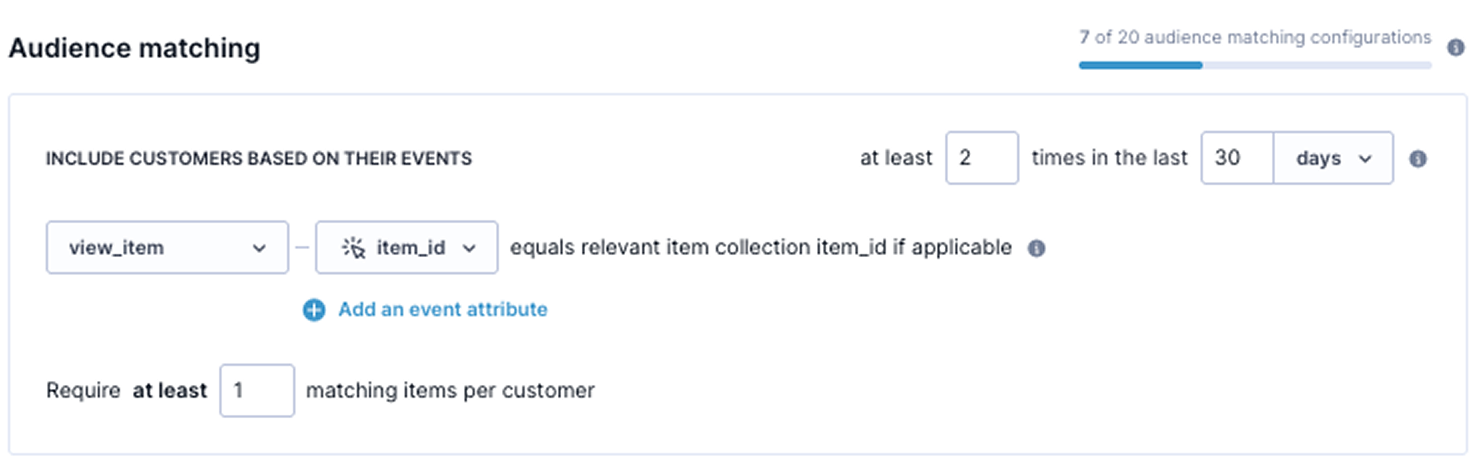
- Include customers by event — for example, viewed this item at least
1time in the last30days.
Example: Presale alert for an upcoming event
Goal: notify interested customers before general tickets go on sale so they can take advantage of early access.
Setup:
- Add a Catalog trigger node and choose Date-based.
- For Select items, choose your events catalog and filter by:
brandequalsBrand A,Brand B,Brand Cpricemore than100
- For Trigger when, set the offset to
7days after therelease_dateattribute. - For Audience matching, include customers who looked at the specific item at least 2 times in the last 30 days.
At runtime:
- "Summer Jazz Festival" has a
presale_dateof June 20. - On June 18 (2 days before), the trigger activates.
- Customers who viewed the event in the last 30 days receive an email such as "Presale opens in 2 days — get early access to Summer Jazz Festival tickets before they go public."
Custom
Select items
- select the item collection and configure item filters.
Trigger when
- Configure the trigger using:
| Value type | Trigger example |
|---|---|
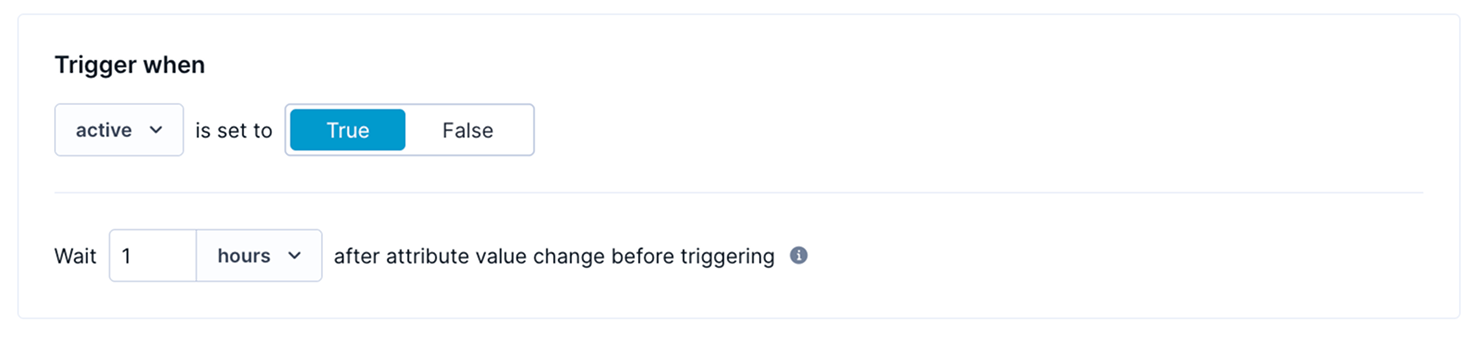
| Boolean | active is set to true |
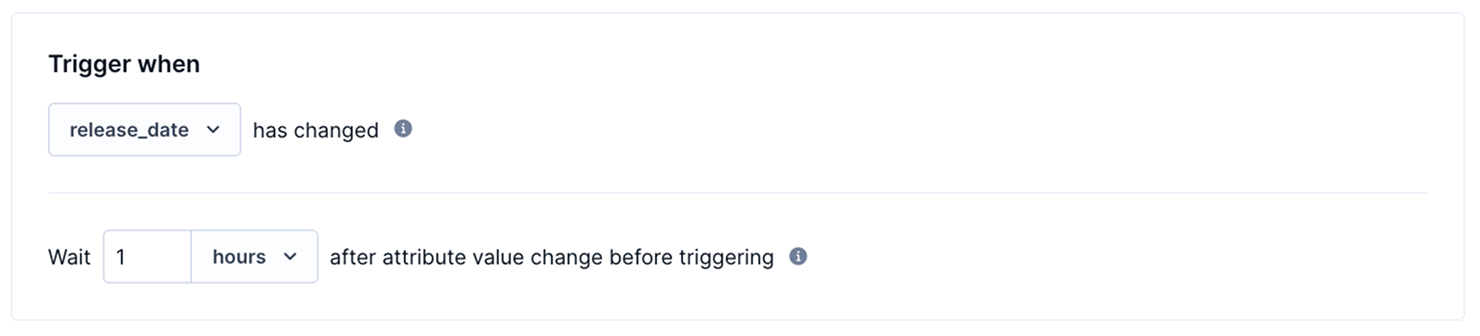
| Date | release_date has changed |
| Number | sold_count goes above 5 — options include goes above x , goes below x, or from x to y |
| List (now contains) | list no longer contains [d, e, f] — triggers when any of the specified values is added to the list |
| List (no longer contains) | list no longer contains [a, b] — triggers when any of the specified values removed from the list |
| List (has changed) | Any changes are made to the list |
| List (has changed — reordered only) | Enable Trigger only when values are reordered—for example, [a,b,c] → [a,c,b]. The change [b,c] → [c,b,d] doesn’t trigger the scenario. |
| String | availability_status goes from preorder to available |
Audience matching
- Include customers by event.
Updated 23 days ago