

Customer filters
Customer filters define which customers are included in a result set. You can filter by static customer attributes, derived attributes, or a customer's event history. You can combine multiple customer filters using AND and OR logic.
Attribute-based vs. funnel-based filtering
Customer filters let you define which customers are included in a result set. They can be based on customer attributes or on event history (Funnels). You can combine multiple customer filters using AND and OR logic.
| Filter type | How it works |
|---|---|
| Based on attributes | Uses static attributes (for example, email, name) or derived attributes (for example, segmentations, expressions) to match customers. |
| Based on funnels | Uses a customer's event history to determine a match. The global date filter in reports doesn't apply to events inside these funnels. |
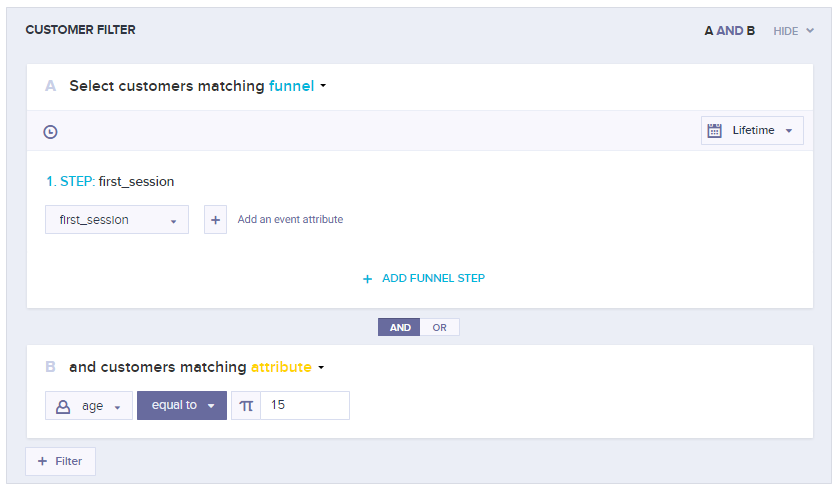
This filter matches customers who have a first_session event in their history AND have an age attribute equal to 15.
Customer filter templates
You can save a set of customer filter conditions as a reusable template. Templates pre-fill filter conditions wherever customer filters appear, saving time when working with complex or frequently repeated logic.
Common uses include:
- Saving a high-value customer segment definition and reusing it in multiple campaign audience filters.
- Saving a complex set of scenario condition node filters so you don't need to duplicate an entire scenario.
- Creating shared company-wide filters. For example, customers who purchased today, or customers to exclude from all campaigns.
ImportantTemplates are an assistant feature—not a live reference. If you update a template, existing places where it was used are not updated automatically. For live references, use segmentations instead.
Templates are saved under Data manager > Definitions.
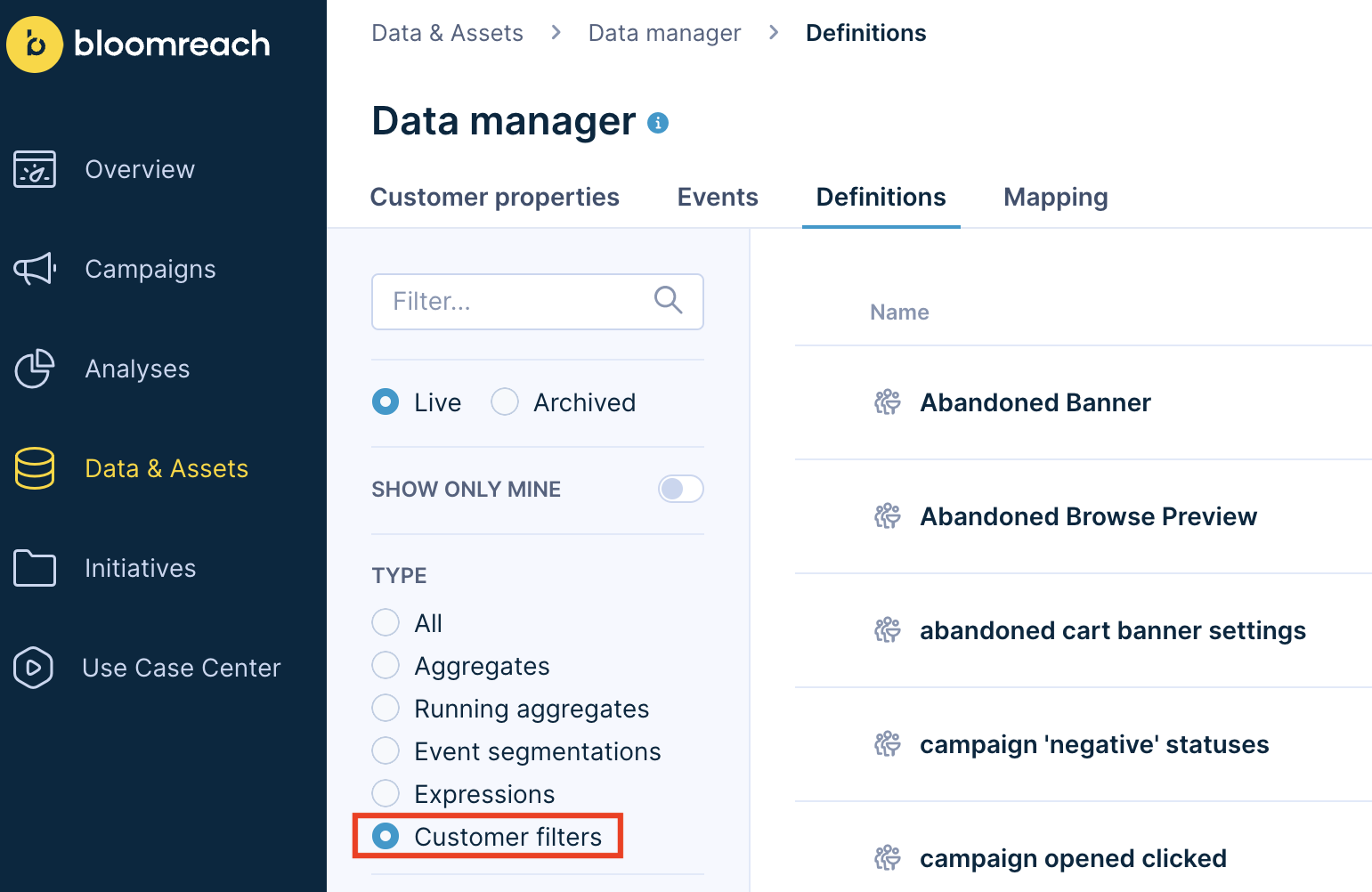
Customer filter templates stored in Data manager > Definitions.
Customer filter templates are available in:
- Scenarios (condition node)
- Email campaigns
- Data & Assets > Customers
Updated about 1 month ago