

One-click unsubscribe
One-click unsubscribe adds an Unsubscribe button next to the sender name in supported email clients. Recipients opt out with a single click—no preference center, no extra steps. This article explains how Bloomreach implements it, what it means for deliverability, and how to configure it.
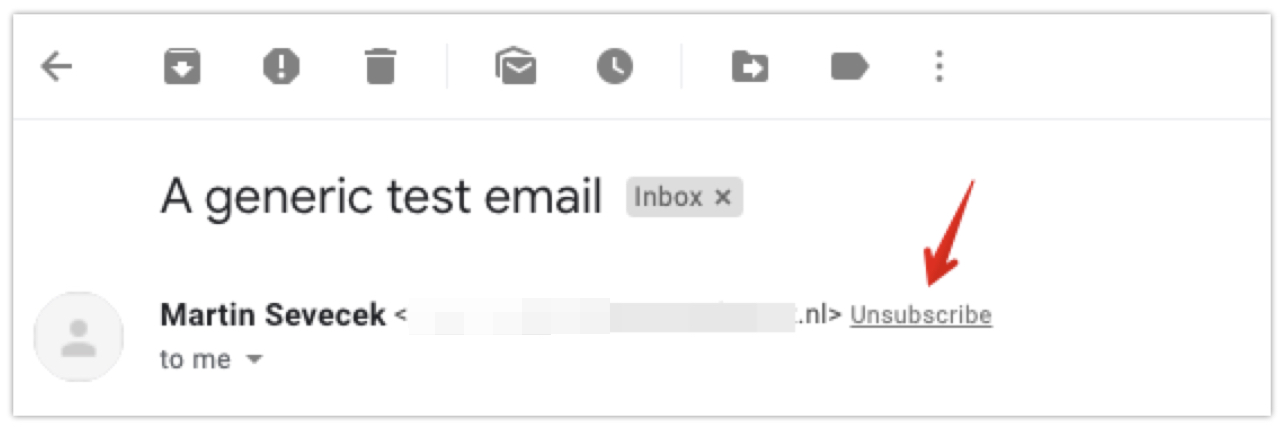
The Unsubscribe button as it appears next to the sender name in a supported email client.
Why unsubscribe option matters
Gmail and Yahoo require a one-click unsubscribe option in all marketing emails. Supporting it improves your deliverability and helps maintain a healthy sender reputation.
NoteThe Unsubscribe button doesn't appear in test emails.
One-click unsubscribe is not added to:
- Emails sent under the general consent category.
- Emails sent through the transactional API.
How one-click unsubscribe works
When the unsubscribe button appears
The list-unsubscribe feature is built into Bloomreach. Whether the Unsubscribe button shows up depends on the recipient's email client—email clients typically show it only for trusted senders with a strong reputation. It's not guaranteed and varies by provider.
Supported unsubscribe methods
Bloomreach supports 2 unsubscribe methods:
- Mailto protocol: The email client sends an unsubscribe email to Bloomreach's inbox.
- One-click GET/POST: The email client calls a Bloomreach URL to process the opt-out.
The email client—not the sender—chooses which method to use. Bloomreach supports both to ensure compatibility.
Email client behavior
Some common email providers use:
- POST:
gmail.com,yahoo.com,hotmail.com,icloud.com,aol.com - GET:
laposte.net,mail.ru,sfr.fr,web.de,gmx.de
NoteThese methods aren't exclusive. Some providers may use both.
What happens with GET requests
When an email client uses the GET method:
- It sends a request to the URL in the list-unsubscribe header.
- That URL opens a consent page where the user can choose which categories to unsubscribe from.
- The URL is the same as the POST method but uses a different handler.
In some cases, a user may unsubscribe from all categories, not just the one used to send the email. This is a supported and valid outcome.
Event tracking
When someone unsubscribes, Bloomreach logs a consent event in their profile with the following attributes:
action=rejectsource=list_unsubscribecategory= [email's consent category]unsubscribe_method= [mailto/One-Click GET/One-Click POST]
Unsubscribe from multiple categories
To apply a single unsubscribe action across multiple consent categories, set up a scenario:
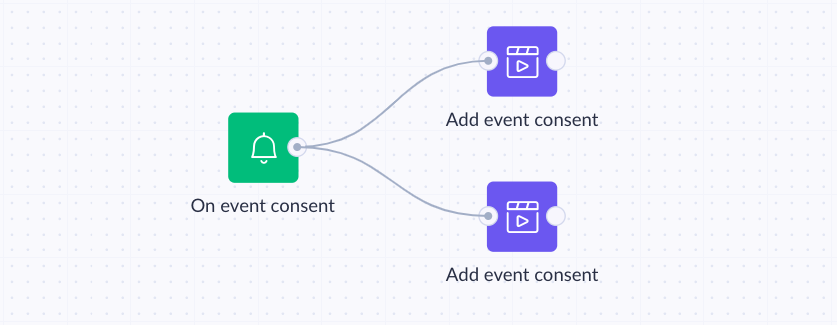
A scenario that processes a single unsubscribe action across multiple consent categories.
Create a scenario with an On event consent trigger:
-
-
Event:
consent -
Filter:
source=list_unsubscribe
On-event consent trigger configured to fire when source equals
list_unsubscribe.
-
-
Add an Add event node for each category you want to unsubscribe:
- Event:
consent - Attributes:
action=rejectcategory= [desired_category_name]valid_until=unlimited
- Event:
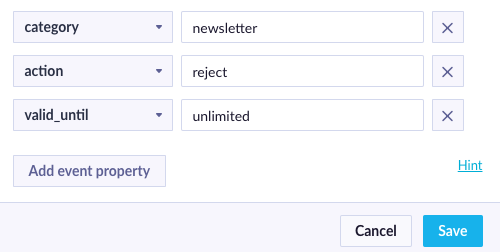
Add event node configured to reject consent for a specific category.
If you don't see the consent event or its attributes when setting up nodes, define them in the Data Manager first.
Turn off one-click unsubscribe
- Go to Settings > Project settings.
- Under Channels, select Emails.
- Turn off List unsubscribe.
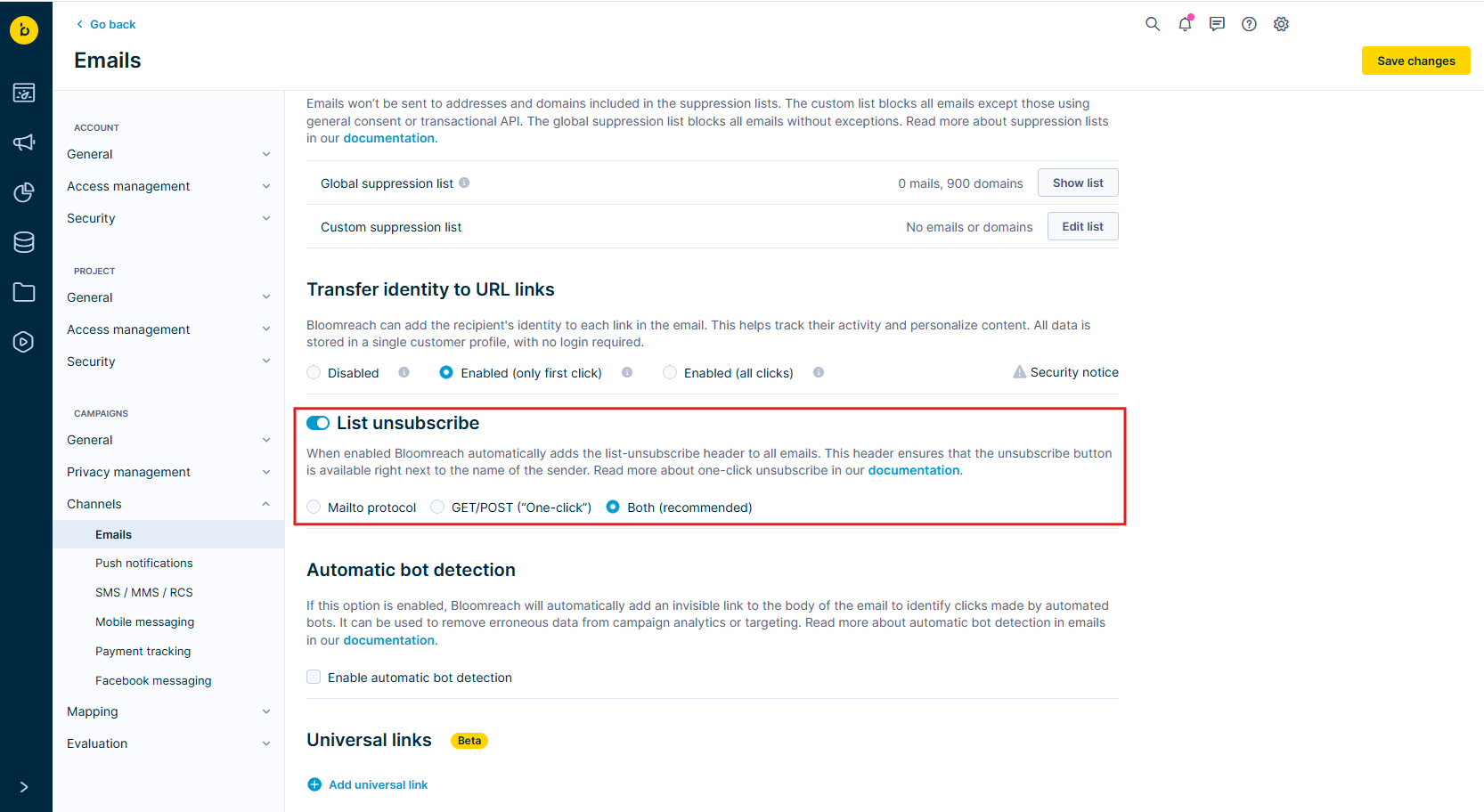
The List unsubscribe setting in email project settings.
ImportantWe don't recommend turning this off unless you use another unsubscribe system. Gmail and Yahoo require this feature, and supporting it improves your deliverability.
Limitations
Bloomreach doesn't forward unsubscribe requests to external email service providers (ESPs). This means those ESPs won't automatically remove users from their own unsubscribe lists. Some ESPs—such as SendSay and Brevo—may override the Bloomreach list-unsubscribe header. Check your ESP's documentation for details.
Updated 2 months ago