

Catalog triggers
Catalog triggers start a scenario on their own when your product catalog changes — a price drops, an item is back in stock, a new product lands, stock runs low, or an offer nears its end date. They reach only customers who showed interest in the item, such as viewing it or adding it to cart.
Here's what catalog triggers are, the trigger types you can use, what you need before you start, and the limits that apply. To build one, see Configure a catalog trigger.
Prerequisites
- Item collections in Data hub: Catalog triggers need Data hub item collections (unified product data). They don't support legacy catalogs.
How catalog triggers work
NoteA catalog trigger only evaluates catalog data processed after the scenario starts. It won't retroactively match items or dates that already existed in the collection — only items added or changed after the scenario starts count.
Each time your catalog is updated, the following sequence runs:
- The system ingests the catalog change.
- Affected items are grouped into batches of up to 1000 items within a window of up to 15 minutes.
- A safety window holds the trigger until the change has persisted beyond the stability window, preventing transient changes from firing a message.
- The platform evaluates your item filters and customer interest, per item and per customer.
- The scenario runs once per batch for each qualifying customer. Matched items are available for use in message personalization.
ImportantEditing a trigger's rules doesn't apply retroactively to runs already queued — each queued item is re-evaluated against the new rules at its scheduled run time, and the run is aborted if it no longer matches.
For example, an item-date trigger queues a run for 2 hours after a date attribute. If you change the rule to 1 hour after while that run is still queued, the item no longer matches at the original 2-hour mark, and the run is aborted.
Trigger types
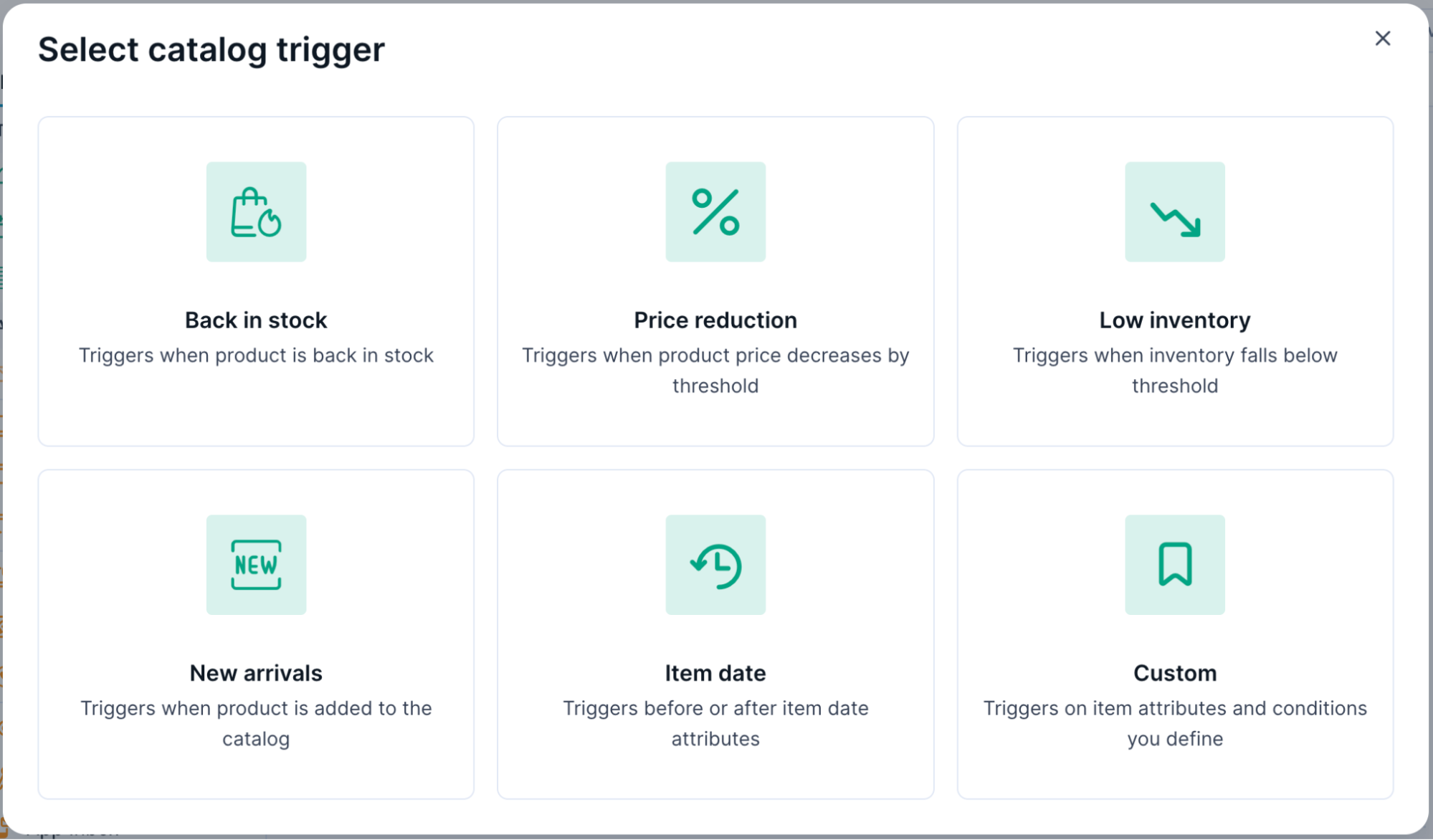
Catalog triggers are used in scenarios. Under Triggers, click Catalog, and select one of the following triggers, each with its own settings and filters:
| Trigger type | Trigger conditions |
|---|---|
| Back in stock | An item moves from out of stock to in stock. Set a minimum stock level so a brief flicker above zero doesn't set the trigger off. |
| Price reduction | An item's price drops by at least a percentage you set — either relative to its previous value, or a reference attribute. |
| Low inventory | An item's stock drops below a threshold you set. |
| New arrival | A new item is added that matches attributes a customer cares about, such as a category or a brand. |
| Item date | A set time before or after an item's date attribute, such as 7 days before expiry date. |
| Custom | Supports a wide range of catalog field changes — for example, a numeric value increases or decreases, or a string changes from one value to another. |
Batching
When a single large item collection update affects many items, the platform groups them into batches of up to 10,000 items, sorted by overall customer interest. The scenario runs once per batch for each qualifying customer, allowing you to present multiple items of interest in a single message.
Each batching window lasts up to 15 minutes. If an update streams continuously beyond that window, it rolls into additional batches — each capped at 10,000 items.
Limits
| Limit | Value |
|---|---|
| Maximum audience matching filters | 20 (shared with API trigger customer filters) |
| Maximum filters within an audience matching filter | 10 |
| Maximum attributes per catalog filter | 10 |
| Maximum triggers per item collection | 20 |
| Maximum triggers per project | 300 |
| Maximum items per trigger | 10,000, ranked by overall interest (further items run in later triggers) |
| Maximum lookback window | Up to 2 years |
| Personalization data retention | 7 days after the trigger activates — see Reference catalog trigger data in messages |
NoteThe audience matching filter uses the same interest system as API triggers. The interest setups you build here count toward that shared limit.
Updated 9 days ago