

Configure recommendation templates
Create, test, and deploy your first recommendation.
Create your first recommendation
The flow has five steps: choose a template, configure it, add optional merchandising, test, and deploy.
1. Select a template
A template determines the algorithm a recommendation uses and what fields you can configure. Once you pick a template and configure it, the same flow takes you through testing, deployment, and evaluation—all within the Recommendations section.
Go to Campaigns > Recommendations and click + New recommendation.

Select a ready to use or a Loomi recommendation template.
NoteEach recommendation uses a single template. To combine engines, use the Combined template instead of stacking recommendations.
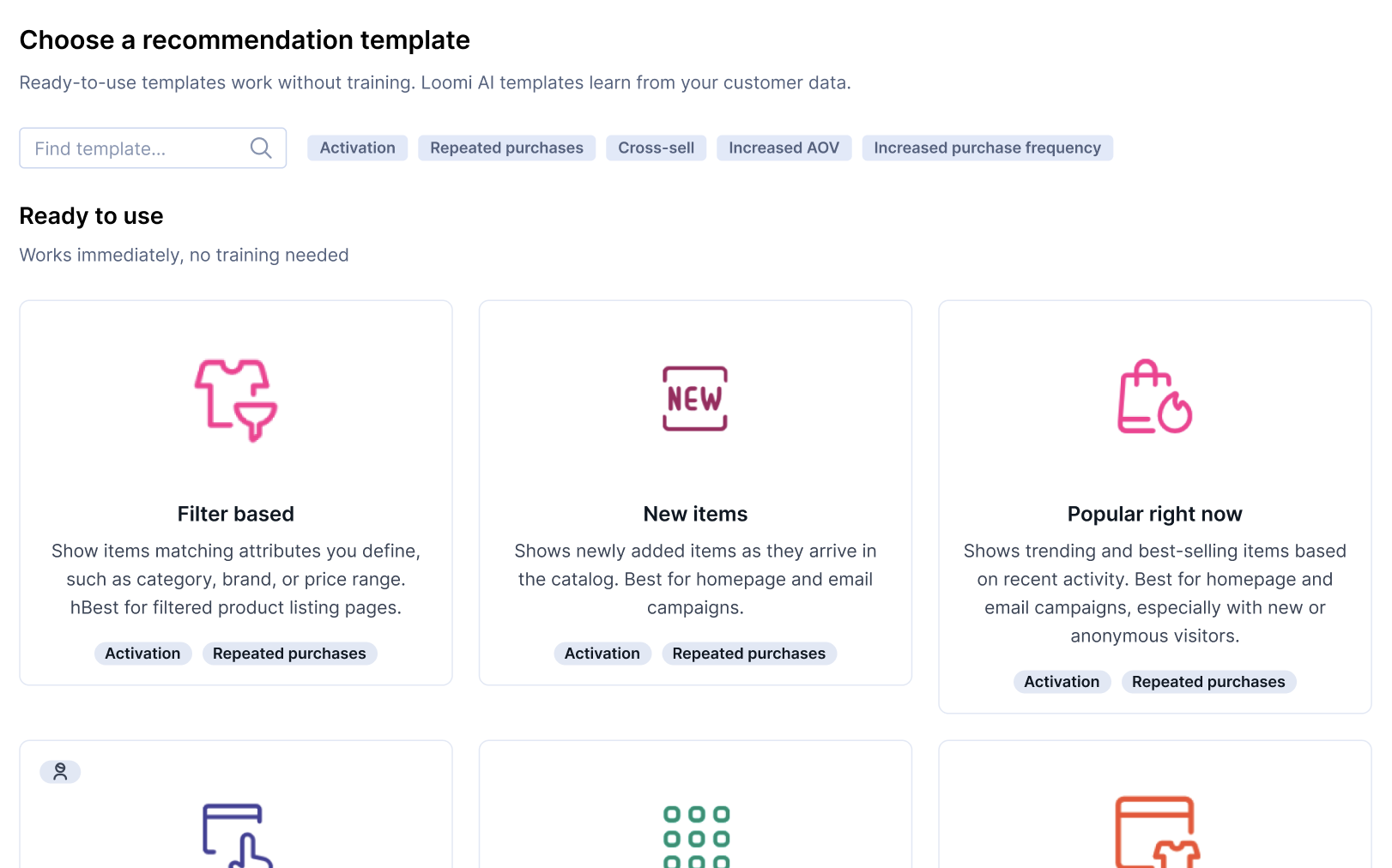
2. Configure the template
After you select a template, the Design tab shows the fields that template requires. Common required fields include catalog, learning window, and one or more event fields—the exact set depends on the template.
See Configure template: Template-specific fields for what each field means and which templates use it.
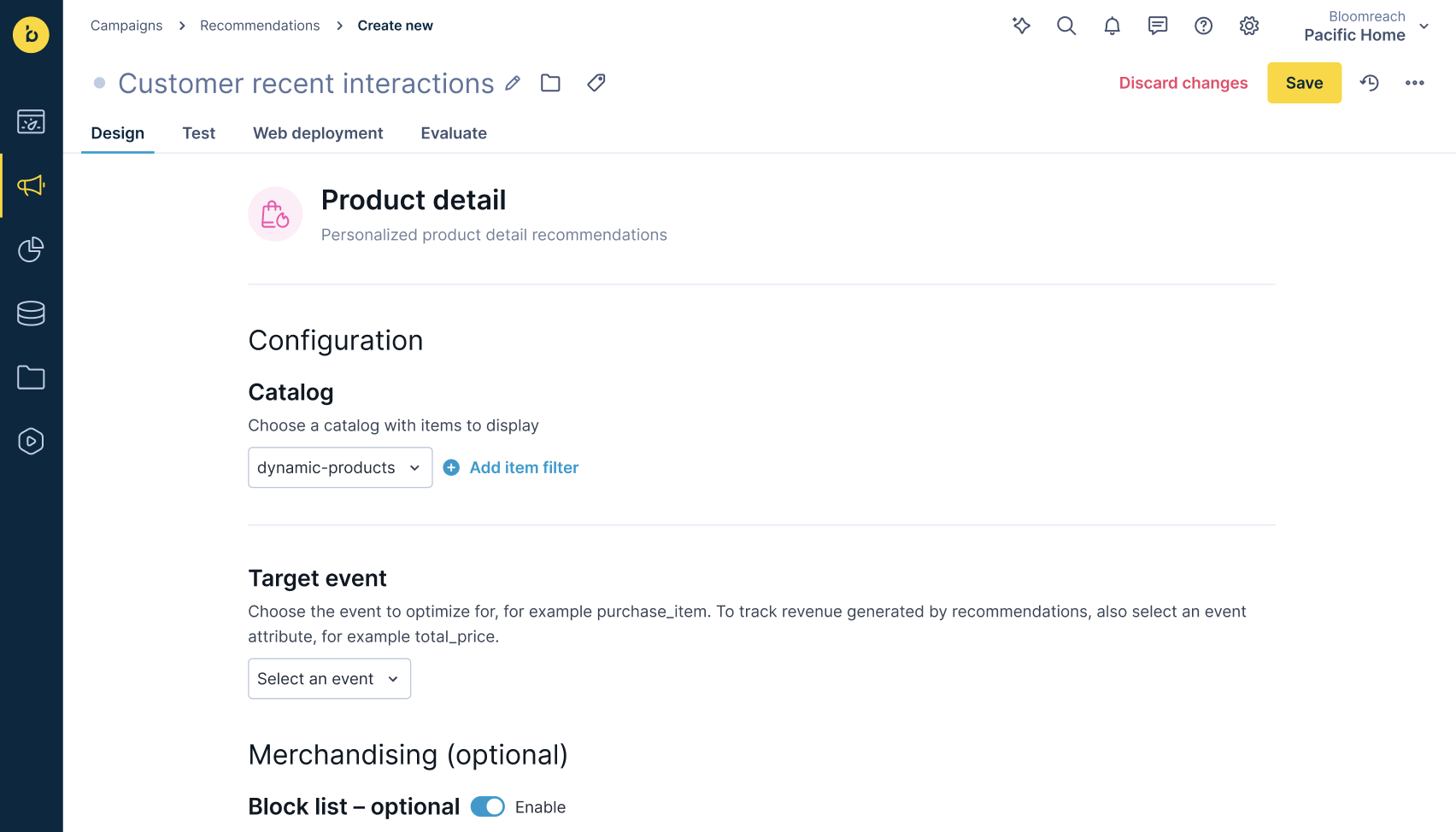
3. Add merchandising (optional)
You can refine the recommendation with optional merchandising configuration in the same Design tab. You don't need any of these to publish—they're for fine-tuning:
- Filter the catalog (dynamic filters).
- Pin specific items to fixed positions.
- Block items by event or item ID.
- Boost items matching customer preferences.
4. Test and preview
Switch to the Test tab to preview the first 10 positions and confirm pins, filters, and blocks behave as expected.
See Preview recommendations results.
5. Save and deploy
Click Save to submit the configuration. The recommendation is now queued. Wait for the engine to be ready before deploying. Loomi templates require a training period and are usually ready the following morning.
Once your recommendation is configured, open the Web deployment tab to deploy it. From there you can copy a Web SDK snippet to embed on your site, retrieve the recommendation set ID for external integrations, or add recommendations sets to a channel such as weblayers, email campaigns, or experiments.
After deployment
Once the snippet is live, switch to the Evaluate tab to monitor metrics like views, clicks, add-to-cart rate, revenue impact, personalization rate, catalog coverage, and engine status, and more.
Next steps
Updated about 2 months ago