

Contentful
Connect Contentful to Marketing. Browse and insert your content assets right from your campaign builder. Create an API key in Contentful and connect the integration in Marketing.
NoteTo understand how you can use external assets in your campaigns and scenarios, see External assets.
Prerequisites
- A Contentful account with access to the settings.
- Bloomreach role with permission to manage project integrations in Marketing.
Get your Contentful API key
-
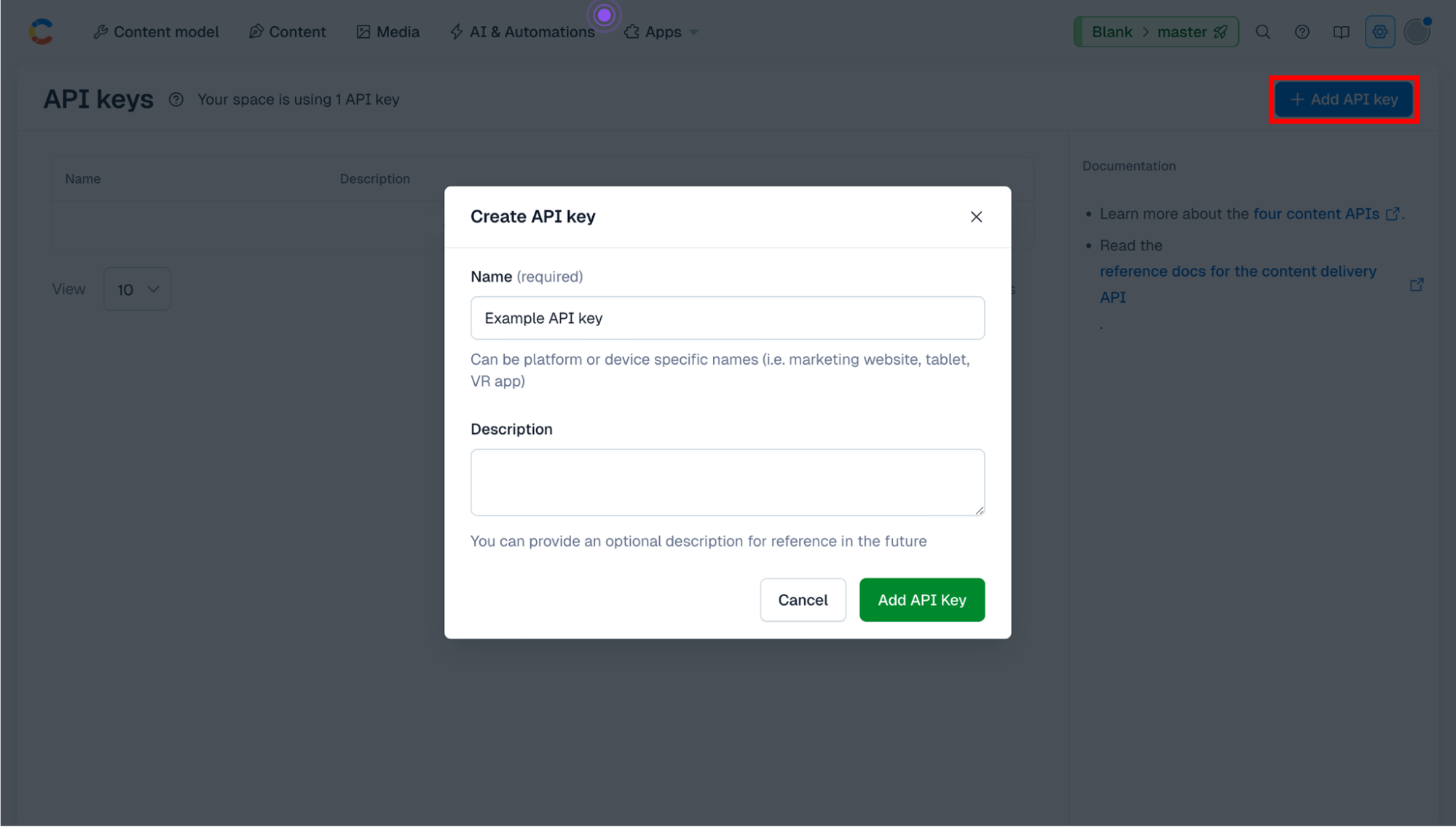
In Contentful, go to Settings > API keys > + Add API key.
-
Name the key. You can also add a description.
-
Click Add API key.
-
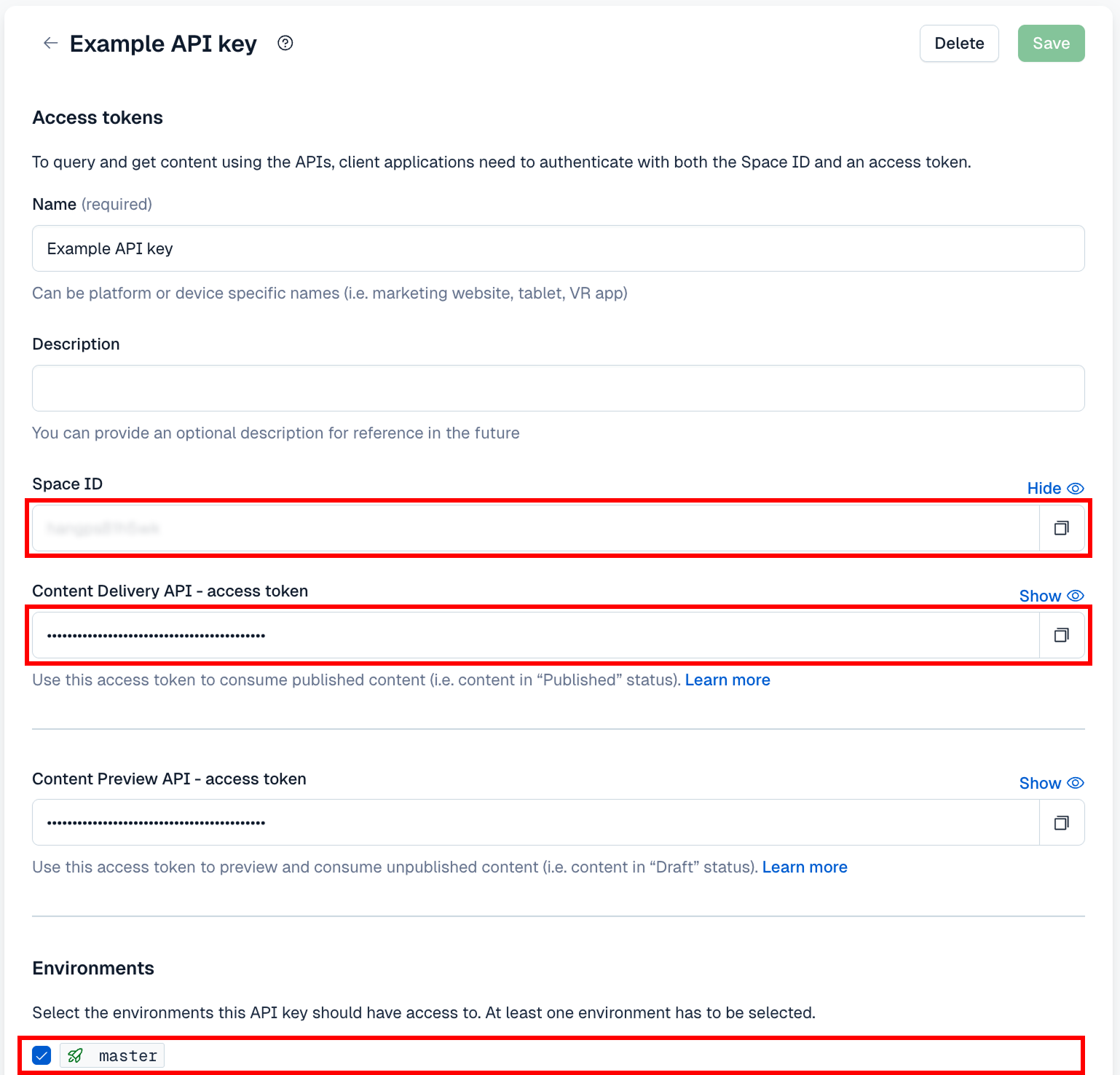
For the integration, you need:
- Space ID
- Content Delivery API access token
- Environment ID
-
If needed, choose which environments the key can reach. Then click Save.
Connect Contentful to Marketing
- In Marketing, go to Data & Assets > Integrations. Click + Add new integration.
- Search for Contentful and click + Add integration.
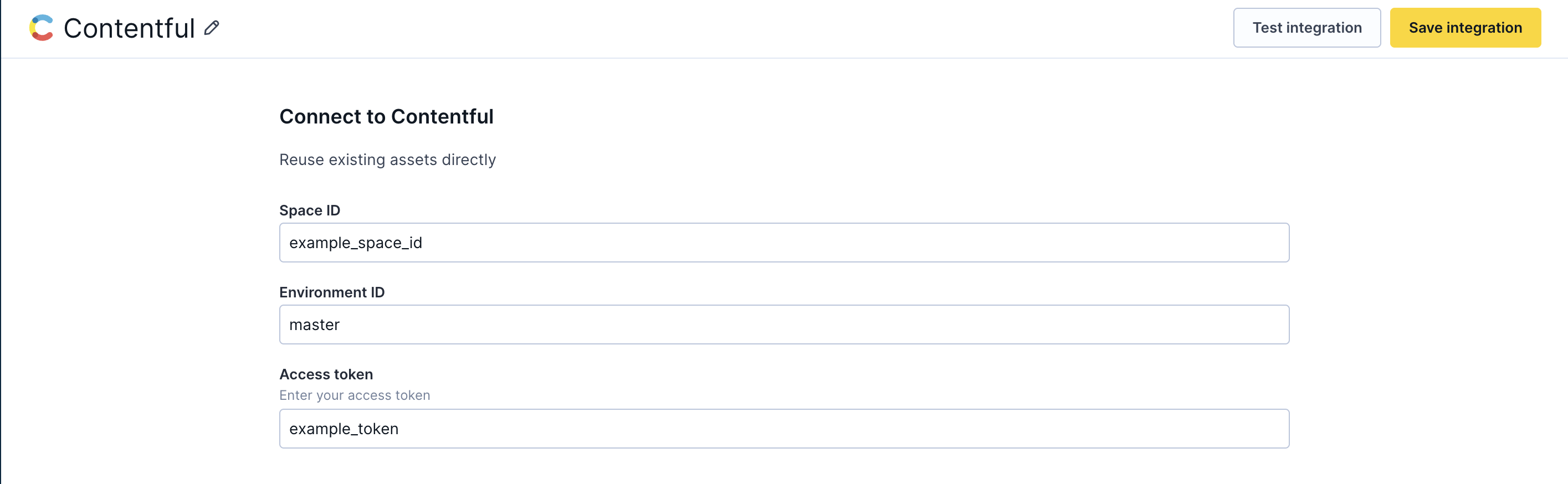
- Enter the space ID, environment ID, and access token you copied from Contentful.
- Test the integration to verify the credentials.
- Save the integration.
Editing or removing this integration
Editing it doesn't affect existing campaigns. Removing it blocks new access to your Contentful assets. Assets already added to campaigns keep working. They use the URL saved at insert time.
Updated 10 days ago
Did this page help you?