

Reuse voucher codes
The Jinja code {{vouchers['voucherpool_name'].assign_available()}} randomly selects a code from the pool. By default, Bloomreach doesn't track which code was assigned to which customer, so you can't automatically give the same customer the same code in future campaigns.
To reuse a code, store it on the customer's profile as a customer attribute or a custom event attribute. Then display it with Jinja whenever you need it.
Before you start
Import your voucher codes into a pool and set up voucher tracking.
Choose a method
You can reuse the same voucher code in 2 ways:
- Custom customer attribute: Add the code as a customer attribute and retrieve it using
{{ customer.attribute_name }}. These codes don't need to be unique. - Custom event attribute: Assign the voucher as a custom event attribute and retrieve it through an aggregate. Use this approach if you want to track which voucher a customer received and when.
Use custom customer attributes
This is the simpler of the 2 approaches.
- Go to Data manager and create a new customer attribute. Give it a name you can identify as a voucher—for example,
voucher,temp_voucher, orvoucher_assigned.
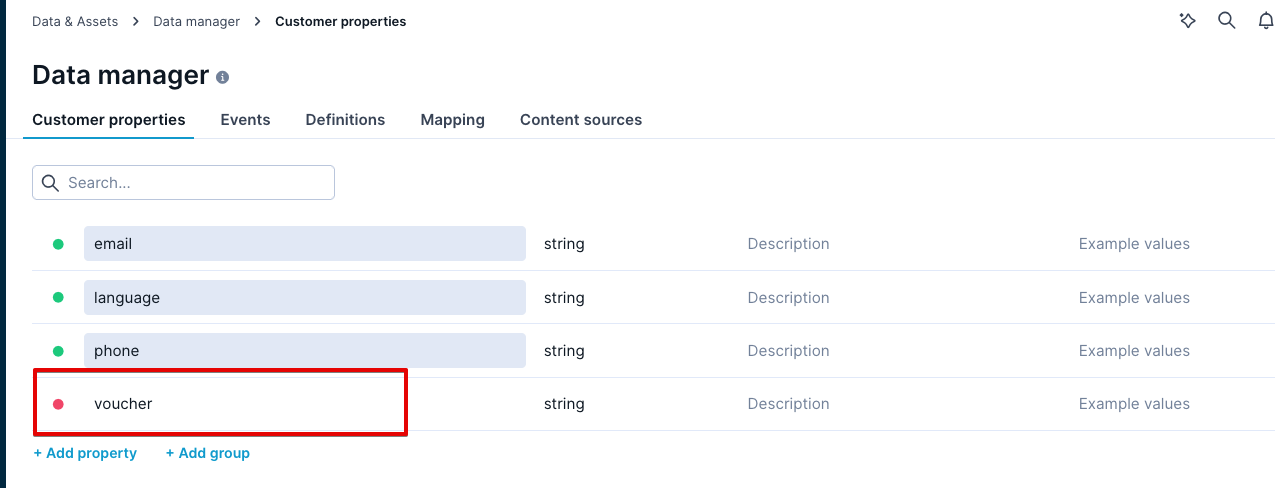
You can populate this attribute in 2 ways:
-
Set attribute node in scenarios: Add a Set attribute node to your scenario and configure it to assign the voucher code to the customer attribute.
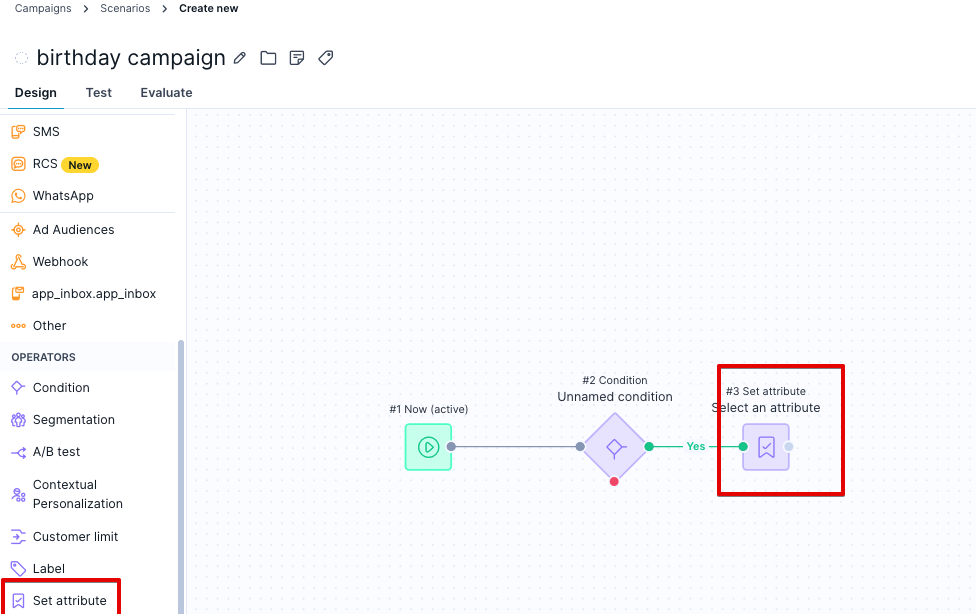
-
Customer attributes import: Import voucher codes as customer attributes using the Customers rather than the Vouchers import.
Once the attribute is populated, it looks like this:
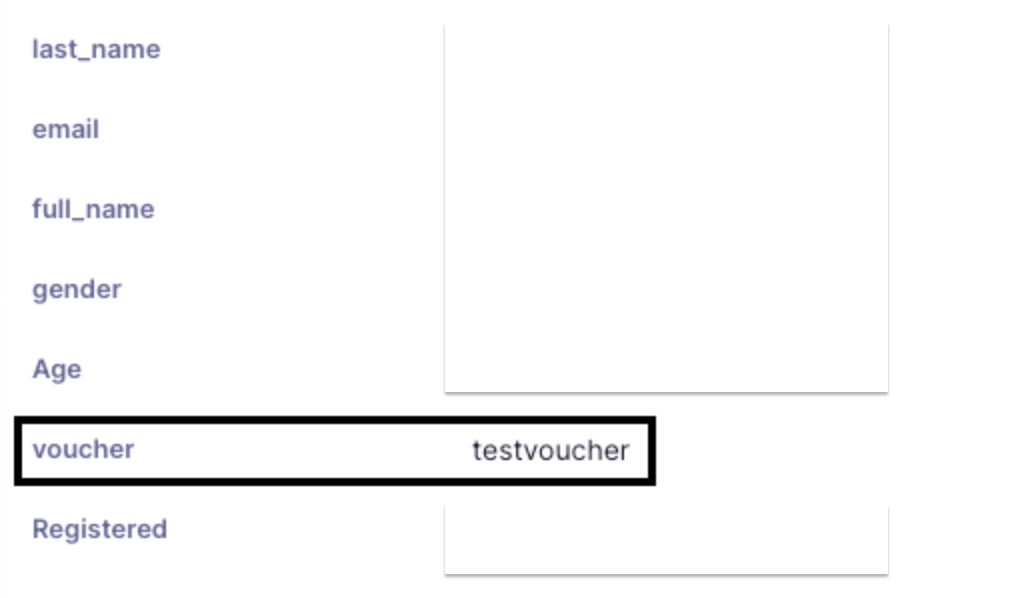
Use {{ customer.voucher }} to display the voucher code wherever you need it in your campaign.
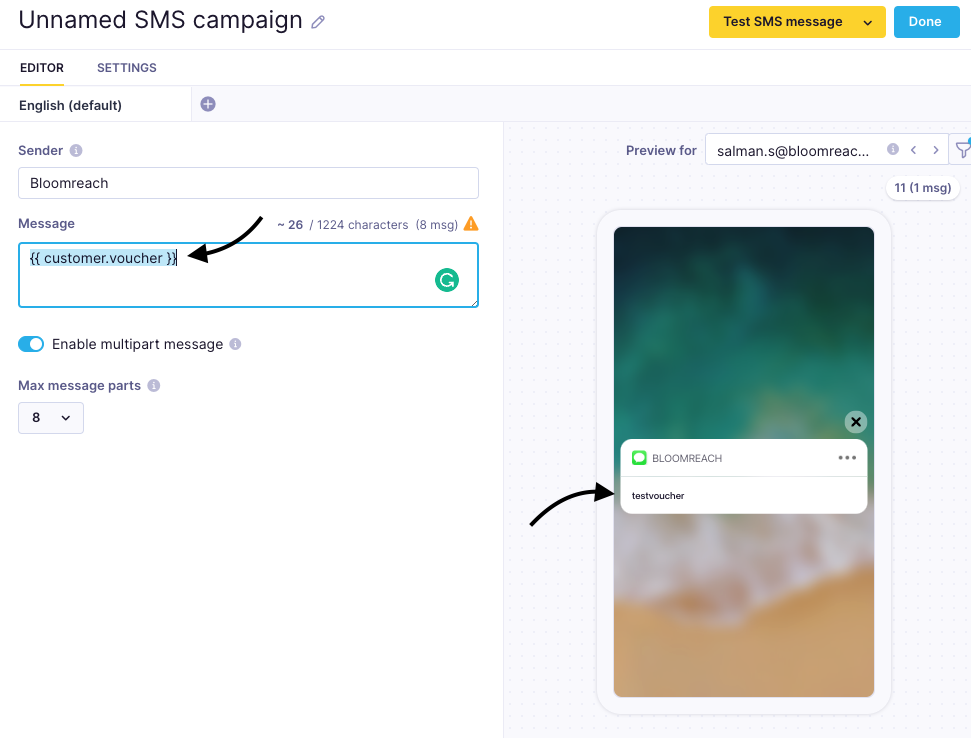
NoteThis approach works best for smaller customer bases. You'll need to update the attribute each time you assign new vouchers.
Reuse vouchers using a custom event attribute
-
Create a new event and name it. For example,
voucherorvoucher_assigned. -
Add attributes to the event, such as type,
voucher_code, andstatus. These attributes help you identify specific vouchers in analyses and dashboards. -
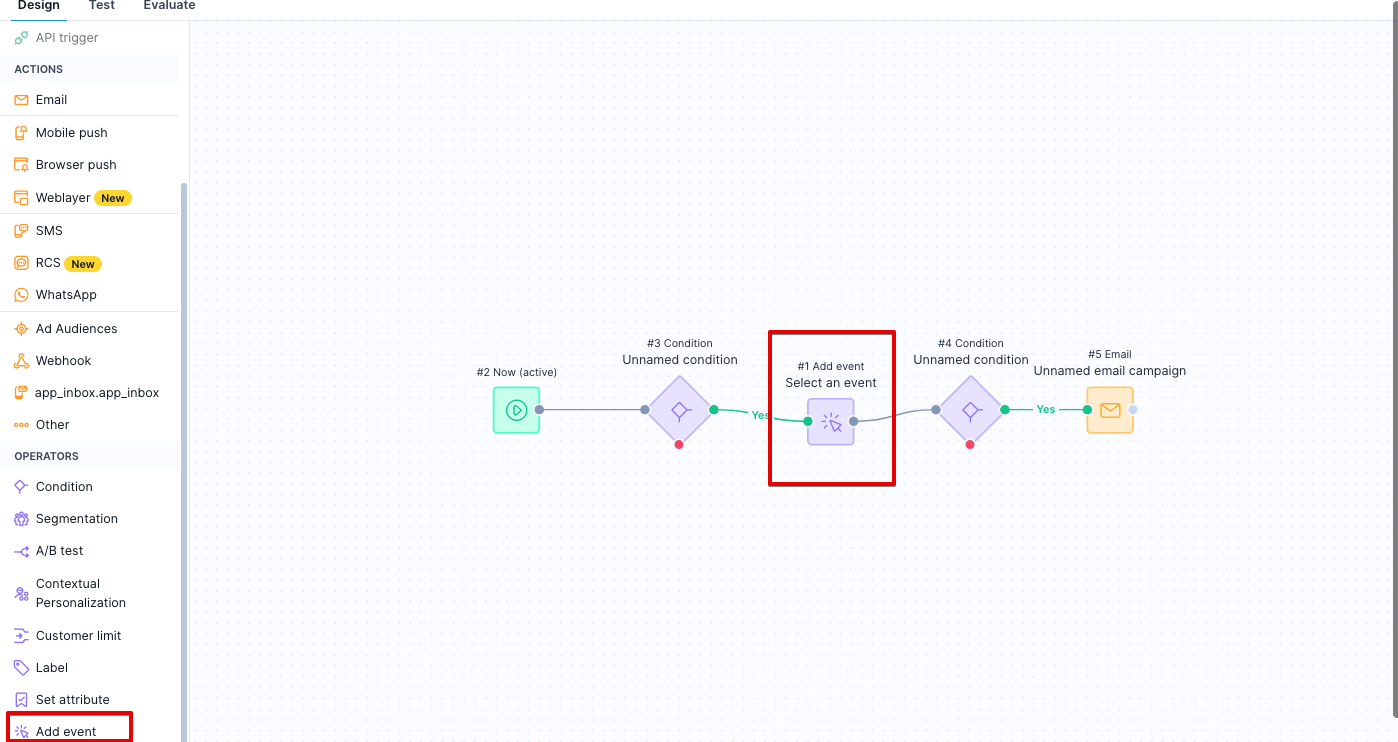
In your scenario, add an Add event node and place it before the email node.
-
Create an aggregate that looks for the
voucher_codeattribute at the customer's most recent voucher event. Filter bytypeandstatusto ensure the aggregate pulls only the latest code for the relevant campaign.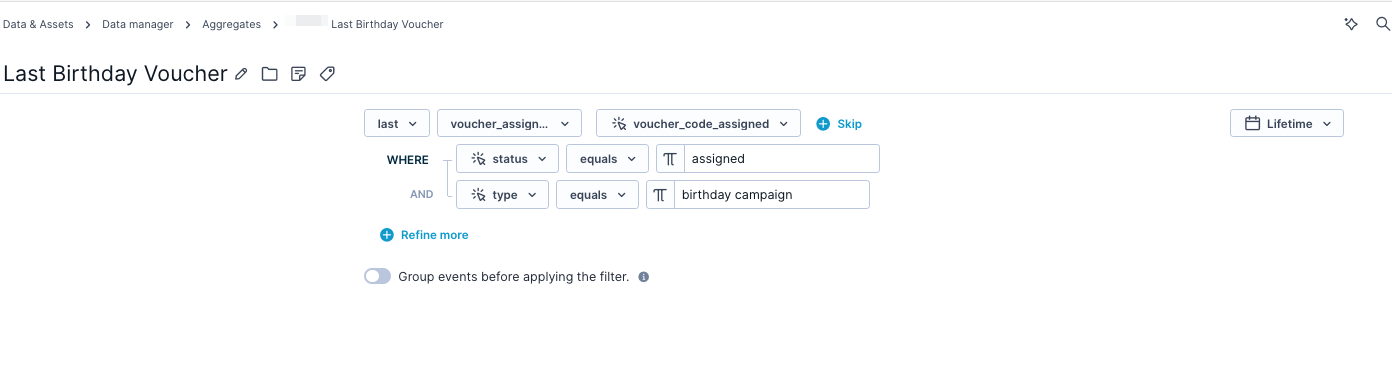
-
Use the Jinja expression for this aggregate to call the
voucher_codeattribute whenever you need to display the voucher code in a campaign.
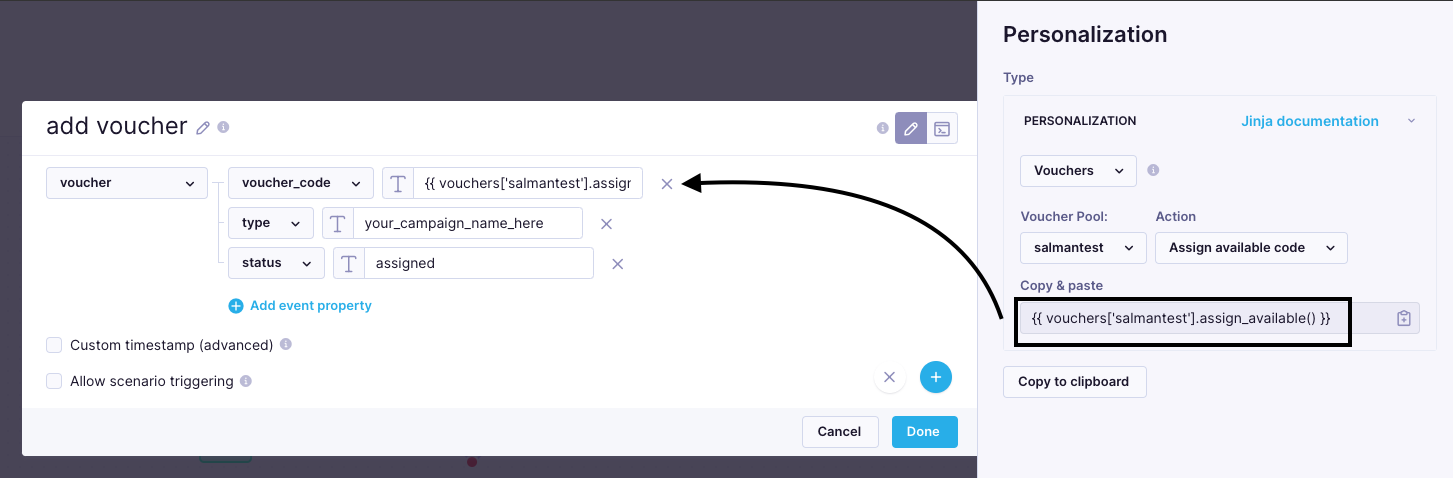
Jinja expression for the voucher aggregate used to display the voucher_code in a campaign.
Updated 21 days ago