

Messages archive setup
The messages archive lets you view and retrieve messages sent to your customers—either through the platform UI or via the API. This guide covers how to enable access for both.
Messages archive under customer profile
Use the Messages archive tab on a customer profile to browse, filter, and view sent messages directly in the platform.
Roles and permissions
| Role | Applies to | Access level |
|---|---|---|
| Customer viewer | UI | Basic UI access—browse the Messages archive tab. |
| Personal data viewer | UI | Full access—view message content, subject, preheader, and recipient metadata. |
| Message archive | API | Required for all API access. |
Messages archive in the UI
Use the Messages archive tab on a customer profile to browse, filter, and view sent messages directly in the platform.
Configure permissions
-
Go to Project settings.
-
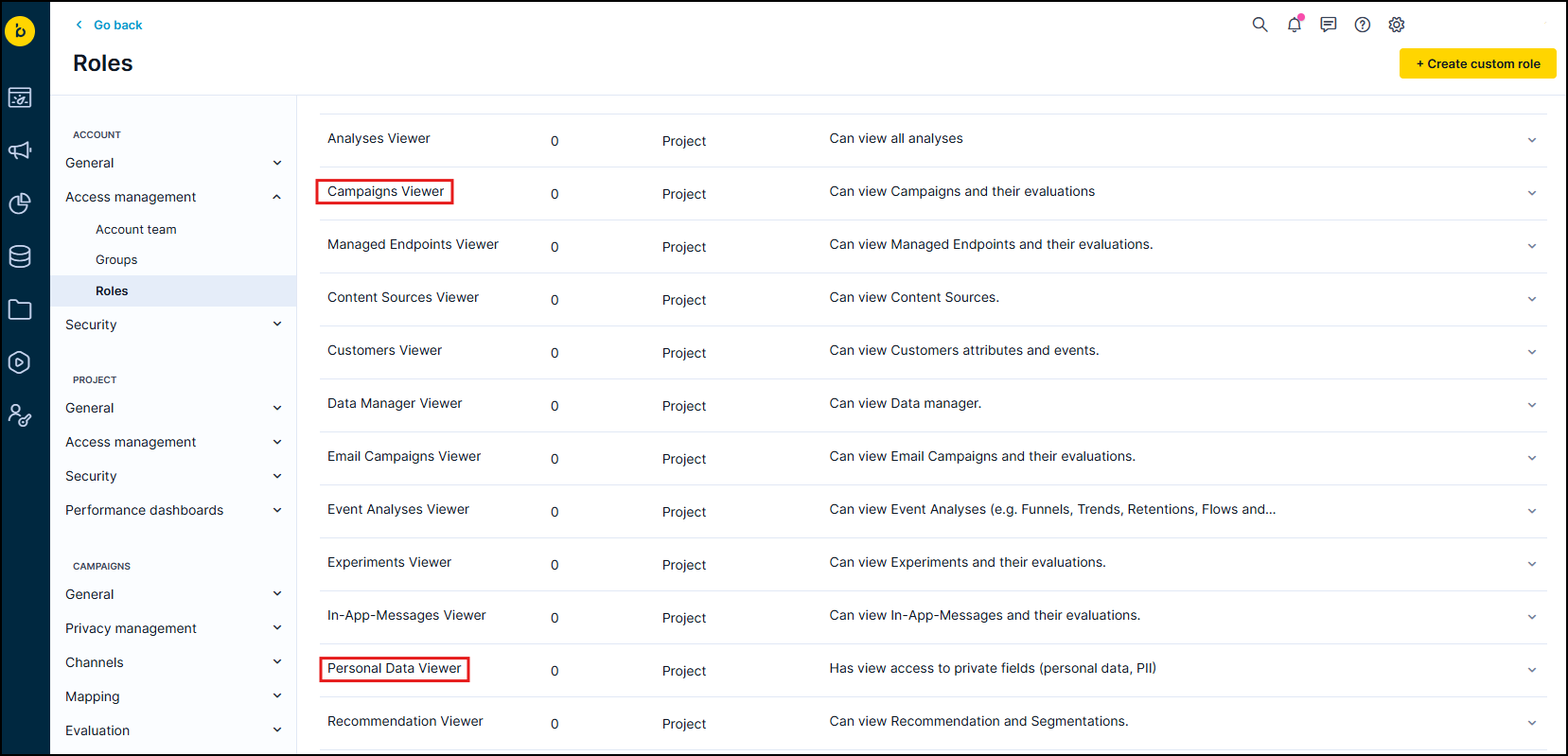
Under Access management, go to Roles and assign the Customers Viewer role to users who need basic archive access.
-
Assign the Personal Data Viewer role to users who need to view full message content and recipient metadata.
Access the messages archive
-
Open a customer profile.
-
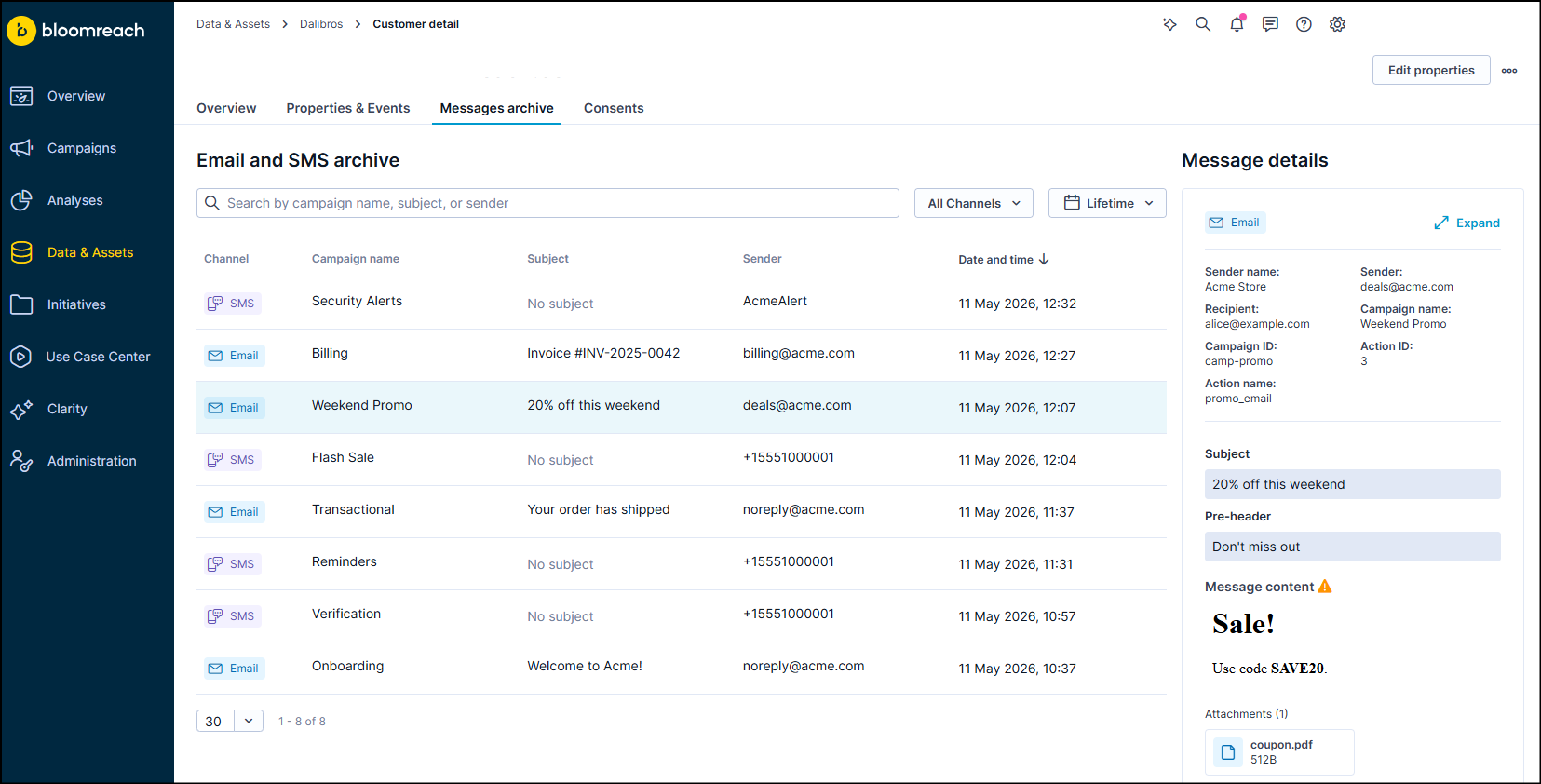
Go to the Messages archive tab.
-
Filter messages by channel and sent date.
-
Search by subject line, sender, or campaign name.
-
Click a message to view its details and content.
-
Select Download HTML to save the content.
Messages archive via API
Use the messages archive API to programmatically list and retrieve messages for a specific customer or across your entire project.
Configure permissions
To set up API group permissions for the messages archive, follow the steps in Setting up API groups.
Access the messages archive
Use the Data API endpoints under /data/v2/projects/<project_id>/message-archive/. Authenticate using basic authentication with your API key ID and secret key.
Available operations
-
List messages for a specific customer: Look up messages by customer ID or recipient. Ideal for integrations with customer support portals or point-of-sale systems.
-
List messages across a project: List or download all messages per project. Useful when you need to store messages outside the two-year retention window.
-
Get a single message: Retrieve the full data (metadata and content) for a specific message. Use it in combination with the list endpoint, which returns the
message_idandcustomer_idneeded to query a single message. For email, the full HTML is only returned by this endpoint. The list endpoint returns metadata, subject, and preheader only.
See the Messages archive API for full endpoint documentation.
Updated 3 months ago