
ID transformations
This guide explains how ID transformations work in Bloomreach and how they help maintain consistent customer identification across your tracking and import data.
NoteID transformations apply to both tracking and imports. Real-time ID tracking lets you automatically apply a selected transformation to all tracked IDs. You can also apply the same transformation to a list of IDs imported into your project. Learn more in the Web tracking and Data imports articles.
Customers' IDs transformation
You can create multiple hard and soft IDs for customers in Bloomreach. These IDs automatically go through trim transformation, and you can choose to enable or disable lowercase transformation. This ensures consistent formatting and efficient handling of customer IDs.
ImportantDiscuss and agree with your teams before enabling or disabling transformations. Changes can significantly affect the consistency of your data.
Trim ID transformation
Trim transformation removes all whitespace from the beginning or end of a string.
NoteTrim transformation is mandatory and automatically enabled for every new project. If your project was created before this feature released on 17 Dec 2018, contact your Bloomreach representative to enable trim transformation.
Examples of trim transformations
| Input values | After transformation | |
|---|---|---|
| " [email protected]" | → | "[email protected]" |
| "[email protected] " | → | "[email protected]" |
| "em [email protected]" | → | "em [email protected]" |
| " 15er89g7s9+gs4f65sd768 " | → | "15er89g7s9+gs4f65sd768" |
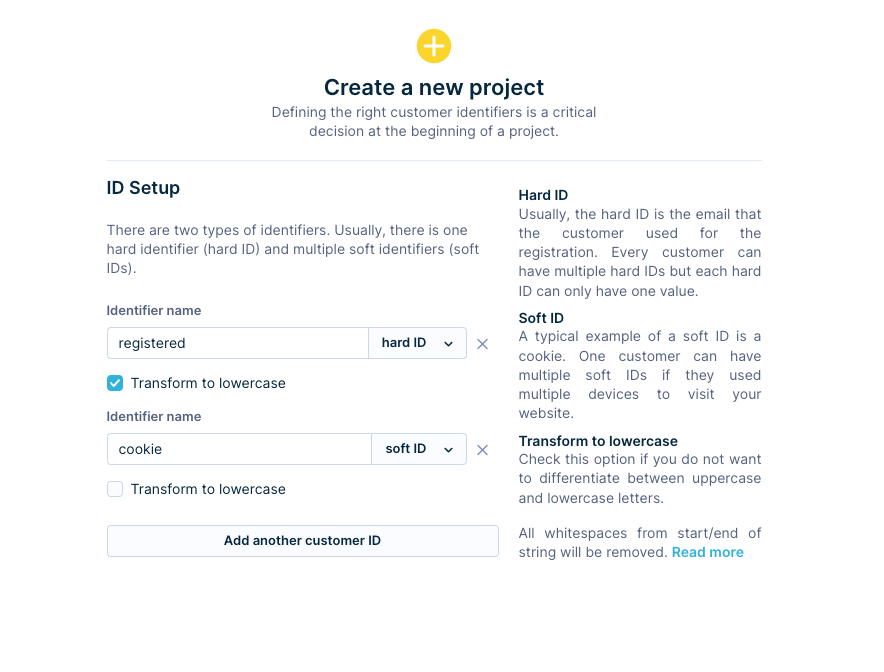
Trim transformation automatically removes leading and trailing whitespace
Lowercase ID transformation
Lowercase transformation converts all characters to lowercase. It's an optional feature, but you should avoid toggling it on and off repeatedly — doing so can create significant inconsistencies in your tracked data.
Your decision to enable or disable lowercase transformation should depend on whether you want customer IDs to be case-sensitive.
Why enable the lowercase transformation
Say you track events from two email addresses: [email protected] and [email protected]. These represent the same customer, but inconsistencies between your CRM and ecommerce platform can cause them to appear as separate IDs. Without lowercase transformation, Bloomreach assigns these events to two different customer profiles — reducing data quality.
Enabling lowercase transformation ensures both IDs map to a single unique customer. Enable lowercase transformation on IDs that hold plain-text emails. Keep it disabled on IDs that hold cookies and hashed emails.
NoteEnabling transformations only affects data that flows into your project after the change. Re-import any existing data to apply a trim or lowercase transformation to it.
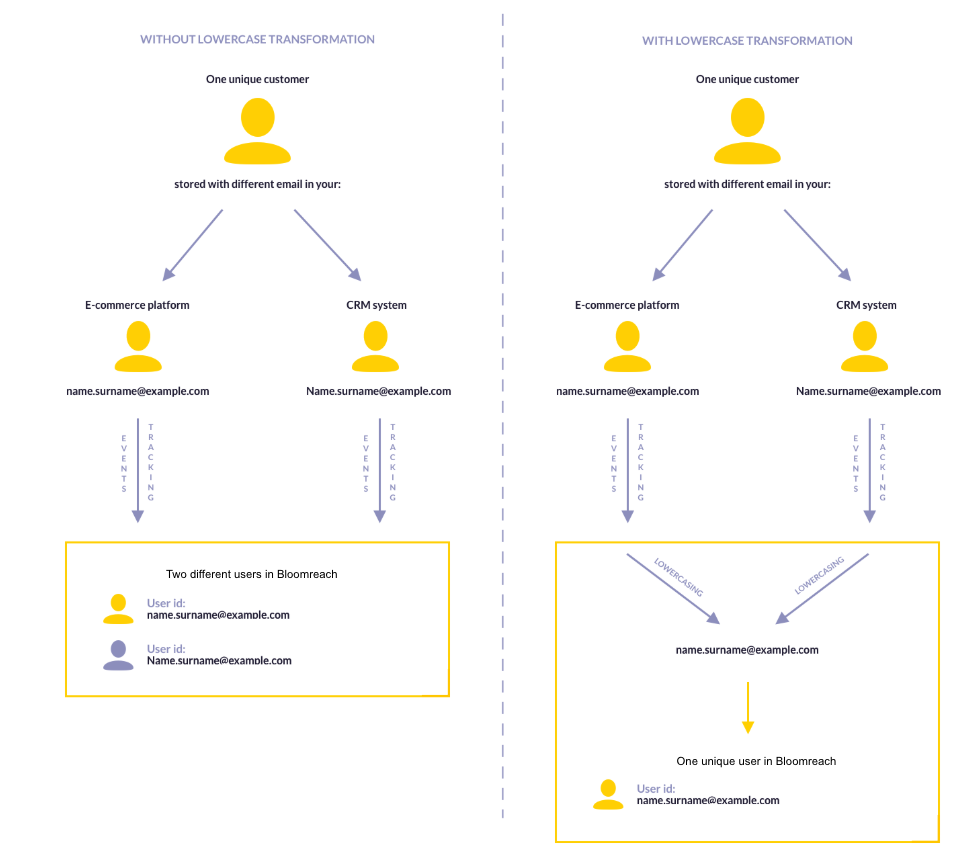
Lowercase transformation merges case variants of the same email into a single customer profile
Updated 4 days ago