
Consent management
This guide introduces you to consent management.
Consent management helps you handle subscription policies and track consent changes for every customer. This feature ensures compliance with data protection regulations while giving you full visibility into customer preferences.
With consent management, you can:
- Define custom consent categories for customer subscriptions.
- Set subscriptions based on legitimate interest.
- View the complete consent history for every customer, including who gave or withdrew consent, when, and where.
- Provide a customizable consent management page for your customers.
How consent management works
Consent management is enabled by default for all new projects. The system tracks every consent interaction and stores it in the customer profile, creating an auditable trail of all consent activities.
You can manage consents through three methods:
- Directly in the customer profile interface.
- Through automated scenarios using consent events.
- Via customizable consent management pages that customers access themselves.
Each consent has a status (granted or revoked), a category, and an optional expiration date. The system automatically tracks the source, timestamp, and any changes to consent status over time.
Consent categories
Consent categories help you organize data into multiple groups, each with a different consent status and approaches to data processing and communication. This structure lets you communicate with each customer according to their specific preferences.
Bloomreach offers three types of categories:
- General consent: Broad consent covering multiple communication types.
- Consent: Specific permission for defined activities.
- Legitimate interest: Processing based on legitimate business interest rather than explicit consent.
Learn more about these categories and their configuration in the Consent categories article.
Manage consents in the customer profile
You can monitor and manage consents for each customer in their profile, where consents appear as attributes. The profile overview shows you the consents granted and revoked, the current status of every consent given by the particular customer, with the whole history and details such as the source of the consents and their expiration dates.
Below, you can see how you can update consents for a customer:
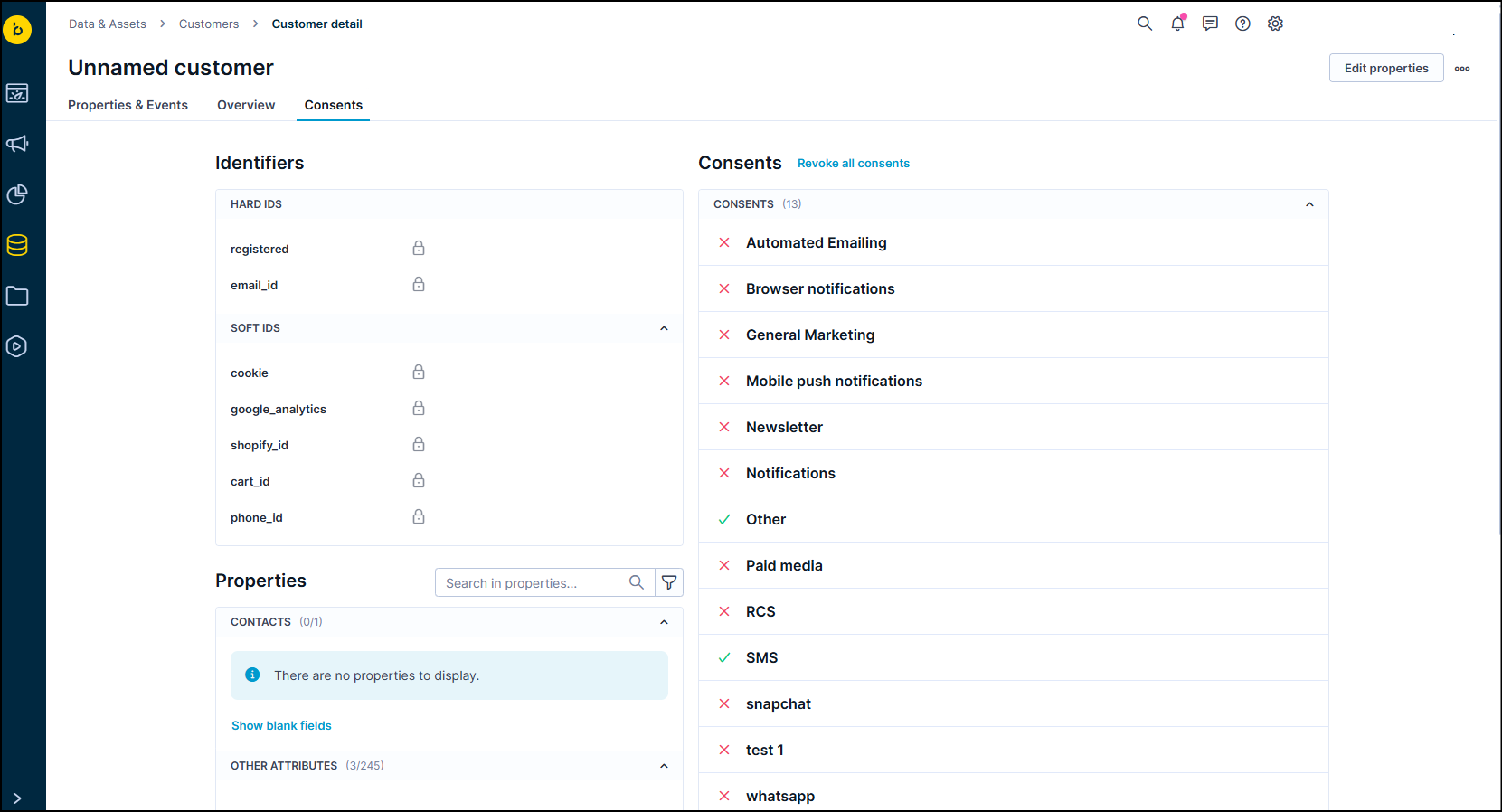
Managing consents in the customer profile
Manage consents through a scenario
You can modify consent by creating events in a scenario. Here's how to do it.
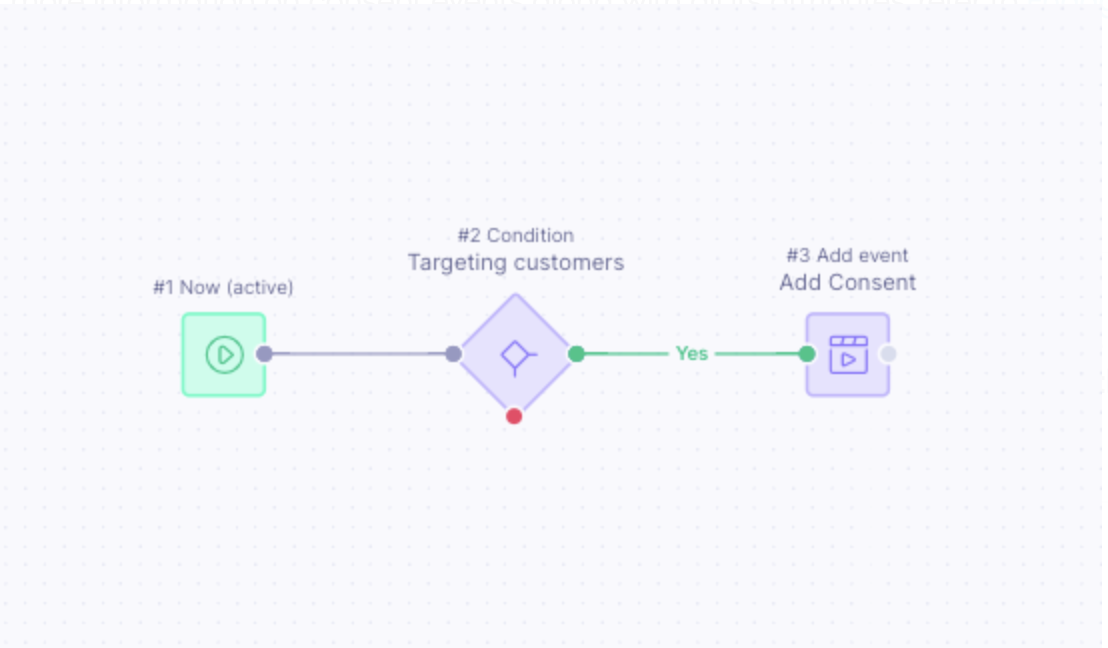
Example of the scenario managing consent
As an example, the main component you can use is an AddEvent node through which you can add a consent event to a customer profile. There are 3 mandatory event properties that you need to specify inside the consent event in order to grant valid consent.
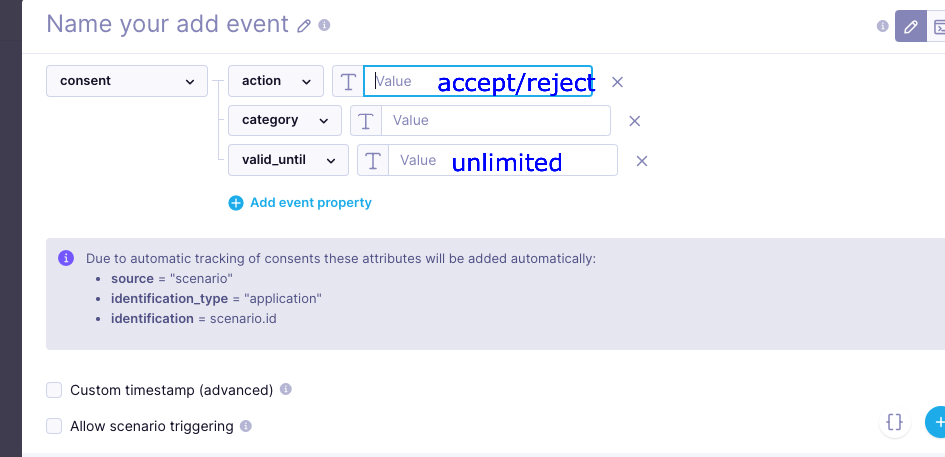
Consent event mandatory properties
-
action - accept or reject: This depends on whether you wish to grant or revoke the consent.
-
category - Name of the consent category: You can retrieve this name from Project settings > Privacy management > Consents, where you can see the name of a particular consent category. This is important as the name of the consent that we see in the UI while selecting it can be different.
-
valid_until - UNIX timestamp or either “unlimited”: If you're granting consent, you can specify when it expires. You can use a UNIX timestamp for defining a specific expiration date or use value unlimited if you want it to last forever. This valid_until property is needed only when you're granting consent. If you're rejecting consent, this isn't a mandatory event property.
NoteThe above event properties are case-sensitive, and you need to use lowercase letters. Otherwise, they aren't recognized.
Limitations
Legacy projects: If your project was created before May 1, 2018, it originally used campaign groups instead of consent categories. You can migrate to the new consent management system by going to Project settings > Privacy management > Consents. When you enable consent categories, the system automatically maps and migrates your campaign groups to consent categories. In the image below, you can see how your consent groups look after the migration.
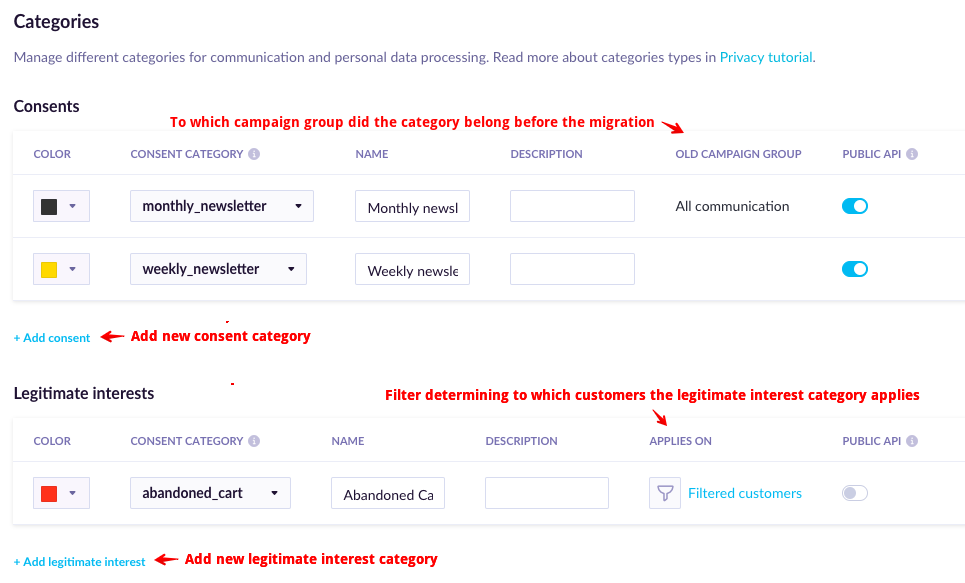
Consent groups after migration
However, be aware of this consideration: once you enable consents in your production project, you won't be able to trigger any campaign that was historically linked to a campaign group. You need to load valid consents in order to trigger these campaigns. You also won't be able to reverse the campaign groups functionality once you enable consent categories.
Updated 1 day ago