

Understand variant behavior
Variants let you create different versions of a rule to test which performs better. This guide helps you understand how variant status changes throughout the A/B testing lifecycle to manage rules effectively.
Active variant
The active variant is the version of a rule that applies to your site traffic. When you have multiple variants, only one is active at a time, except during A/B tests when multiple variants can be active simultaneously.
Default variant behavior
When you create a rule, the system automatically creates a V0 variant that signifies the default behavior, that is, the behavior when the rule isn't applied. If you turn the Enable toggle for a rule OFF, V0 becomes the active variant
Control group
The control group is the baseline variant used for comparison in an A/B test. The system automatically designates the active variant as the control group when you start a test.
Variant status throughout A/B testing
Before starting a test
Before you start an A/B test, only one variant is active. This variant appears with an Active label in the Rule variants modal. The ranking, personalized media in grid, and redirect rules listing pages show information from the active variant.
During a test
When an A/B test is running, multiple variants become active simultaneously because they're all serving traffic to different test buckets.
How variant labels change
Once you run an A/B test, the variant labels change:
- The variant that was active before the test runs is labeled Control.All other variants included in the test are labeled Active.
This distinguishes the control group (your baseline) from the test variants (the experiences you're evaluating).
Limitation in displaying variant status
When you include the default variant V0 in a test with other variants, the system has a limitation in displaying variant status.
If your test includes V0 and more than one other variant (for example, V0, V1, V2), and V0 isn't the Control variant, then the system incorrectly doesn’t mark V0 as Active in the variant modal.
This limitation doesn't affect test results or traffic distribution, but only how variant status appears in the interface.
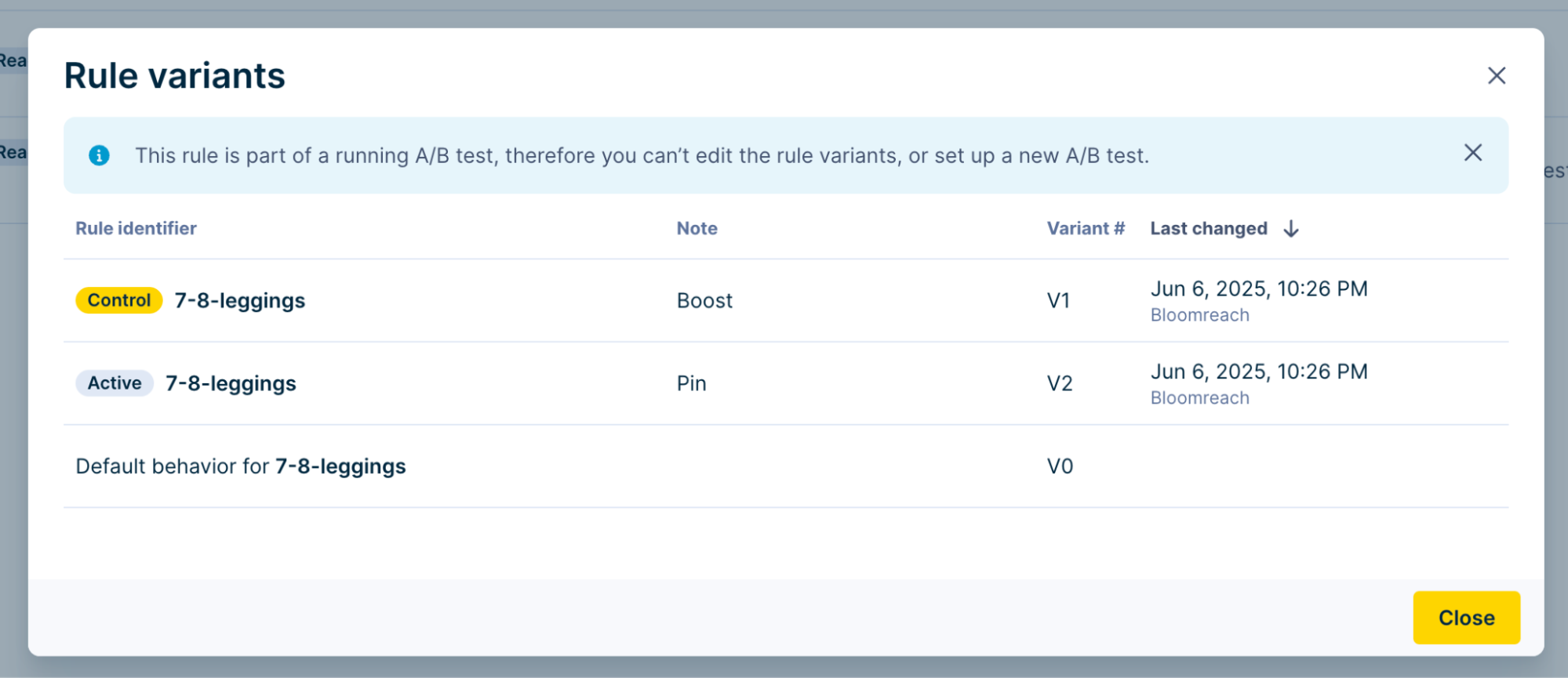
V0 not marked as active.
After a test
When you end an A/B test, you choose the winning variant. That variant becomes the active variant that applies to your site experience.
Change active variant for a rule
You can manually change the active variant for any rule except ranking algorithm rules:
-
Open the rule listing page.
-
Click the Variants icon to open the variant modal.
-
Choose Set as active variant from the options dropdown.
-
Click Set.
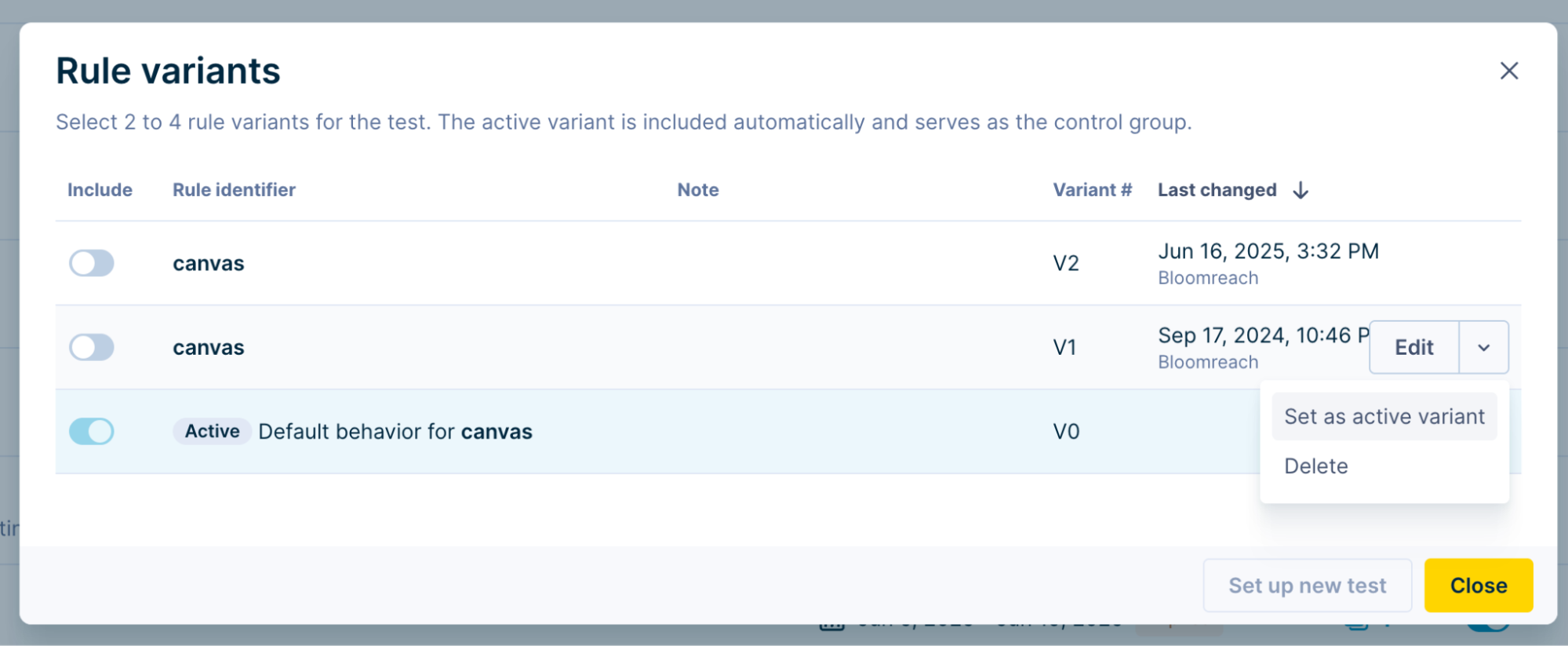
Change active variant using modal.
The selected variant is now the active variant.
Updated 7 months ago