

Integrate with Shopify App v2
This guide provides the technical steps required to implement the Personalized media in grid functionality in the Shopify Search Connector App v2.
Loomi for ShopifyThis page describes our previous Shopify integration. The guidance on this page doesn't apply if you are using Loomi for Shopify via Data hub.
Loomi for Shopify is our latest Shopify integration that powers both Search and Marketing through Data hub. If your store is connected via the Loomi for Shopify app in Shopify, follow the Loomi for Shopify documentation in Data hub instead.
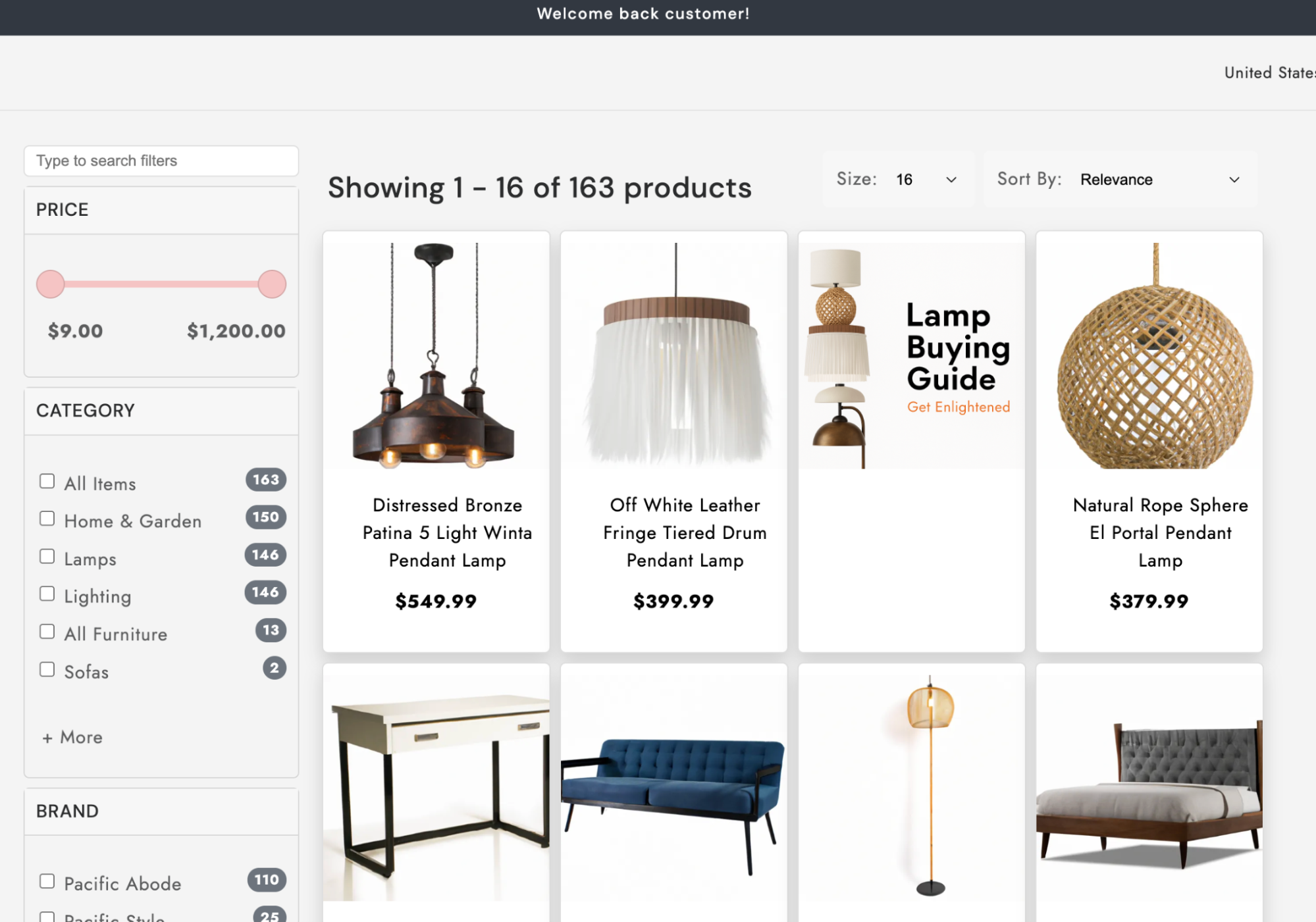
Once configured, your app can receive and render media assets returned by the Search API alongside regular product results. These assets are configured in the Bloomreach dashboard, and dashboard media rules control when and where specific content appears in your search results.
Prerequisites
Before you proceed, ensure that media rules and assets have been configured in the Bloomreach dashboard (see the Display media in the grid guide) and your API requests include the content_injection=true parameter to receive media in the response.
Implement Personalized media in grid
Implement the Personalized media in grid feature in the Search Shopify connector through the boolean feature parameter, content_injection.
1. Include feature parameter
Follow the steps given below to enable Personalized media in the grid in the Bloomreach Discovery v2 connector:
-
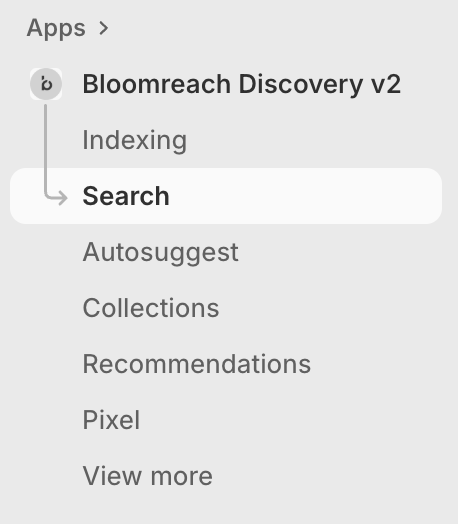
Navigate to Apps > Bloomreach Discovery v2 in your Shopify store and select Search and Collections to adjust the default settings.
-
In the default settings, locate the Additional Parameters input field and add
content_injection=trueto the query parameters. This enables content injection into the API responses.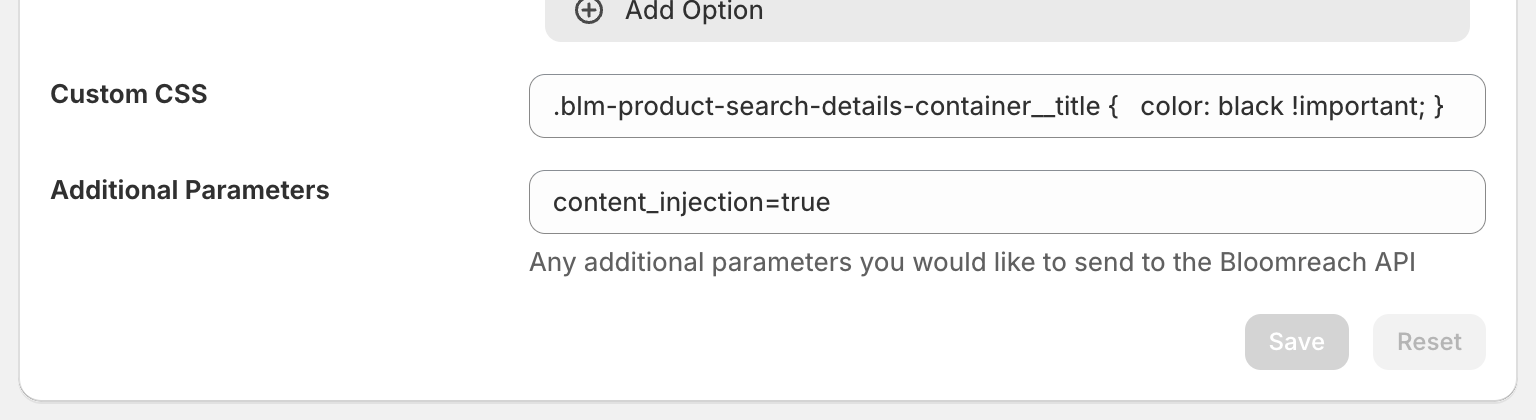
2. Modify the EJS template
Finally, edit your EJS templates to handle content objects that are injected into the product feed at specified positions. These content objects may contain images, text, HTML, or any other supported asset type that seamlessly integrate with your existing product grid layout.
Navigate to the Product List Template and edit the EJS templates to display media in the grid. Here is an example template that handles media in the response:
<% function printProduct(product) { %>

  <!-- Media/Banner Content -->
  <% if (product.docType === 'content') { %>
    <div class="blm-product-search__result blm-content-banner">
      <div class="blm-product-search-image-container blm-content-image-container">
        <div class="blm-product-search-swatch-image fade" style="display: block">
          <% if (product.contentType === 'image_url') { %>
            <img
              class="blm-product-search-image-container__image"
              alt="Banner"
              src="<%= product.content.match(/src="([^"]*)"/)?.[1] || '' %>"
              style="object-fit: cover;"
            />
          <% } else { %>
            <%- product.content %>
          <% } %>
        </div>
      </div>
    </div>
 <!-- End Media/Banner Content -->

  <% } else { %>

    <!-- Regular Product -->
    <div class="blm-product-search__result" <% if (product.variant_name) { %>title="<%- product.variant_name %>"<% } %>>
      <%
        const matchingVariant = !Array.isArray(product.variants)
          ? null
          : 'variant_index' in product
            ? product.variants[product.variant_index]
            : product.variants.find(variant => selectedColors.includes(variant.sku_color_group ? variant.sku_color_group.toLowerCase() : null))
      %>
      <div class="blm-product-search-image-container">
        <% if (product.variants && product.variants.length > 1) { %>
          <% product.variants.forEach(function(variant, index) { %>

          <%
            const isActiveVariant =
              !('variant_index' in product) && !selectedColors.length
                ? index === 0
                : 'variant_index' in product
                  ? product.variant_index === index
                  : matchingVariant == variant
          %>

          <div class="blm-product-search-swatch-image fade"
            <% if (isActiveVariant) { %>style="display: block"<% } %>
          >
            <img
              class="blm-product-search-image-container__image"
              alt="title"
              src="<%= variant.image %>"
            />
          </div>
          <% }); %>
        <% } else { %>
          <div class="blm-product-search-swatch-image fade" style="display: block"
          >
            <img
              class="blm-product-search-image-container__image"
              alt="title"
              src="<%= product.image %>"
            />
          </div>
        <% } %>
      </div>
      <div class="blm-product-search-details-container">
        <div class="blm-product-search-details-title-container">
          <a href="<%= product.link %>" class="blm-product-search-details-container__title"
            ><%- product.title %></a
          >
        </div>

        <% if (product.variants && product.variants.length > 1) { %>
          <% product.variants.forEach(function(variant, index) { %>
            <%
              const isActiveVariant =
                !('variant_index' in product) && !selectedColors.length
                  ? index === 0
                  : 'variant_index' in product
                    ? product.variant_index === index
                    : matchingVariant == variant
            %>
            <p class="blm-product-search-details-container__price <% if (isActiveVariant) { %>active<% } %>">
              <%
                const price = variant.sku_price !== undefined ? variant.sku_price : product.price;
              %>
              <%= config.format_money(price.toFixed(2) * 100) %>
            </p>
          <% }); %>
        <% } else { %>
          <p class="blm-product-search-details-container__price active">
            <%= config.format_money(product.price.toFixed(2) * 100) %>
          </p>
        <% } %>

      </div>

      <% if (product.variants && product.variants.length > 1) { %>
        <ul class="blm-product-search-swatch-container">
        <% product.variants.slice(0, defaultMaxColorSwatches || 0).forEach(function(variant, index) { %>
          <%
            const isActiveVariant =
              !('variant_index' in product) && !selectedColors.length
                ? index === 0
                : 'variant_index' in product
                  ? product.variant_index === index
                  : matchingVariant == variant
          %>
          <li
            class="blm-product-search-swatch-container__swatch <% if (isActiveVariant) { %>active<% } %>"
            style="background-image: url('<%= variant.image %>')"
          ></li>
        <% }); %>
        </ul>

        <% if (product.variants.length > defaultMaxColorSwatches || 0) { %>
        <small class="blm-product-search-swatch-colors">(Colors) <%- product.variants.length %></small>
        <% } %>
      <% } %>
    </div>
  <% } %>
<% } %>

<% if (locals.grouped_products && grouped_products && grouped_products.groups) { %>

  <% grouped_products.groups.forEach(group => { %>
  <div class="blm-result-group">
    <h3 class="blm-result-group__title"><%- group.title %></h3>

    <div class="blm-product-search__results">
      <% group.products.forEach(printProduct); %>
    </div>
  </div>
  <% }); %>
<% } else { %>
  <% products.forEach(printProduct); %>
<% } %>
Note the if (product.docType === 'content') statement under the Media/Banner Content comment. This checks for a content object, and then renders its contents based on the value of product.contentType.
Updated about 1 month ago