

Configure Data hub imports
Data hub rolloutData hub provides new unified API integration methods for sending data to multiple Bloomreach products. Access is being rolled out in phases. For new implementations, we recommend using Data hub where available. Existing product-specific integrations remain fully supported for Marketing, Search, and Conversational agent.
This guide outlines the steps to configure imports for item data.
Prerequisites
- Item collection created: Create an Item collection. This serves as a container for your imported records.
- Permissions: Ensure you have the Imports Admin and Item Collections Admin permissions.
Create a new import
- Go to Data hub > Items in your Bloomreach workspace.
- Locate and open the existing item collection from the Item collections listing page.
- Click the Import tab. Click + New import.
- Name the import.
Configure import settings
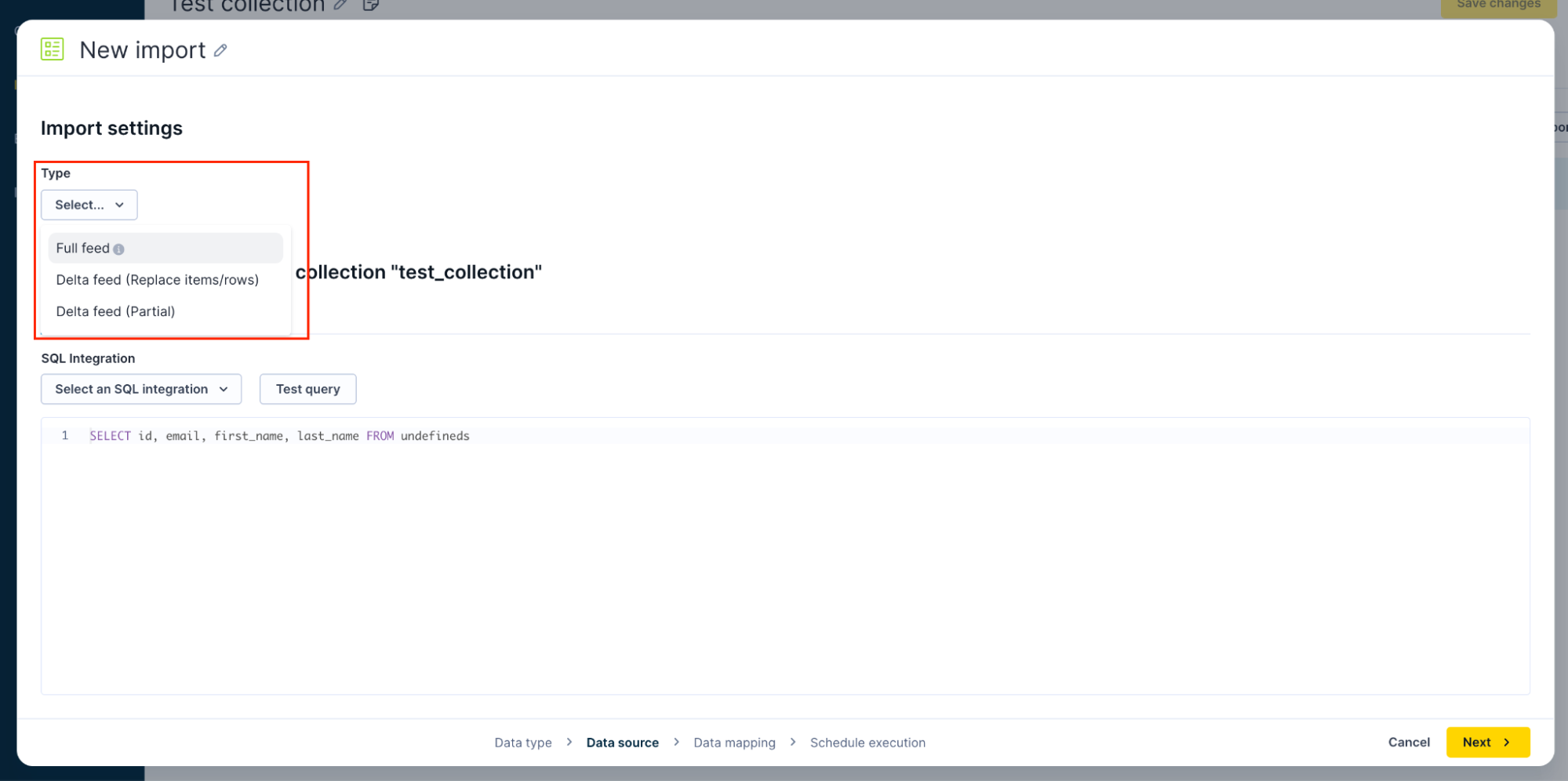
Specify import type
Choose the option that best represents your use case. You can learn more about identifying your data source.
-
Full feed: Replaces all existing items in the item collection with the imported data. Ideal for initial loads, weekly catalog refreshes, or large updates.
-
Delta feed (replace items/rows): Replaces only selected rows/items based on matching IDs. Ideal for targeted updates, such as new products, corrected attributes, and so on.
-
Delta feed (partial): Updates only the fields present in the import file; missing fields in the import do not overwrite existing data. Useful for partial attribute adjustments.
Select a data source
There are multiple ways to import your data depending on your setup and technology stack.
- Upload a file: Upload a local CSV or XML file directly from your machine. Suited for one-time or infrequent imports.
- Copy & paste: Paste raw CSV or XML content directly into the UI. Suited for testing or importing small datasets up to 64 KB.
- URL: Download using an HTTPS URL.
- Data warehouses: Imports from BigQuery, PostgreSQL / Redshift, Snowflake, and Databricks.
- File storage locations:
- SFTP: Import data via SFTP.
- Amazon S3: Connect to Amazon S3 to import data files.
- Google Cloud Storage: Connect to Google Cloud Storage (GCS) to import data files.
Specify data mapping
Understand your data source structure and specify the data mapping.
Set import schedule
Schedule when your item collection data imports run.
Updated about 2 months ago