

Shopify Sidekick integration
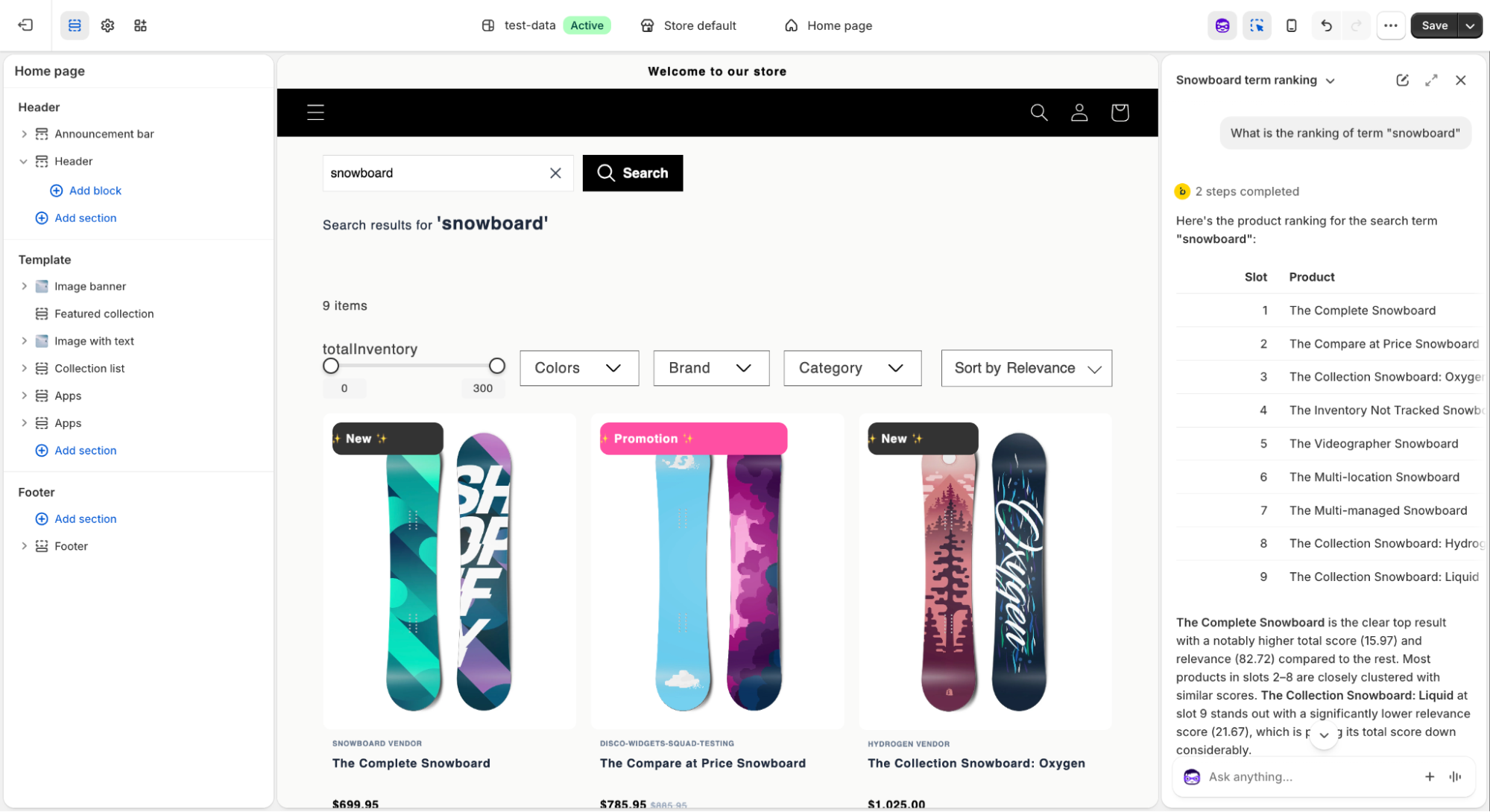
The Loomi for Shopify Sidekick extension brings product ranking insights directly into Shopify Admin. Ask plain-language questions about a search query—Loomi retrieves the relevant ranking data and returns an explanation in the chat.
- Works directly in Shopify Admin—no separate interface or backend access required.
- Available to any team member with Sidekick access.
- Check how boosts and rules are applied before go-live and during active merchandising.
Prerequisites
Before you start, make sure you have:
- Data hub with Loomi for Shopify configured
- Loomi for Shopify with search enabled
- Shopify Admin access with Sidekick enabled
What is Shopify Sidekick?
Shopify Sidekick is Shopify's built-in AI assistant, available in Shopify Admin. It lets merchants manage their store through conversation—asking questions, getting recommendations, and taking action without navigating between screens.
The Loomi for Shopify extension brings product ranking diagnostics into Sidekick, so you can investigate search behavior without leaving Shopify.
Access Sidekick
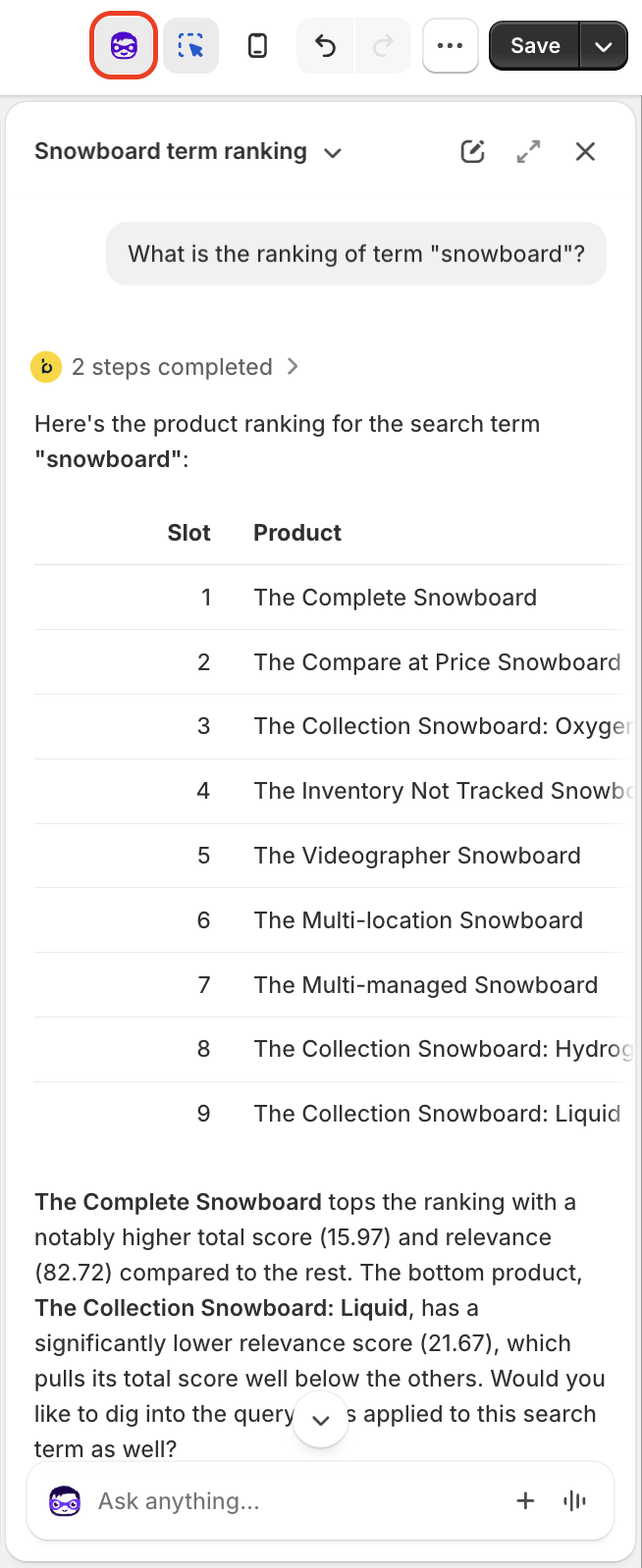
Click the Sidekick button in the top-right corner of the Shopify Admin navigation. The chat panel opens on the right side of your screen.
How it works
Type your question or describe the issue you're seeing. You don't need to use specific commands—write naturally.
Example prompts:
- "Why are mostly pink products showing for 'linen shirt'?"
- "What is the ranking of the term 'snowboard'?"
- "Are there any merchandising rules affecting this query?"
- "Check if lower-performance products are ranking higher than they should"
Sidekick returns:
- The current search configuration for the query, such as active boosts, merchandising rules, and relevance weighting
- An explanation of why products are ranking the way they are, for example, a low relevance score or an overriding manual boost
- Recommendations, such as removing a manually boosted product that's underperforming, or adding synonym mappings for terms with no current coverage
Use cases
Validate search during implementation
During setup, confirm your search configuration is working as expected before going live. Ask Sidekick why specific products are ranking where they are, or check how boosts, rules, and relevance weighting are applied.
Diagnose ranking issues while merchandising
When results look unexpected, ask Sidekick what's driving it. Typical findings include:
- Attribute boost overriding performance: A search for "linen shirt" returns mostly pink products. Sidekick identifies a pink color attribute boost at 100% that's overriding performance signals.
- Underperforming manual boosts: A search for "dress" shows a manually boosted product in a top slot. Sidekick flags it has the lowest relevance score and suggests reviewing the boost.
- Missing synonym mappings: Terms like "gown" or "frock" have no synonym mappings, which limits recall for shoppers using those search terms.
What Sidekick surfaces
- Attribute and product boosts: rules that elevate specific products or product attributes in search results
- Active merchandising rules: slot-based, category, or facet-level rules applied to the query
- Relevance weighting and performance signals: how products are scored based on relevance and shopper behavior
- Redirects: query-level rules that send shoppers to a specific page instead of search results
- Spelling corrections: alternative query interpretations applied for misspelled terms
- Synonyms: related terms mapped to the query that broaden or restrict results
- Recommendations: suggested actions to improve results, such as removing underperforming boosts or adding synonym mappings
Limitations
The integration currently covers product ranking diagnostics only. Analytics and marketing capabilities aren't available.
Updated 2 months ago