

Loomi for Shopify Collections
Collections is an App Block that replaces the default Shopify collection pages with Bloomreach-powered product listings. This guide walks you through enabling Collections in the Shopify theme editor and configuring its settings.
Prerequisites
Before you set up collections, ensure you:
- Have an active Search subscription.
- Install Loomi for Shopify from the Shopify App Store.
- Complete the integration and sync your data with Bloomreach.
- Enable the Bloomreach Web SDK.
Enable Collections
- In your Shopify admin, go to Online Store > Themes > Edit theme.
- Click + Add section and from the Apps tab, add Bloomreach Collections to your theme.
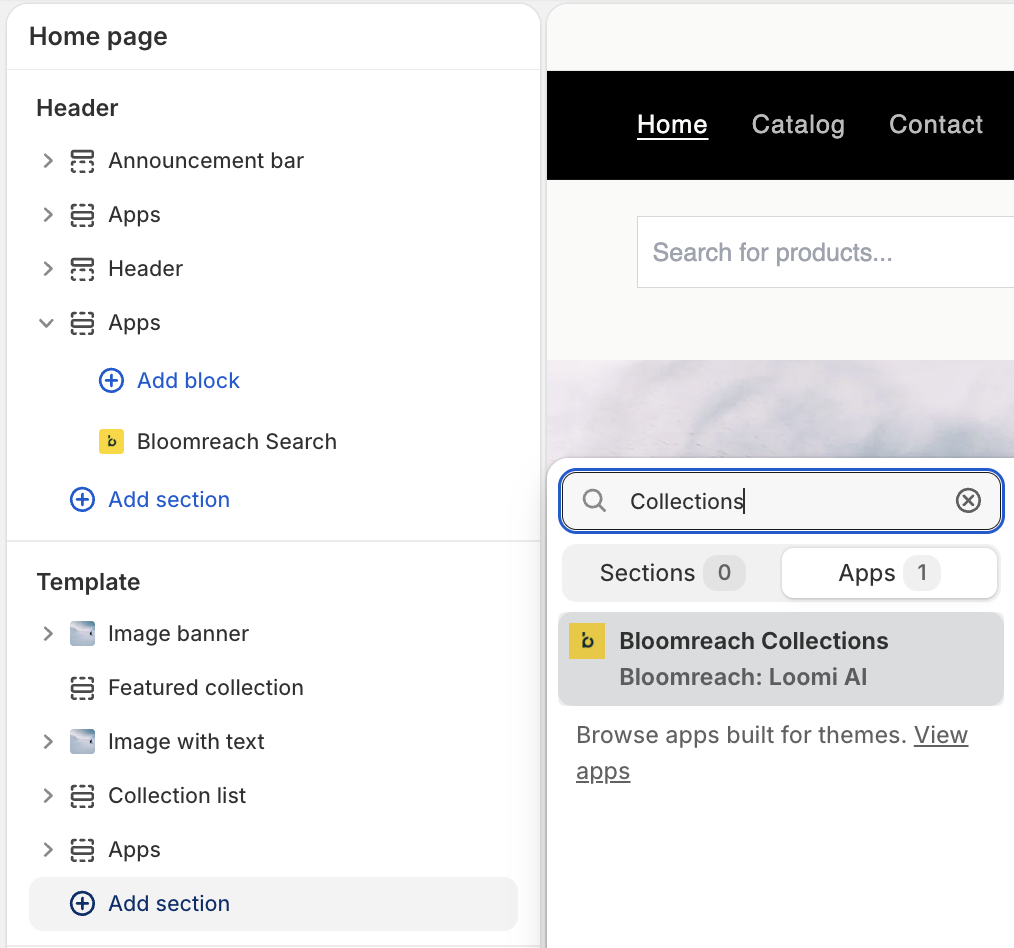
- Choose which Shopify collection to use as the category context. Its handle (for example,
summer-sale) is sent to the API so Bloomreach knows which category to serve. - You can also configure additional settings.
- Click Save.
NoteIf you want to build your own category page experience instead of using the Collections app block, integrate the Category API directly in your theme. See Build site experience and send events for the standard implementation steps.
Bloomreach's product ranking is computed live for each shopper's session — it isn't a static list. You can't export it (for example, as a CSV or feed) and reapply it to Shopify's native collection sorting. The Category API is the only supported way to use Bloomreach's ranking outside the Collections app block.
Configure Collections settings
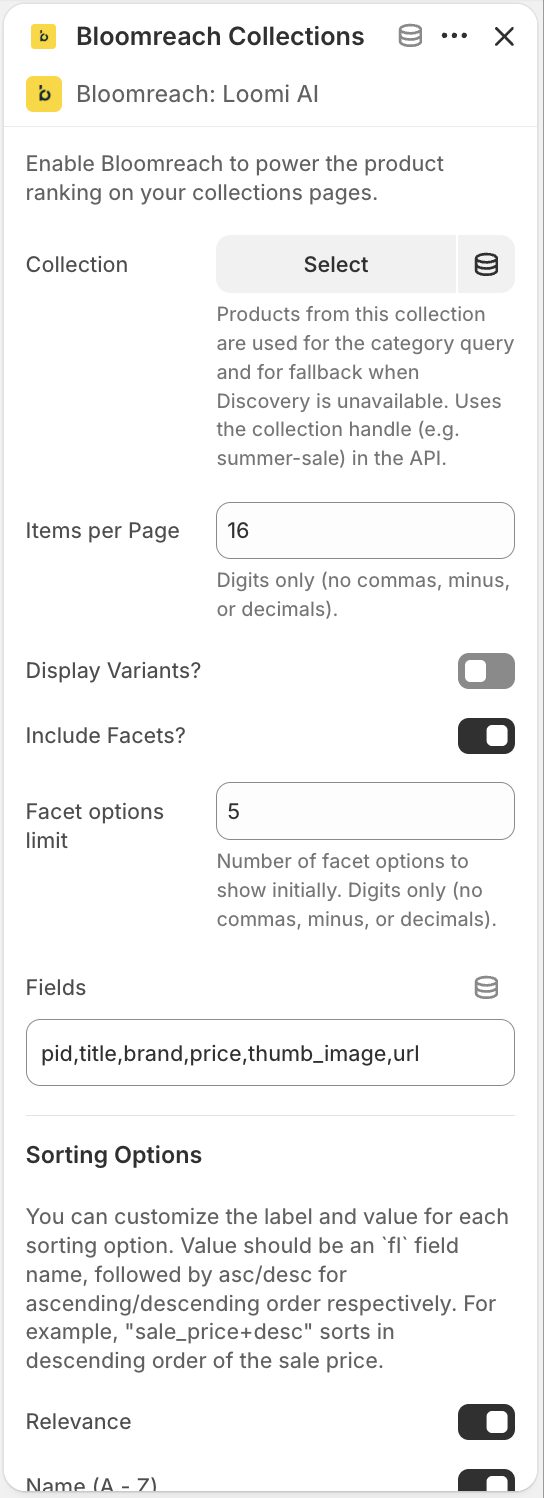
After adding Collections to your template, configure the following settings in the Loomi for Shopify app:
| Setting | Description |
|---|---|
| Items per page | Define how many products appear per page. Enter a whole number (for example, 10). Decimals and special characters aren’t supported. |
| Display variants | Choose whether each product variant (for example, size or color) appears as a separate result or is grouped under a single product. |
| Include facets | Enable or disable filter facets (for example, brand, price, color) on collection pages. |
| Fields | Specify which product attributes the API returns, using comma-separated Solr field names. See Supported fields below. |
| Sorting options | Configure the "Sort by" dropdown by mapping user-friendly labels to sort expressions (for example, sale_price+asc for ascending price order). |
| Additional parameters | Append extra query parameters to every collection API call for advanced behaviors such as views, segments, or experiments. |
| Custom CSS | Apply custom CSS to style the collections widget and result components (product cards, facets, sorting, pagination) without modifying your theme's core code. |
Click Save to apply your settings.
Supported fields
The following Solr field names are available for the Fields setting:
pidtitlesku_titlevariant_titlebrandpricethumb_imagevariantsskuidsku_color_groupsku_colorsku_swatch_imagessku_thumb_imagesurlsale_pricesku_sale_price
Variant slicing
Collection pages support Variant slicing, which displays variants as separate listings, sliced by an attribute such as color. You can boost, bury, block, and position-lock each listing as if it were a separate product.
Limitations
Group merchandising isn't available through the Shopify integration. It's a feature of the Search platform.
Related articles
Updated 5 days ago