

Sorting reference for Loomi for Shopify
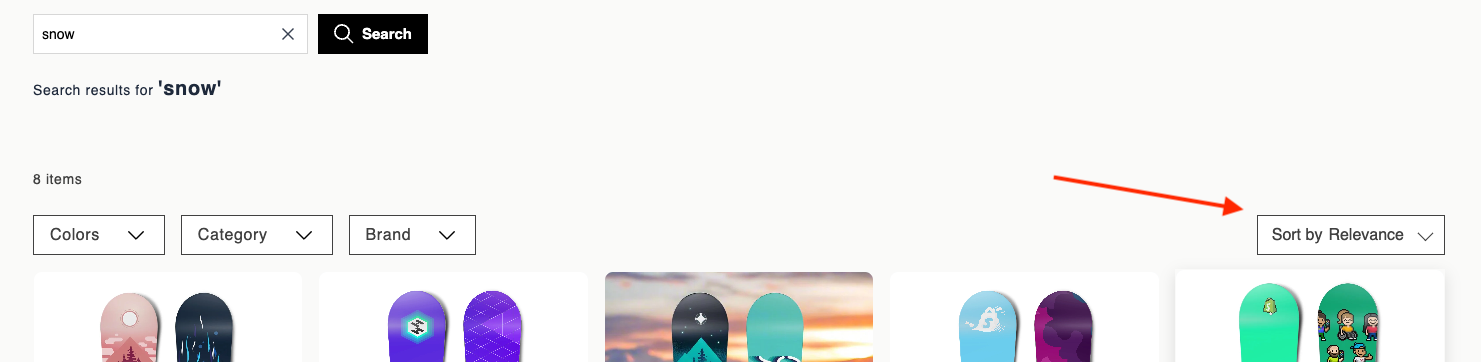
Experience customization lets you personalize the sorting component in your storefront. The sorting component renders a dropdown that lets shoppers reorder results by criteria such as relevance, price, or newness. Use the data attributes and EJS variables on this page to customize the trigger button, option list, and selected state display. For page layout requirements, see the Loomi for Shopify HTML and EJS reference.
Data attributes
| Attribute | Element | Value | Behavior |
|---|---|---|---|
data-br-action | Trigger button | sorting-trigger | Click toggles the sort dropdown open and closed. |
data-br-action | Each sorting option | sorting-option | Click selects the sort option, closes the dropdown, updates the displayed label, and fires br-sort-change. The parent widget reloads results in the new sort order — the product grid and pagination update. |
data-value | Each option | encodeURIComponent(option.value) | Tells the component which sort key was chosen so the correct option becomes selected and the parent receives the right value in br-sort-change. Wrong or missing values prevent selection. |
EJS variables
The sorting object exposes these fields:
| Field | Description | Data type |
|---|---|---|
options | All sort options. | { label, value }[] |
selectedValue | Currently selected value from the parent. | string |
selectedLabel | Label of the effective selection. | string |
effectiveSelectedValue | Resolved value. Falls back to the first option if selectedValue is invalid. | string |
label | Desktop or static label. Default "Sort by". | string |
mobileLabel | Short label for mobile. Default "Sort". | string |
displayLabel | mobileLabel when viewport width is <= 768px, otherwise label. | string |
isOpen | Whether the dropdown is open. | boolean |
isMobile | true when matchMedia('(max-width: 768px)') matches. | boolean |
Example
<button type="button" data-br-action="sorting-trigger">
  <%= sorting.displayLabel %>: <%= sorting.selectedLabel %>
</button>
<ul>
  <% sorting.options.forEach(function(option) { %>
    <li
      data-br-action="sorting-option"
      data-value="<%= encodeURIComponent(option.value) %>"
      aria-selected="<%= option.value === sorting.effectiveSelectedValue %>"
    ><%= option.label %></li>
  <% }); %>
</ul>
Updated about 1 month ago
Did this page help you?