

Create item collection
Data hub rolloutData hub provides new unified API integration methods for sending data to multiple Bloomreach products. Access is being rolled out in phases. For new implementations, we recommend using Data hub where available. Existing product-specific integrations remain fully supported for Marketing, Search, and Conversational agent.
Item collection is a logical container for product data and business items. Create collections for different domains or environments in your business.
Prerequisites
Ensure you have:
-
Access to a Bloomreach workspace with Data hub enabled.
-
Your account credentials to sign into the workspace.
-
Item Collections Admin permissions to create and manage item collections.
-
Understanding of item collection concepts.
Steps to create a new collection
Start by creating a container to store your business data.
-
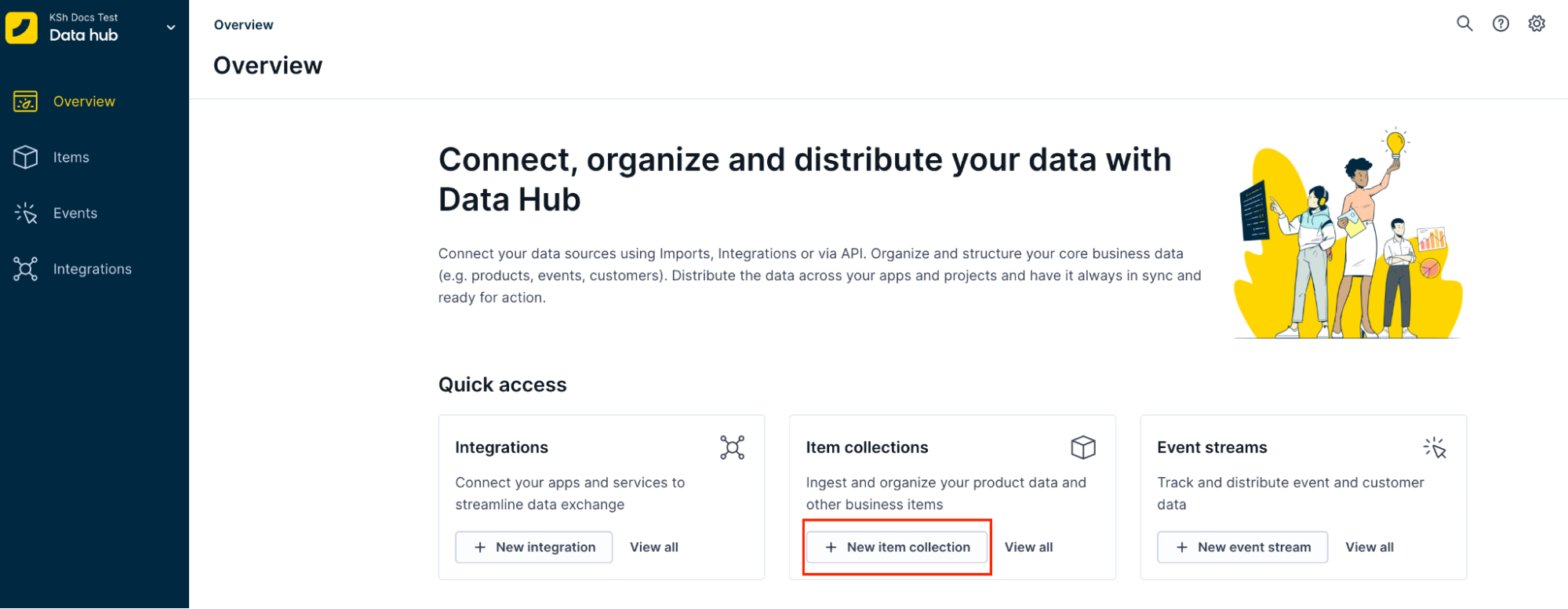
Go to Data hub from your Bloomreach workspace. This opens the Data hub overview page.
-
Click + New item collection.
-
Optionally, enter a Display name and Description for the collection.
-
Provide a unique collection name. The collection name is the logical container identifier. Collection names are unique to the workspace, not to the organization or an instance. For development workflows, you can create another collection with the same name in a different workspace. You can’t change the collection name after creating a collection.
-
Under Item types in collection, add the item types you need:
-
Select Product, Custom, or both.
-
Enter a display name, such as Products or Bundles. Data hub generates the system name from it. To change the system name, click Edit. System names must be unique in the collection, and you can't change them later.
-
For a product item type, select Simple products only (no variants) or All or some products with variants.
-
To add more item types, click + Product type or + Custom type.
You can't change an item type's Product or Custom choice after creation. The name you give an item type doesn't determine its features.
-
-
Click Create.
Your new collection appears under the Items tab. At this point, the collection contains no records and no items.
Manage collections
To change a collection's display name or description, click … next to it, select Edit details, and save your changes. You can't change the collection name.
To delete a collection, click … next to it and select Delete collection.
Manage item types
After you create a collection, you can add item types to it and edit or delete each item type.
Add item types to a collection
-
Click … next to the collection and select + Add item type.
-
Select Product or Custom, configure the item type, and click Add and save.
Edit item type details
-
Click the item type under its collection.
-
Click … in the item type header and select Edit details.
-
Change the Item type display name or add a Description.
-
Click Save.
Delete an item type
Click the item type under its collection, then click … in the item type header and select Delete item type.
Next steps
Updated 2 days ago