

Loomi for Shopify Autosuggest
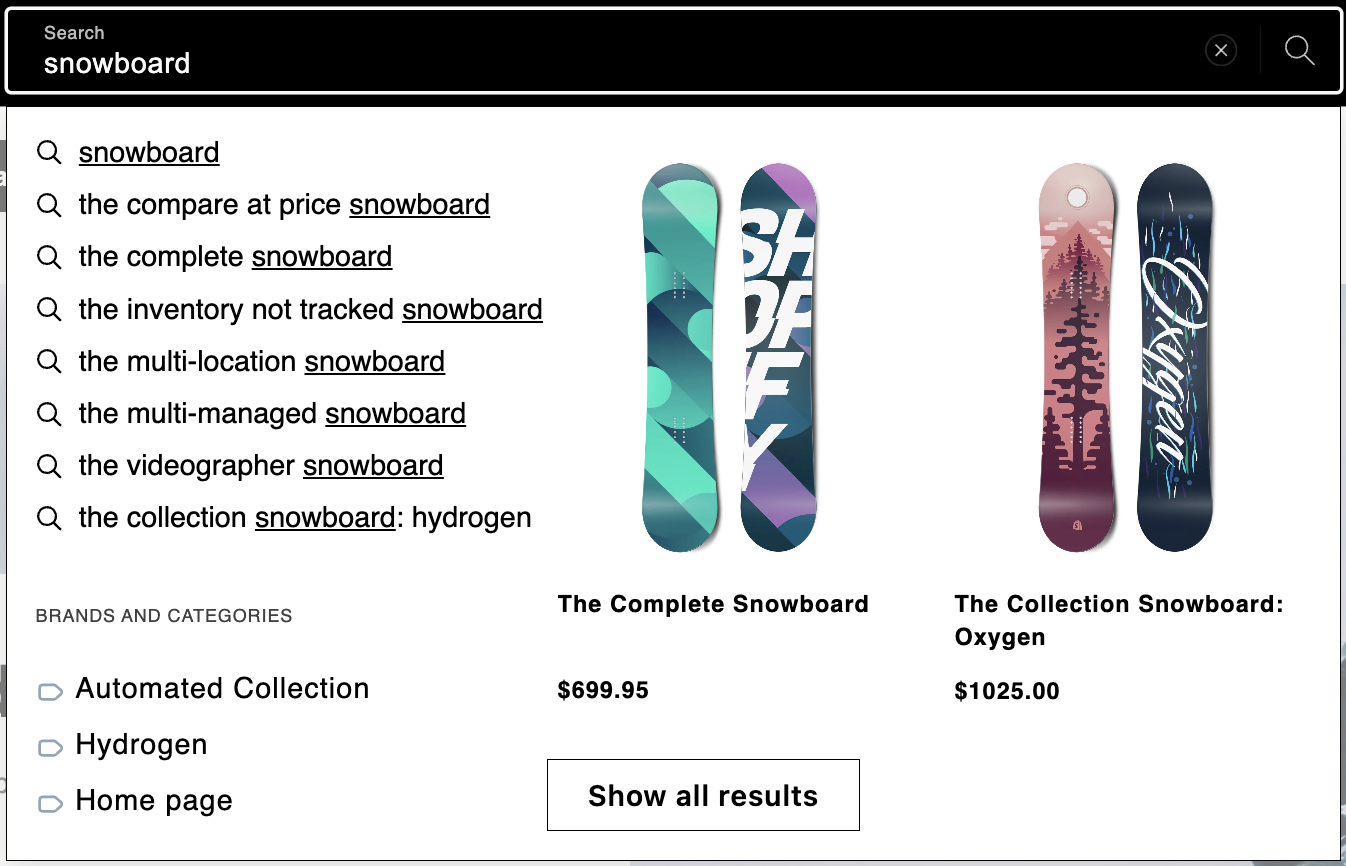
Autosuggest is an App Embed that replaces Shopify's predictive search with an AI-powered search experience. It displays query, product, and collection suggestions as shoppers type in the search box. This guide walks you through enabling it in the Shopify theme editor.
To enable autosuggest for the Bloomreach Search app, see Loomi for Shopify Search.
Prerequisites
Before you set up Autosuggest, ensure you:
- Have an active Search subscription.
- Install Loomi for Shopify from the Shopify App Store.
- Complete the integration and sync your data with Bloomreach.
- Enable the Bloomreach Web SDK.
Enable Autosuggest
Enabling Autosuggest via App Embeds turns it on globally for all search widgets on your store. You can also control it per widget using the Autosuggest toggle in the Search settings.
NoteAutosuggest only provides built-in translated labels for the Brands and Categories sections. If you add other section labels manually through experience customization — for example, "Products" or "Search suggestions" — Loomi for Shopify doesn't translate them for you. You're responsible for translating any labels you add manually.
-
In your Shopify admin, go to Online Store > Themes > Edit theme.
-
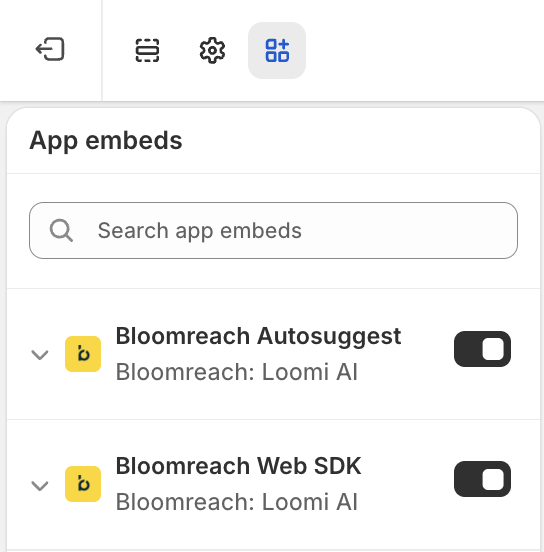
In the top-right menu, open App Embeds and enable Bloomreach Autosuggest.
-
You can also use custom CSS to style the widget.
-
Click Save.
NoteAutosuggest settings such as exclusion rules are configured in Bloomreach. For more information, see Autosuggest. Changes take 30 to 60 minutes to apply.
Limitations
Autosuggest stylesheet loads render-blocking on every page
Shopify injects the autosuggest widget's stylesheet as a plain, render-blocking <link> tag in every page's <head> where the app embed is enabled. This happens on every page load, even pages where a shopper never opens the search box, and adds measurable render-blocking time.
This is a Shopify platform constraint rather than a Loomi for Shopify setting. Shopify controls the rel, media, and onload attributes on the tag it injects for app embeds, so common non-blocking patterns — a media="print" swap, preload, or deferring the stylesheet until the widget opens — aren't available.
Related articles
Updated 6 days ago