

Overlay widget
This guide explains what the overlay widget is, the shopper experience it creates, and how to get access.
What is the overlay widget
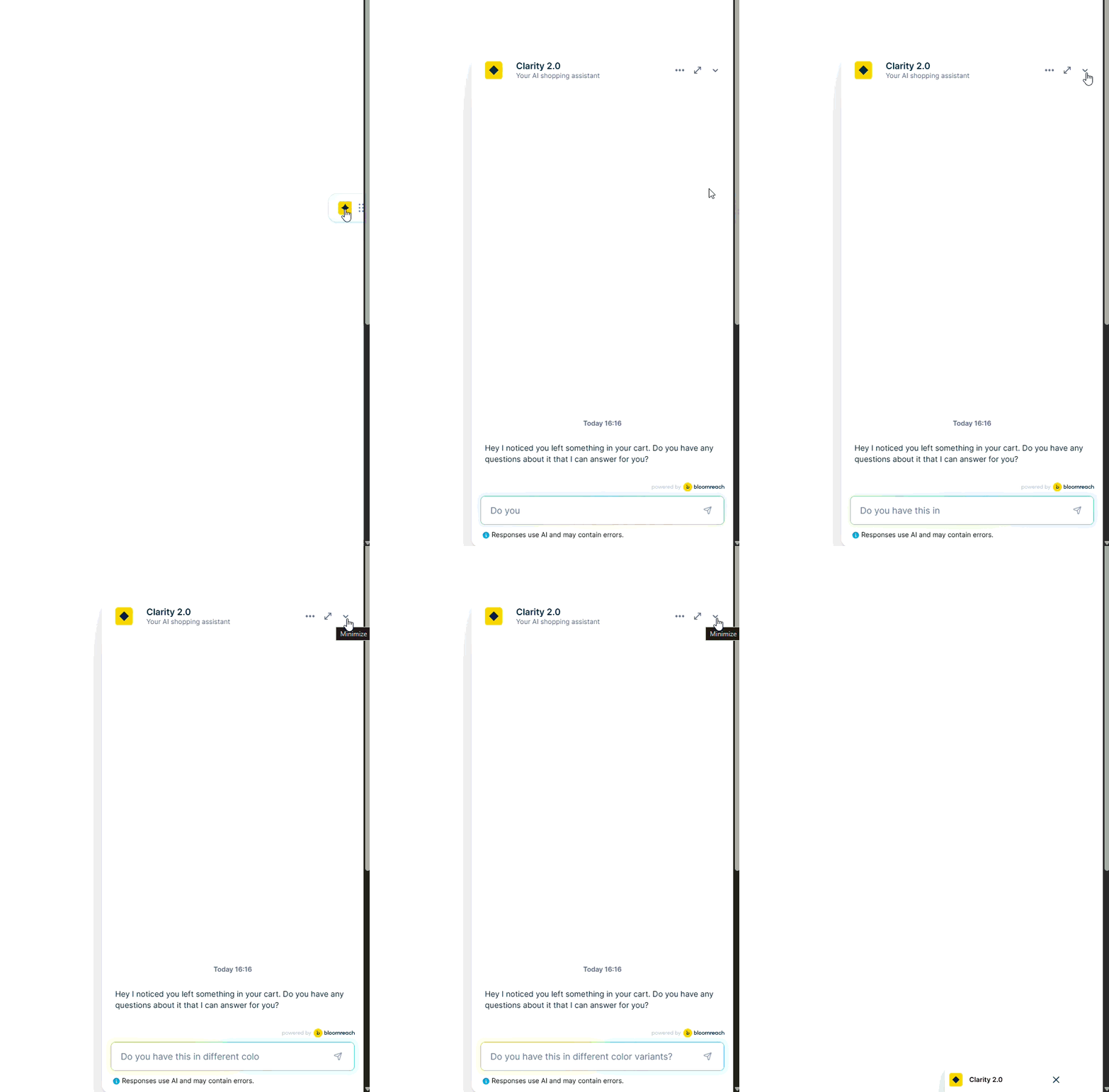
The overlay widget is the default layout for Conversational agent. The chat opens in a window that floats on top of the page, without changing its layout. When shoppers aren't chatting, the widget stays minimized as a small icon in the corner of the screen. This lets them return to the chat at any time.
The widget adapts to each device:
-
Desktop: The chat opens as a window in the corner of the screen, by default in the bottom right. Shoppers can expand it to a larger size to see more of the conversation and products.
-
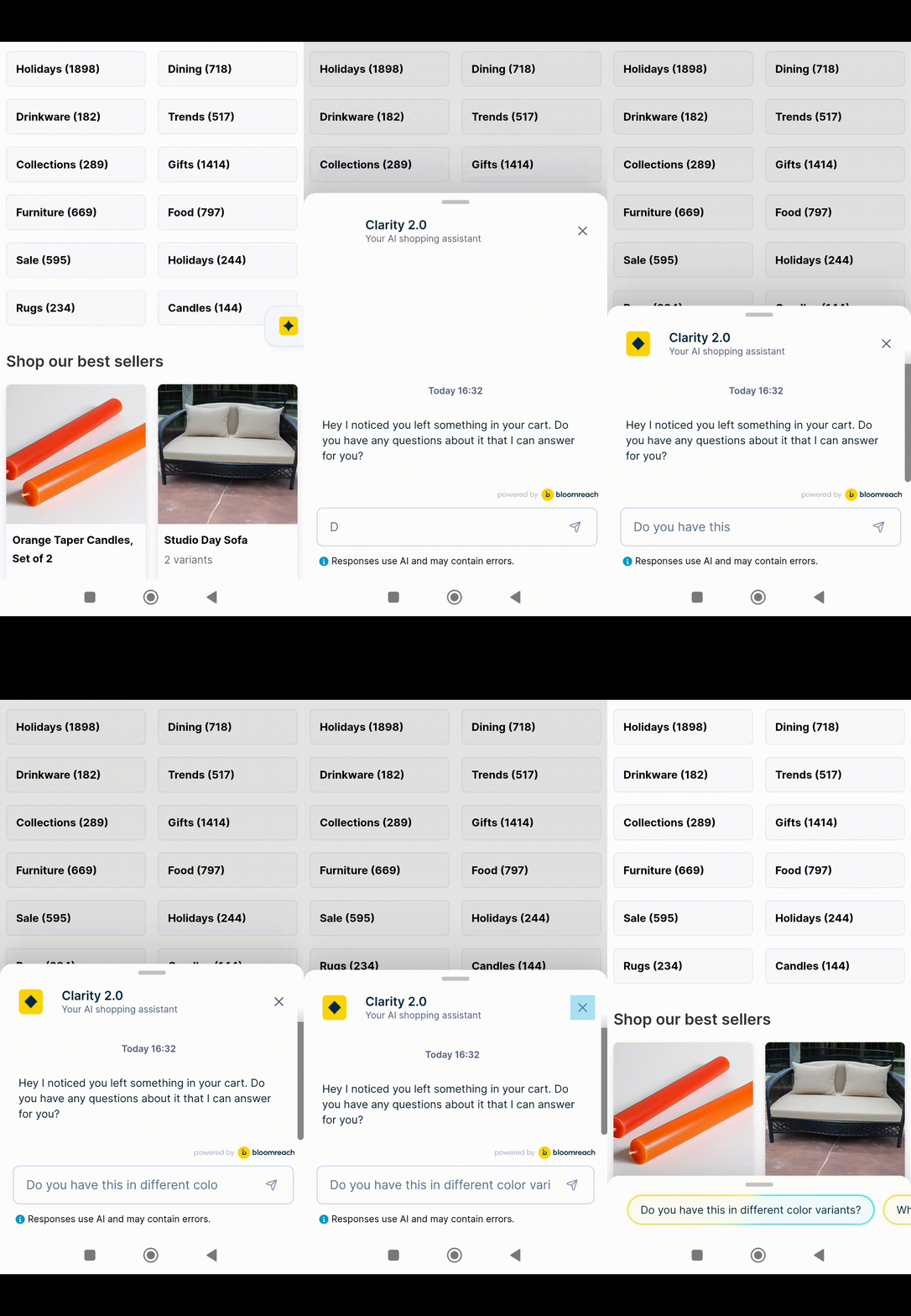
Mobile: The chat opens over the page in full screen, or as a sheet that slides up from the bottom of the screen. Shoppers can drag the sheet between half-screen and full-screen views.
Product recommendations appear in the chat as product carousels. When a shopper selects a product, the mini PDP opens a quick preview without leaving the conversation.
How it helps your business
Benefits for shoppers
- Ask questions and get product recommendations without leaving the page.
- Minimize the chat and pick up the conversation later, on the same page or anywhere around the site.
- Preview products in the chat before deciding to open the full product page.
Benefits for your business
- Add Conversational agent to any page without changing your site's layout or code.
- Choose where and when the widget appears, and which shoppers see it, through Marketing weblayers.
- Offer the conversation on every page type, such as product detail pages, product listing pages, and search.
- Match the widget's colors, fonts, and position to your brand.
How it works
- The shopper opens the chat from the chat icon, a conversation starter on a product page, or a banner on a product listing page.
- The chat window opens on top of the page. On mobile, it opens in full screen or as a sheet from the bottom of the screen.
- The shopper types a question or selects a suggested prompt, for example "show me waterproof hiking jackets".
- Conversational agent responds in the chat with an answer and a carousel of matching products.
- The shopper selects a product to open the mini PDP preview, asks a follow-up question, or compares products.
- The shopper minimizes the chat to keep browsing. The conversation stays available from the chat icon.
- When the shopper reopens the chat, on the same page or another page, the conversation continues where it left off.
Enable the overlay widget
The overlay widget is the default layout for Conversational agent and is available for all Conversational agent customers, both on desktop and mobile.
When you integrate Conversational agent, your Bloomreach team sets up the widget through Marketing weblayers, including where it appears and how it looks. To change the widget's appearance or behavior, contact your Product Engagement Manager. To change how products display in the chat, see Customize chat widget.
Requirements
Before enabling the overlay widget, make sure:
- Conversational agent is integrated with your site.
- Conversational agent is delivered to your site through a Marketing weblayer.
- Your product catalog is connected to Bloomreach.
Considerations
- Each page uses one chat layout. You can use the overlay widget on some pages and Side Panel on others, but not both on the same page.
- Other floating elements on your site, such as a customer service chat or a "back to top" button, can overlap the widget. Your Bloomreach team can adjust the widget's position or stacking order.
- On mobile, the page behind the chat is dimmed while the chat sheet is open. Tapping the dimmed area closes the chat.
Updated about 1 hour ago