

A/B testing in Conversational agent
A/B testing helps you measure Conversational agent's impact by comparing 2 groups: a control group (who doesn’t see Conversational agent) and a test group (who interacts with Conversational agent). This article explains how Conversational agent A/B testing works and how to interpret the results to refine your strategy.
A/B test ratio
Conversational agent includes built-in A/B testing. By default:
-
90% of users see Conversational agent.
-
10% don’t see Conversational agent (the control group shortened as CG).
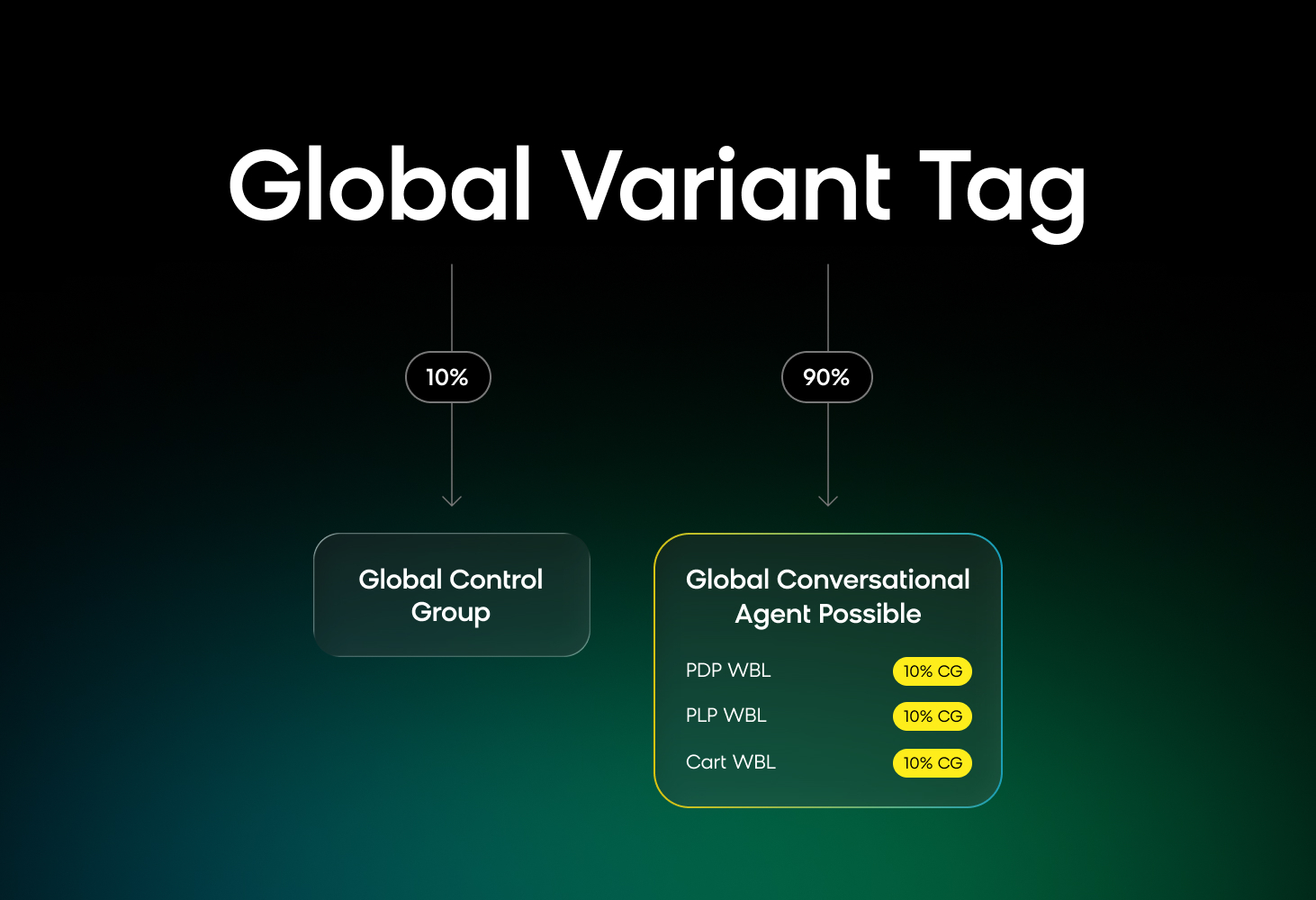
A/B testing global 90:10 split and use case weblayers (WBL) split.
You can adjust the ratio based on your needs. However, a 90:10 provides a large enough control group for meaningful comparisons while maximizing exposure for most customers.
Choose a test ratio
- 50/50 split: The most accurate evaluation of how much value Conversational agent is adding.
- 90/10 split: Best for long-term use. It maximizes exposure while maintaining a control group for comparison.
Read more about how A/B testing works.
Global and local A/B testing
Conversational agent uses tiered A/B testing:
- Global: Compares a global control group (no Conversational agent) with a global Conversational agent variant (using Conversational agent). This gives a clear uplift comparison between having and not having Conversational agent.
- Local: Evaluate individual use cases to see how Conversational agent performs in different contexts. For example, high-traffic areas (search) may have different performance compared to lower-traffic, high-impact areas (cart pages).
The global A/B test helps evaluate Conversational agent's overall impact, while the local test helps assess specific use cases.
Updated 20 days ago