

Conversational agent tone of voice
In the Tone of voice tab of each agent's setup page, you edit the agent's tone of voice.
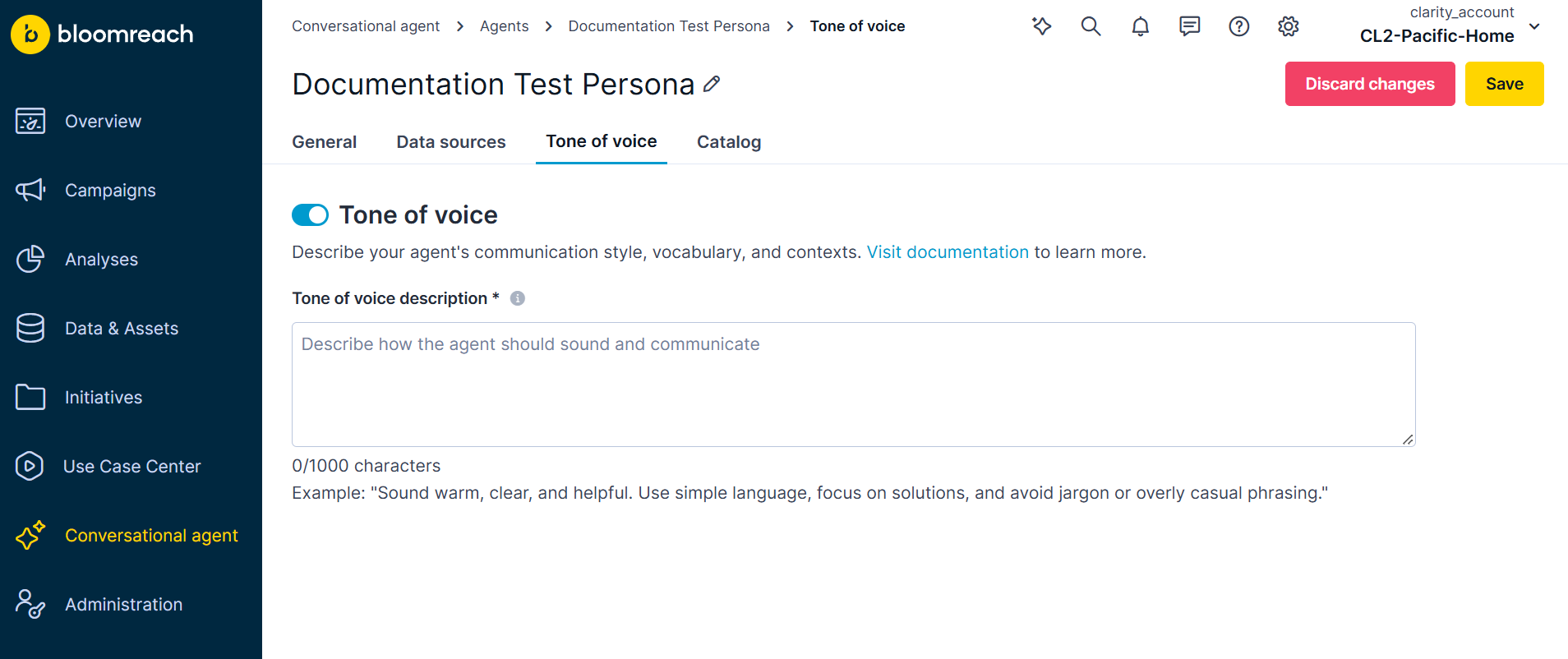
Conversational agent uses a default tone of voice. To match your brand, you can replace it for each agent with your own description. For example, adapt an agent's tone for seasonal campaigns or align it with a brand refresh.
Set the tone of voice
To set a new tone of voice for your agents:
- In the Tone of voice tab, enable the Tone of voice toggle.
- In the Tone of voice description box, write a single free-text description of how the agent should sound. For tips on what to include, see Write effective tone of voice descriptions.
- On the top-right corner, click Save.
- Open a test conversation to confirm that the responses reflect the new tone.
Write effective tone of voice descriptions
These tips help you optimize your tone of voice description:
- Personality traits. Give your agents different personality traits according to your business needs. For example, give your support agent a calm, reassuring tone and your shopping assistant an upbeat, playful one.
- Formality. Adjust the level of formality you want each agent to have. For example, instruct them on how to address shoppers or on the emoji usage.
- Sentence length. Specify how lengthy you want each agent’s replies to be.
- Exclude words. To create a welcoming space for shoppers, consider excluding or replacing certain terms (for example, wheelchair user instead of wheelchair-bound). You can also exclude and replace certain words to help meet your brand or legal requirements (for example, use handmade instead of custom made).
- Avoid context. To keep Conversational agent conversations consistent and neutral, specify certain topics that the agent should exclude from its conversations.
Updated 4 days ago
Did this page help you?