

Conversational agent general knowledge data
This article explains Conversational agent's general knowledge data and how adding merchant information and data sources can improve its performance.
Why general knowledge data quality matters
Conversational agent uses general knowledge to answer non-product questions and improve overall responses. For instance, Conversational agent knows that people sleep on beds, but adding details about the specific mattress types you offer helps Conversational agent provide better recommendations.
Add general knowledge data
Business context
Describe your business in the Merchant info field of your agent's general settings. Focus on your domain and the main product categories you sell. A clear, well-written description helps Conversational agent provide a relevant user experience.
Merchant info is set per agent. If you have more than one agent, add it to each one.
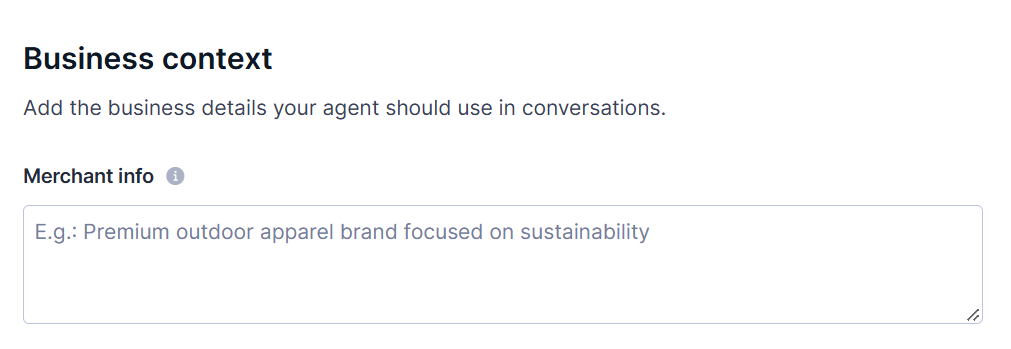
To add merchant info:
- Go to Conversational agent > Agents.
- Select the agent you want to configure.
- In the General tab, go to the Business context section.
- In the Merchant info box, enter a description of your business. For example:
Pacific Home is an online retailer of home and lifestyle products. It sells home decor, kitchenware, furniture, jewelry, clothing, and gourmet food and drink. Its products feature coastal-inspired, sustainable designs for shoppers who want a relaxed, natural style at home.
- Click Save in the top-right corner.
NoteWrite your merchant info in English when possible. If it isn't available in English, use the local language set for the agent.
Data sources
Include the following types of information:
- FAQs
- Return policy
- Size guides
- Blog posts
- Privacy details
- About us
- Customer support page link, phone number, and email
Conversational agent's responses become more refined as it gets more general knowledge data. Include details, such as URLs, phone numbers, and email addresses.
Updated about 1 hour ago