

Use case: Conversational agent on PDP
On product detail pages (PDPs), shoppers often have lingering questions about the product, which can lead to hesitation or abandonment before making a purchase. Conversational agent on the PDP ensures shoppers have all the information they need to make an informed purchase. Whether they need answers to specific questions or more details on product features, Conversational agent guides them, reducing uncertainty and increasing conversions.
How Conversational agent helps
- Instant Q&A: Conversational agent displays relevant, high-impact questions based on product attributes and customer reviews.
- AI-driven refinement: Conversational agent tracks engagement data to continuously improve the relevance of suggested questions.
- Increased shopper confidence: Immediate access to product details reduces hesitation and boosts conversions.
Read how the Conversational agent PDP use case helped TFG boost the conversion rate by 35.2%.
Where Conversational agent appears
PDP widget placement
Conversational agent can appear below the product title and price area or near the product description, ensuring it's visible but not intrusive.
Suggested questions UI
Conversational agent displays 3–5 clickable question prompts, such as "Is it compatible with Windows?" or "What is the warranty policy?" A button for “Ask anything...” opens the full chat for further inquiries.
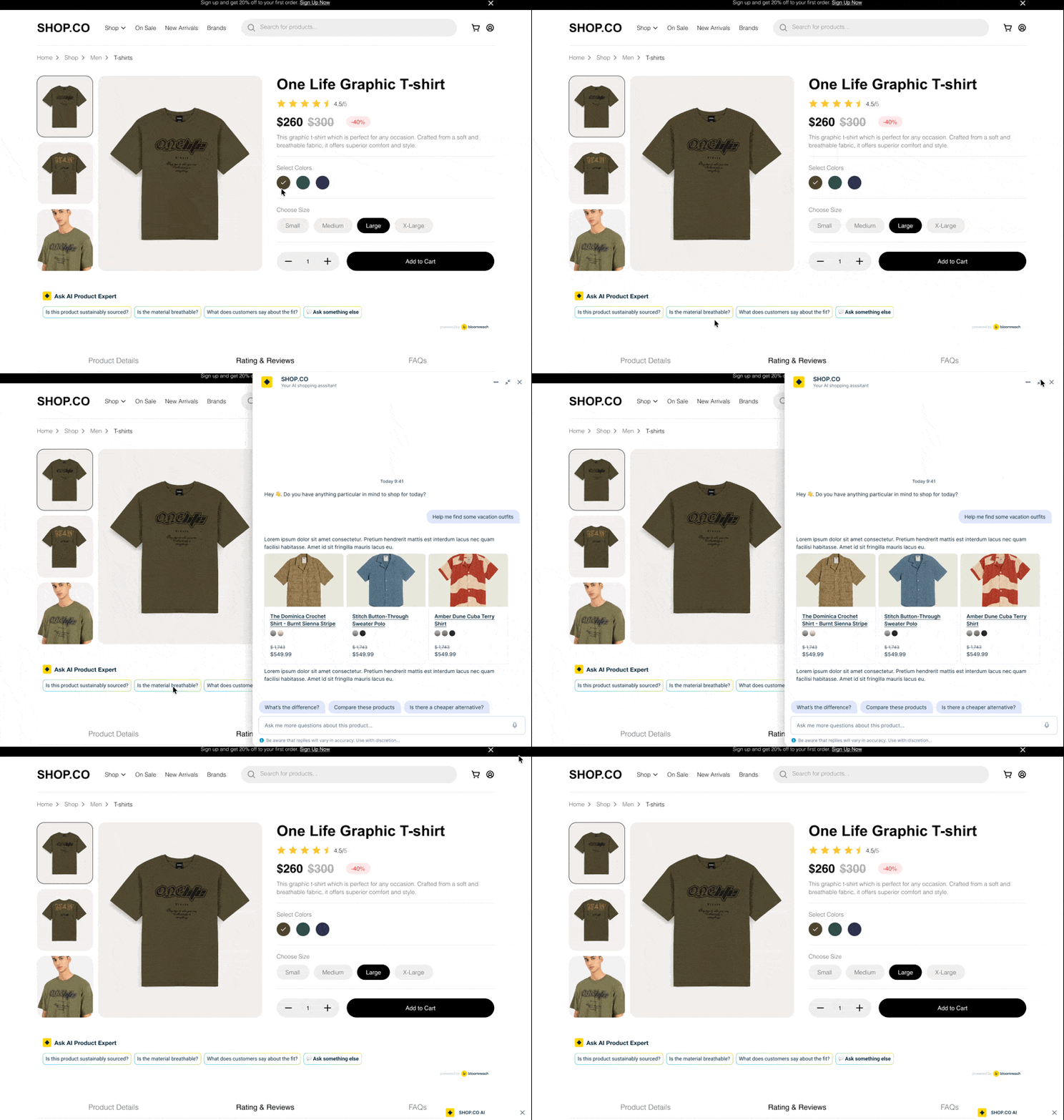
Conversational agent displays clickable question prompts for shopper interaction.
Example
A shopper browsing a furniture PDP wants to know about shipping times. They click “What are the shipping times?” Conversational agent provides real-time details, increasing purchase confidence.
Updated 20 days ago