

🚀 Release 2026-73
Release dates: Oct 26-28, 2026
TL;DR: New reports in each category's drill-down show the category's top-performing brands, where its products sell, and a device-level breakdown. The visitor journey also adds a session view. Query overrides now support Broad match. Support for multi-view catalogs from Data hub. Event alerts application now shows which Bloomreach features are affected by event data issues.
Oct 28, 2026
Performance dashboard improvements
New reports for individual category performance
Each category's drill-down in the Search Performance dashboard now has new reports that help you understand what's happening in that category.
What's new
-
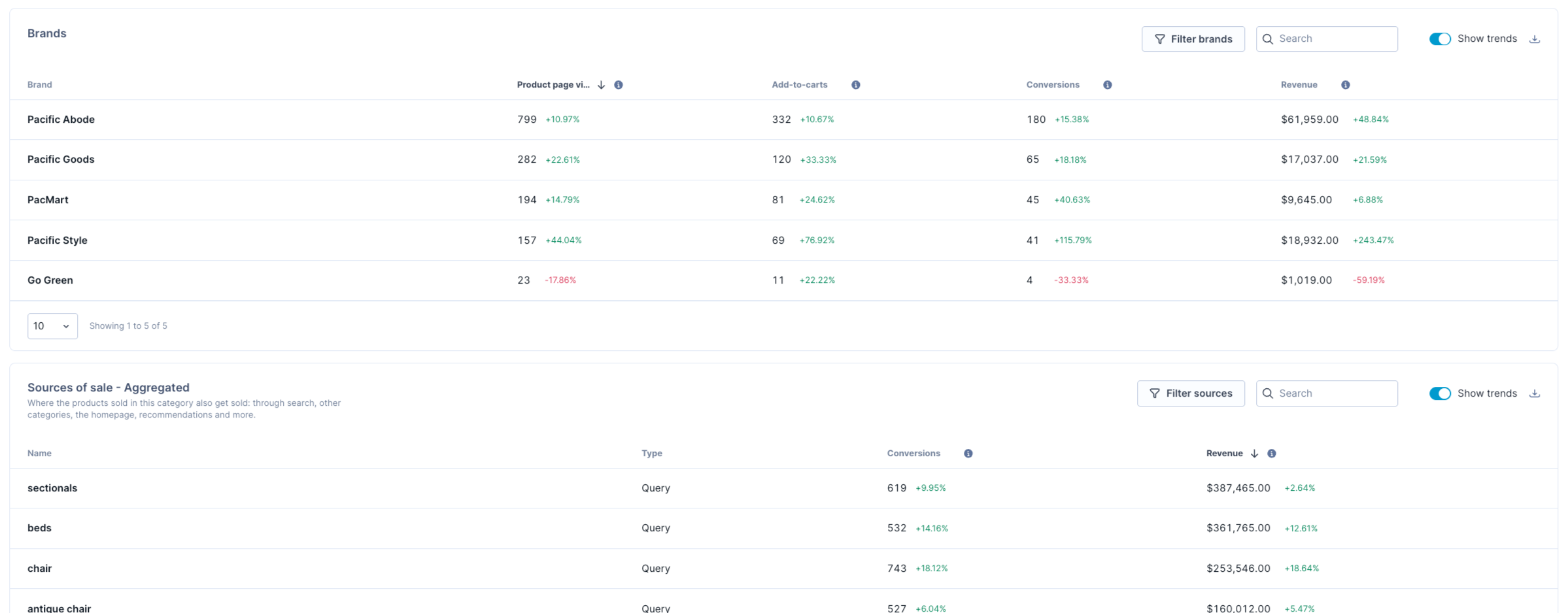
Brands report: See which brands drive a category's product page views, add-to-carts, conversions, and revenue.
-
Aggregated sources of sale report: See which queries, categories, the homepage, and other sources sell a category's products.
-
Breakdown by device report: Compare a category's performance on desktop, mobile, tablet, and other devices. The same breakdown is available for each query on the Site search tab.
Business use cases
- Find the brands that drive a category's revenue and the ones that underperform.
- See whether a category's products sell through related categories (parent or child), search queries, or other sources.
- Find what shoppers search for after browsing a category, to spot products they couldn't find there.
Learn more
See Category metrics and Site search metrics.
See all your traffic in device breakdowns
The Breakdown by device sections on the Overall, Site search, and Category tabs now include a new Other tab. Previously, these sections showed only desktop, mobile, and tablet, so traffic from any other device wasn't part of the breakdown. With Other, you can now see performance for all your traffic, not just the three main device types.
See the improved visitor journey by session
Previously, the Previous and Next tables in category and query drill-downs showed only the event just before or after.
Now you can switch to Session to see the browse session before or after instead, such as the category a shopper browsed before searching or what they searched for next.
For example, a shopper takes this path:
View category C1 > view product P4 > view homepage > search "jackets" > click product P1 > click product P2 > add P2 to cart > search "cap"
Around the query "jackets," Event shows the homepage before and product P1 after, while Session shows category C1 before and the query "cap" after.
See Analyze previous and next paths.
Jump to sections faster
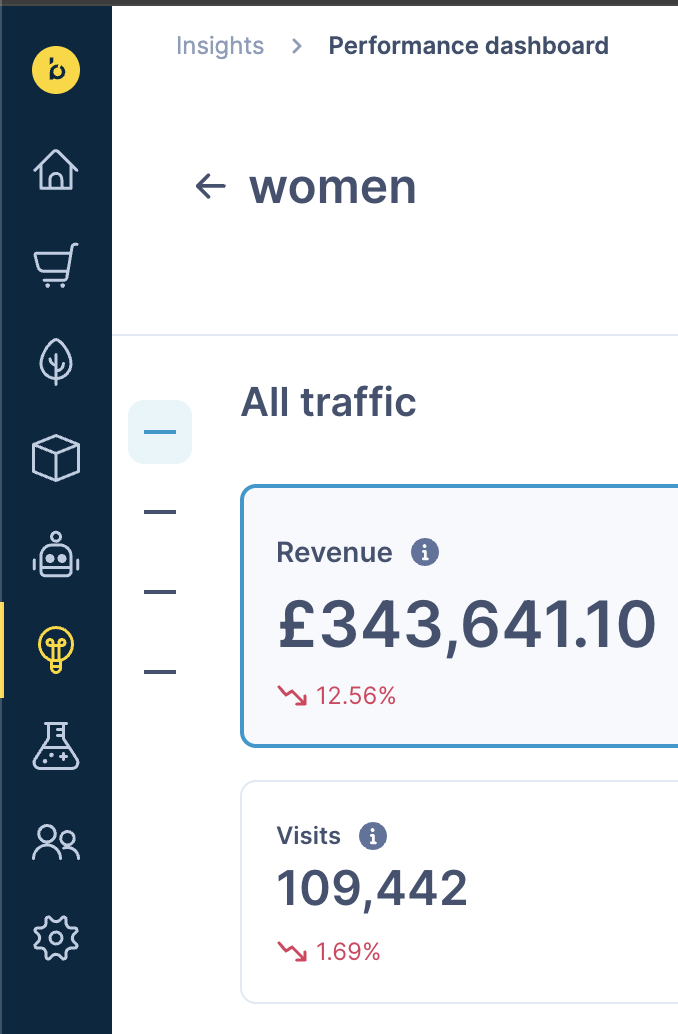
Performance dashboard pages hold a lot of information, so a new navigation bar lets you jump straight to a section, such as Detailed performance, Breakdown, or Visitor journey.
Broad match for query overrides
Query overrides can now use Broad match. With Broad match on, an override set up for a term like “shirt” applies to every query where “shirt” appears.
What's new
- Turn on Broad match for a query override rule to apply it to every related query that contains the rule’s term, not only the exact query.
- For example, a Broad match override on “shirt” also applies to queries like “white shirt”, “casual shirt for men” and “linen shirt”.
Business use cases
Set up one override and have it cover every related search term, without building a separate rule for each variation.
Learn more
Multi-view catalogs from Data hub
Search multi-view catalogs can now get their data from contexts in Data hub. Send your product data once, describe only what differs for each store, region, or price list, and Data hub keeps every view in your catalog up to date.
What's new
- Views from contexts: Each context value in Data hub, such as a store or price list, syncs to your multi-view catalog as a view, so you manage all views from one product item type.
- Overrides for each view: Change only the values that differ, such as price, availability, or title, so shared product data stays in one place.
- Assortment for each view: Choose which products and variants each view includes, so shoppers only find what they can buy.
Business use cases
- Business-to-business (B2B) price lists: Show each business customer their contract prices and products in search results.
- Buy online, pick up in store: Show the products and stock available in the shopper's chosen store.
- Location-based pricing: Show the right prices and availability for each region or market.
Access
- New multi-view integrations: Use contexts in Data hub. Your Search catalog must be set up for multi-view. To enable it, contact your Customer Success Manager. Data hub doesn't check the catalog's setup when you connect it, so confirm it before you connect the catalog as a destination.
- Existing multi-view integrations: No changes needed. Your integration keeps working as it is, including when you add a catalog. To move to Data hub, set up a product item type that matches your current catalog.
Learn more
Oct 26, 2026
Event alerts redesign: See which features your event data issues affect
The Event alerts application (Setup > Event alerts) now shows how event data issues affect your Bloomreach features, so you can decide what to fix first and explain the impact to your technical team.

What's new
- See affected features at a glance: The new Feature status section lists your Bloomreach features, such as search ranking, personalization, and A/B testing. A red status means at least one event that feature relies on has an issue. A green status means no issues were found.
- Focus on what needs fixing: Turn on the new toggle to show only events with issues, and hide the events that are working as expected.
- Understand alerts more easily: Alert names are now clearer. For example, “Large drop in search page views” is now “Search page view volume,” and “Invalid cat_id” is now “Missing cat_id parameters.” Some alerts moved under the event they belong to.
Alert checks, thresholds, and email notifications work the same as before. For details on each alert, see Event alert definitions.