🚀 Release 2026-43
Release date: Jun 24, 2026
TL;DR : Bloomreach advanced base ranker generally available for keyword search. The Product grid editor now supports multiple audiences per rule. Customize storefront widgets directly in-app with Loomi AI for Shopify.
Optimize search ranking experience with Bloomreach advanced base ranker
We're excited to announce that Bloomreach advanced base ranker (ABR) is now generally available for keyword search. This marks the evolution of search ranking where the base algorithm learns signal weights directly from your catalog's behavioral data, giving you a more accurate, tailored, and transparent view of what drives your search results.
What's new
-
Ranking algorithm trained on your catalog: ABR trains on your catalog and shopper behavior data to learn sitewide signals that are relevant to your store. It optimizes ranking based on what your shoppers click, add to cart, and purchase for each specific search query.
-
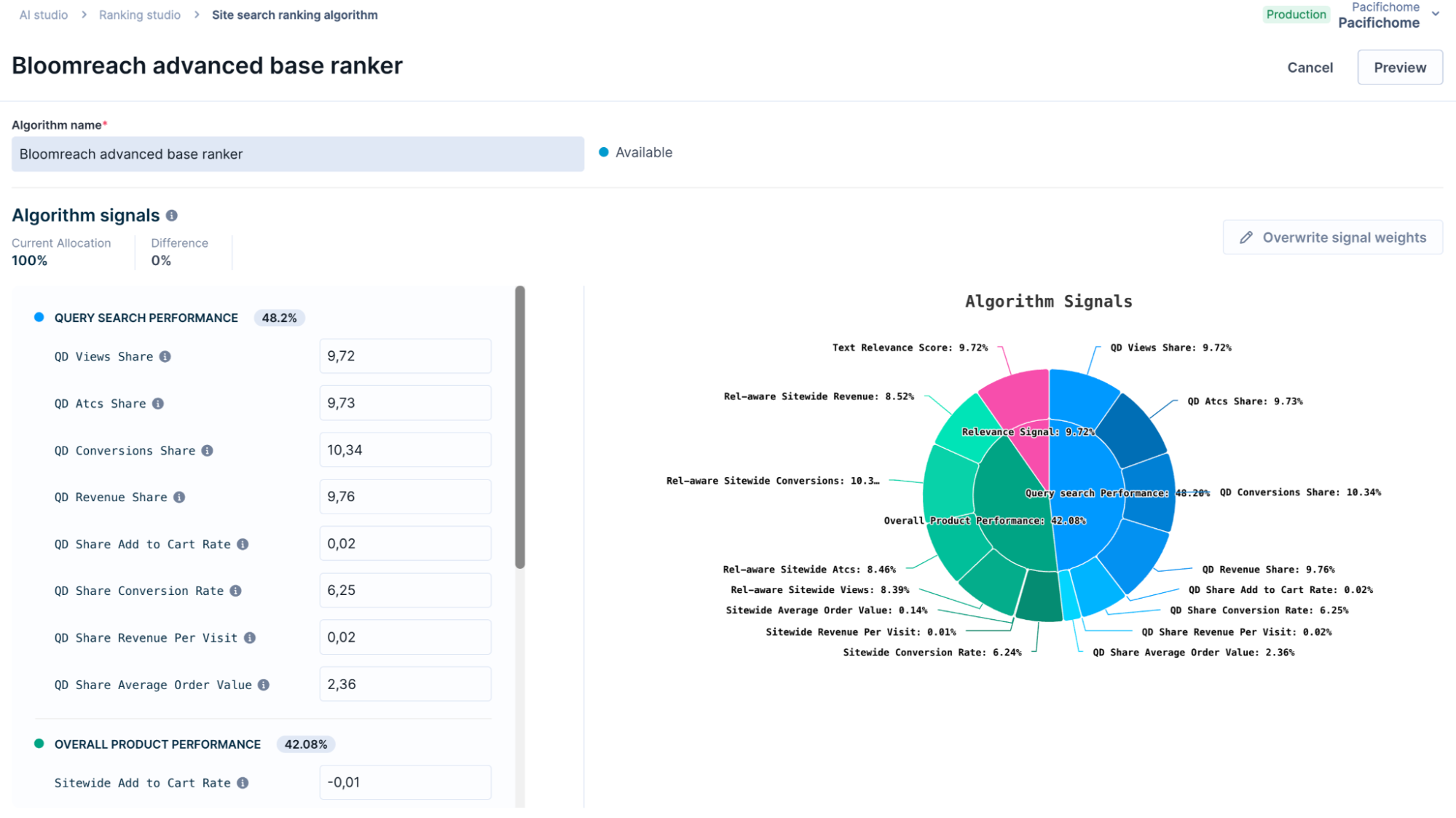
Full signal transparency: Premium-tier customers with access to Ranking studio can view all signal weights across three groups — query search performance, overall product performance, and relevance — and see exactly what the algorithm has learned and how each signal contributes to ranking.
-
Starting point for customization: ABR calibrates ranking to your business context. Use it as the source for a custom algorithm to adjust signal weights or layer on catalog-specific signals.
-
Enhanced RPV performance: Comparative testing shows that ABR delivers a 1-4% increase in revenue per visit (RPV) compared with legacy ranking algorithms (Classic ranking and Bloomreach-Optimized search).
ImportantABR isn't available for categories yet. Bloomreach will add support for categories in a future release.
Why is this valuable
-
ABR improves business outcomes by learning from your shopper behavior to better rank products for each search query. It is designed to optimize revenue per visit (RPV) while keeping results relevant, so irrelevant bestsellers don't dominate just because they are globally popular.
-
For premium-tier customers, ABR also supports customization through custom algorithms and business-specific signals. This lets you shape broad ranking behavior to align with your business goals while still relying on Loomi’s next-generation ranking foundation.
Get started
ABR is available via the Ranking studio. Based on your Ranking studio access, you’ll see one of the following scenarios:
-
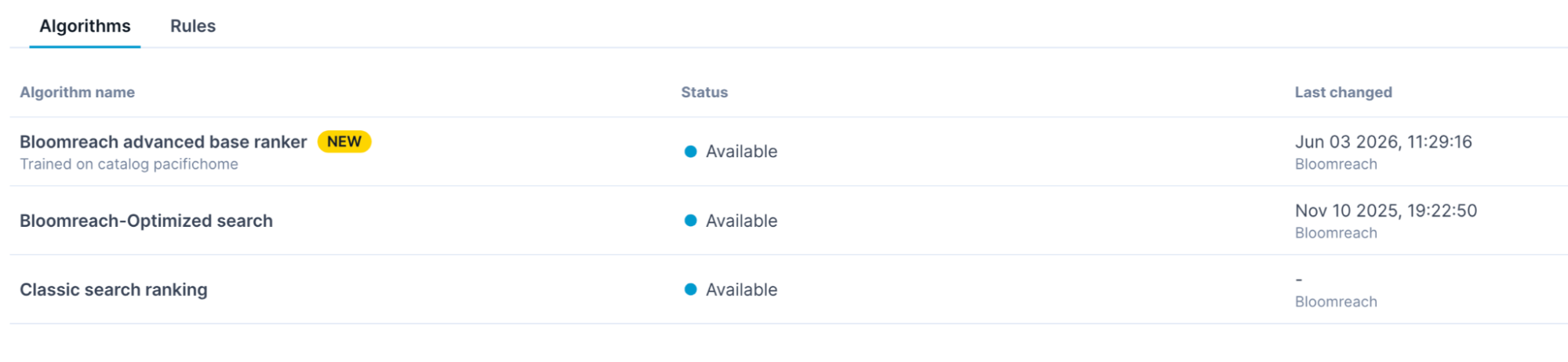
If ABR is already live on your catalog, you'll see it listed as In use in the Algorithms tab when you open Ranking studio.
-
If ABR is available but not yet live, you can start an A/B test. Run the test to validate performance against your current algorithm, then apply it when you're ready.
Migration
-
Rollback options: Legacy algorithms (Classic ranking and Bloomreach-Optimized search) remain available during the migration window. After the migration, ABR will become the only base ranking algorithm.
-
Custom algorithm creation: Once your catalog is enabled for ABR, it becomes the base option available for new training. Create and customize ranking algorithms on top of ABR. You can no longer create new algorithms using Bloomreach-Optimized search. Existing custom algorithms and algorithm rules stay active until migration.
NoteAlthough Bloomreach recommends staying on ABR, reach out to your Customer Success Manager if a rollback is necessary.
Access
The ABR base ranking algorithm applies to all tiers. ABR’s core learned ranking uses query search performance, overall product performance, and relevance signals.
Premium tier customers can also create catalog-specific custom algorithms that add custom signals on top.
Data requirements
Ensure that you're sending pixel data and custom signals in the required format. These are crucial for successful algorithm training.
No additional integration work is required. The Search and Category API response format is unchanged.
Learn more
Review the overview documentation and setup guide. See a detailed breakdown of how ABR influences ranking and the feature FAQs.
Product grid editor: select multiple audiences and a new date picker
The Product grid editor now supports multiple audiences per rule, a redesigned date picker for setting rule duration, and interface refinements for a more consistent experience.
What's new
-
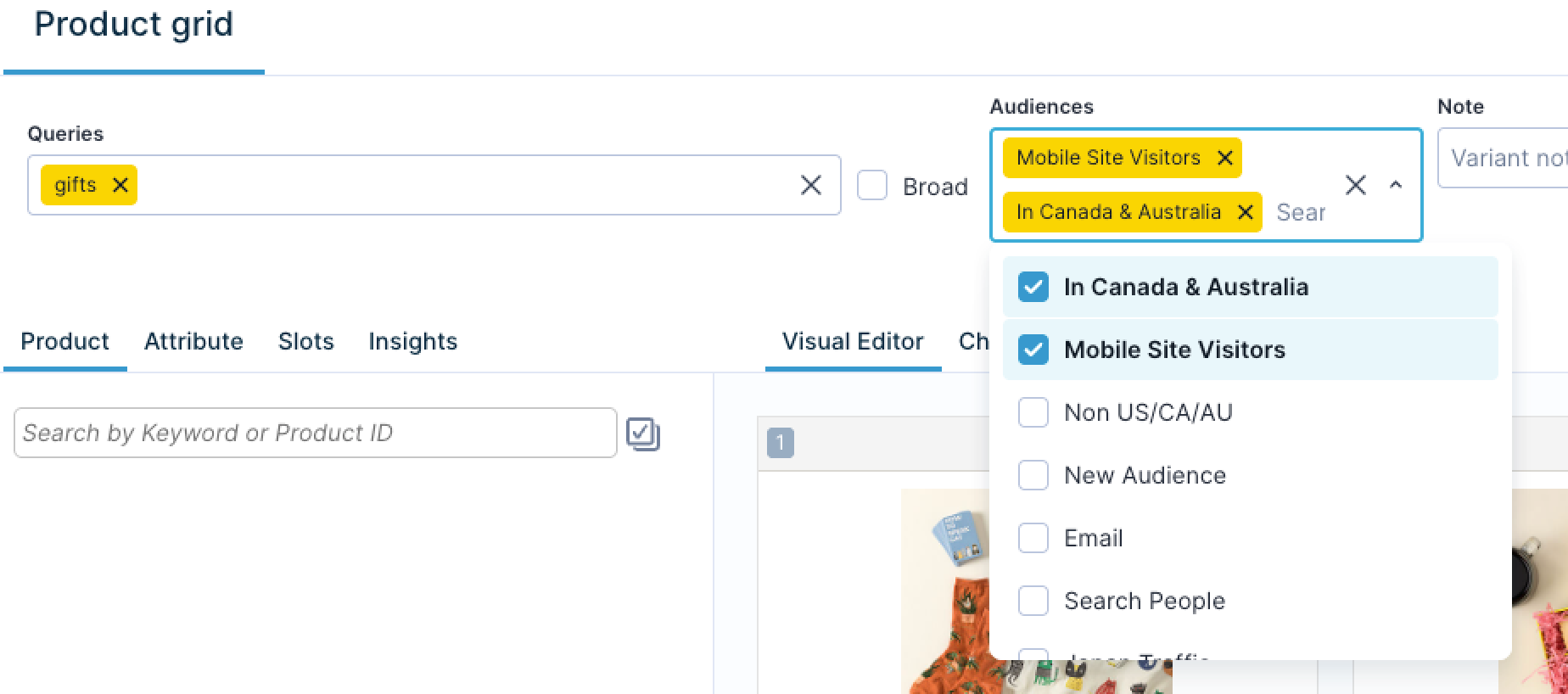
Multiple audiences per rule: Select more than one audience segment for a single rule, to target broader or overlapping audiences without creating duplicate rules.
-
Audience-specific rules take priority over generic rules: When two ranking rules directly conflict, the one with a defined audience takes priority over a broader rule or one with no audience set. For example, a rule targeting
mobileusers beats a rule targeting all audiences when everything else is equal. This applies as a tiebreaker just before the last-modified time, so editing a generic rule to make it more recent no longer overrides an audience-specific one. To override it, edit or disable that rule directly. -
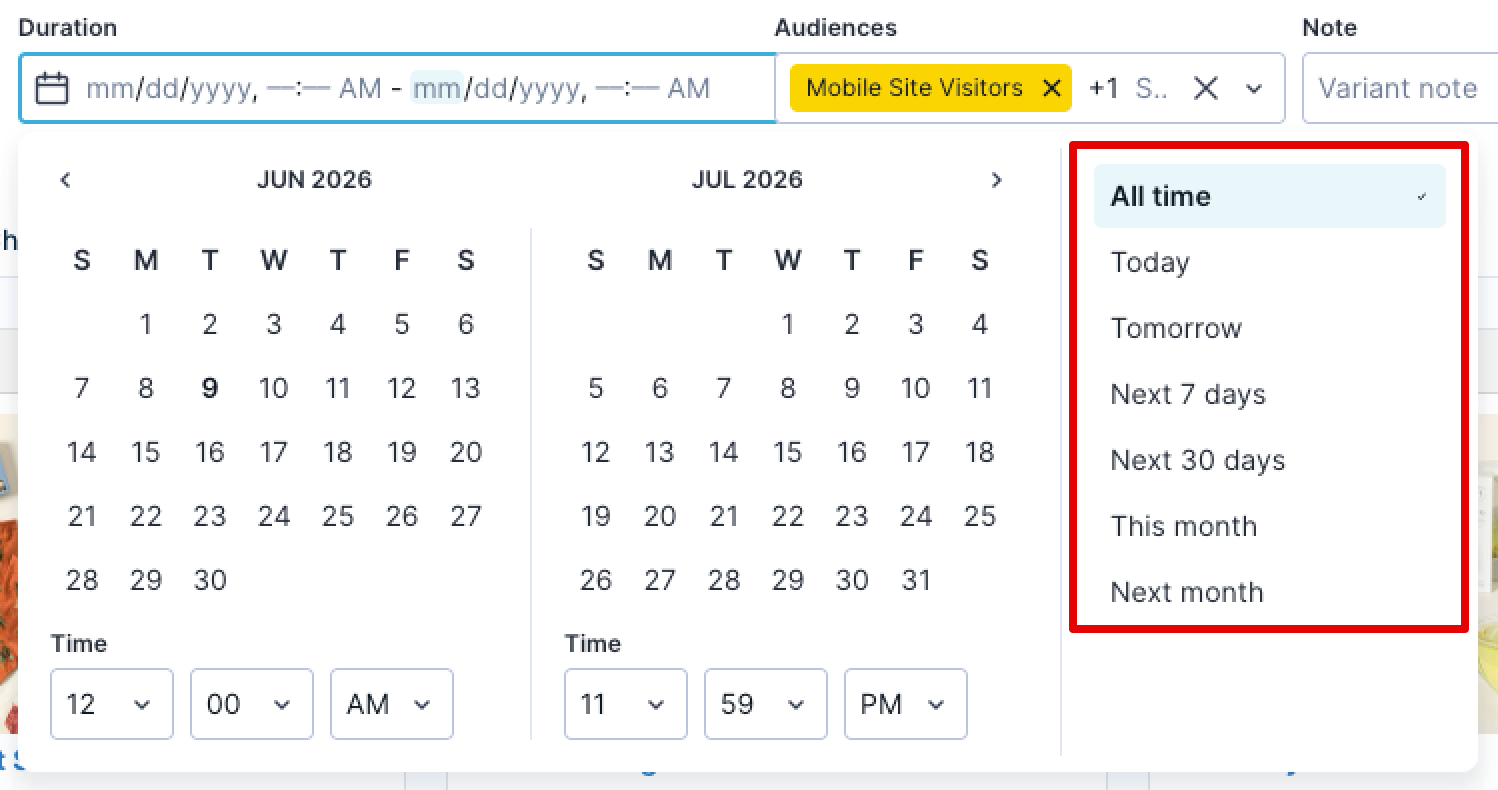
New date picker for rule duration: The previous duration input is replaced with a date-time picker that includes quick-select options such as Today, This month, All time, and other predefined ranges.
-
Interface refinements: The search box and other components are updated across the listing and rule creation pages for a smoother, more consistent experience.
Why is this valuable
- Multiple audiences per rule reduces the need to maintain separate rules for similar audiences.
- Targeted audience rules take priority, so a later edit to a generic rule won't override them by accident, ensuring predictable results for audience-targeted experiences.
- The date picker makes setting rule duration faster and less error-prone with predefined ranges.
Loomi AI for Shopify Experience customization: match your storefront widgets to your brand in-app
What's new
In your Loomi AI for Shopify application, edit your widgets using the Experience customization editor — replace the default HTML with your own EJS, validate, and publish in one session. Customize the page layout, product cards, and facets independently.
Why is this valuable
Matching a storefront's brand no longer means modifying connector code and waiting for a developer release. Visual changes move out of the engineering backlog and ship the same session, and migrating merchants can replicate a legacy provider's design so shoppers see no disruption.
Use cases
-
Show retail price, member price from a Shopify metafield, and a calculated discount on every product card.
-
Render color swatches that link to sibling products and reveal a second image on hover.
-
Replicate a legacy search provider's design exactly when migrating to Loomi AI for Shopify Search.