

A general overview of the elements that play a role in the Marketing API Authentication
This page explains the key elements required to authenticate your Marketing API calls. You'll learn about the required parameters for every call, how API Groups work, and how to configure access permissions.
Before you begin
Every API call you make requires two parameters.
- Base URL: The URL of the instance you're using. This is typically
https://api.exponea.com/, but may be a custom URL specific to your organization. - Project token: A unique alphanumeric identifier for your project. You must include this in every API call.
You can find both in Project settings > Access management > API.
API Groups
API Groups are collections of API credentials passed in the Authentication header. Each group can hold multiple keys, and you can configure each group with a different set of permissions. This lets you control exactly what data each group can access through the API.
This structure supports the access minimization principle: you grant only the permissions a specific use case requires, nothing more.
Each group uses one of two access types: public or private. You configure this when creating the group.
NoteTo learn how to create groups, configure permissions, and set up accesses, see the Get started guide.
Public API access
Public API access is intended for front-end use cases, such as tracking or SDK integrations. It works with a subset of API methods and isn't suitable for private data manipulation.
To use public API access, generate an API Token. Include this token in the authorization header of your requests.
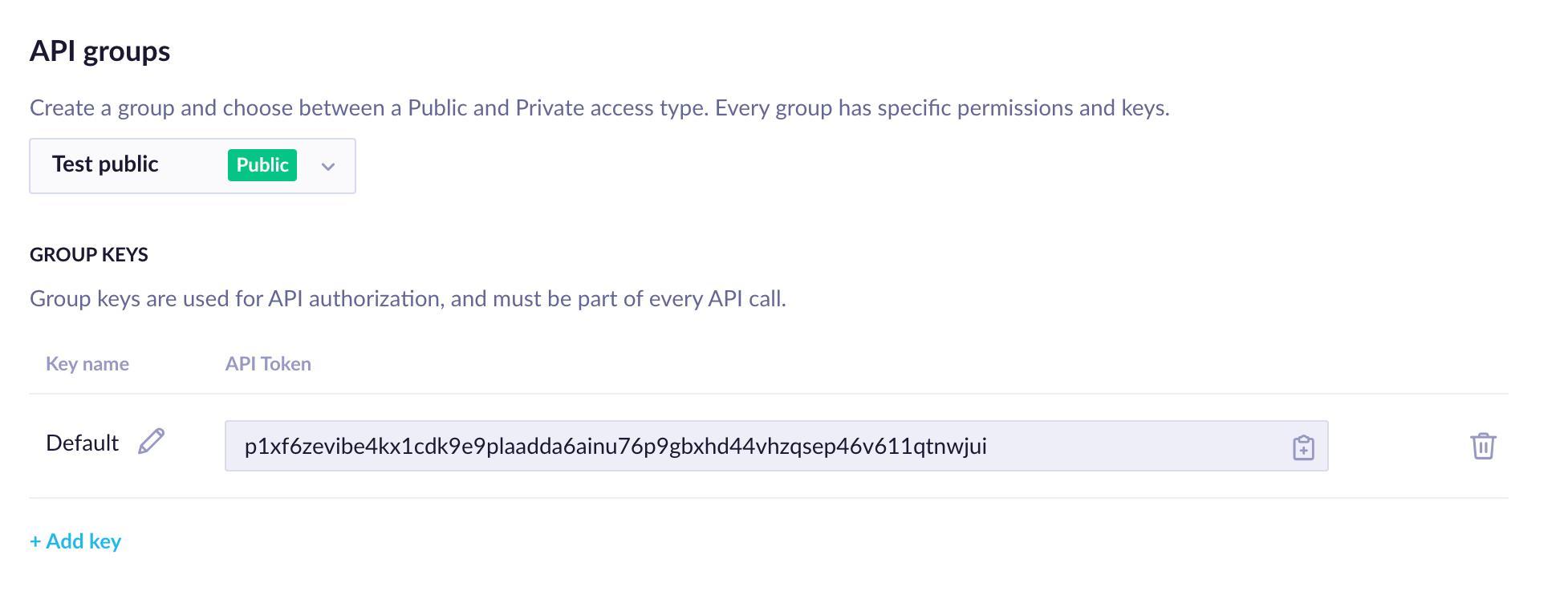
Public access group configuration in Project settings
Private API access
Private API access works with all API methods and is suitable for sensitive data operations.
To use private API access, generate an API Key ID and an API Secret. Include both in the authorization header of every request that requires private access.
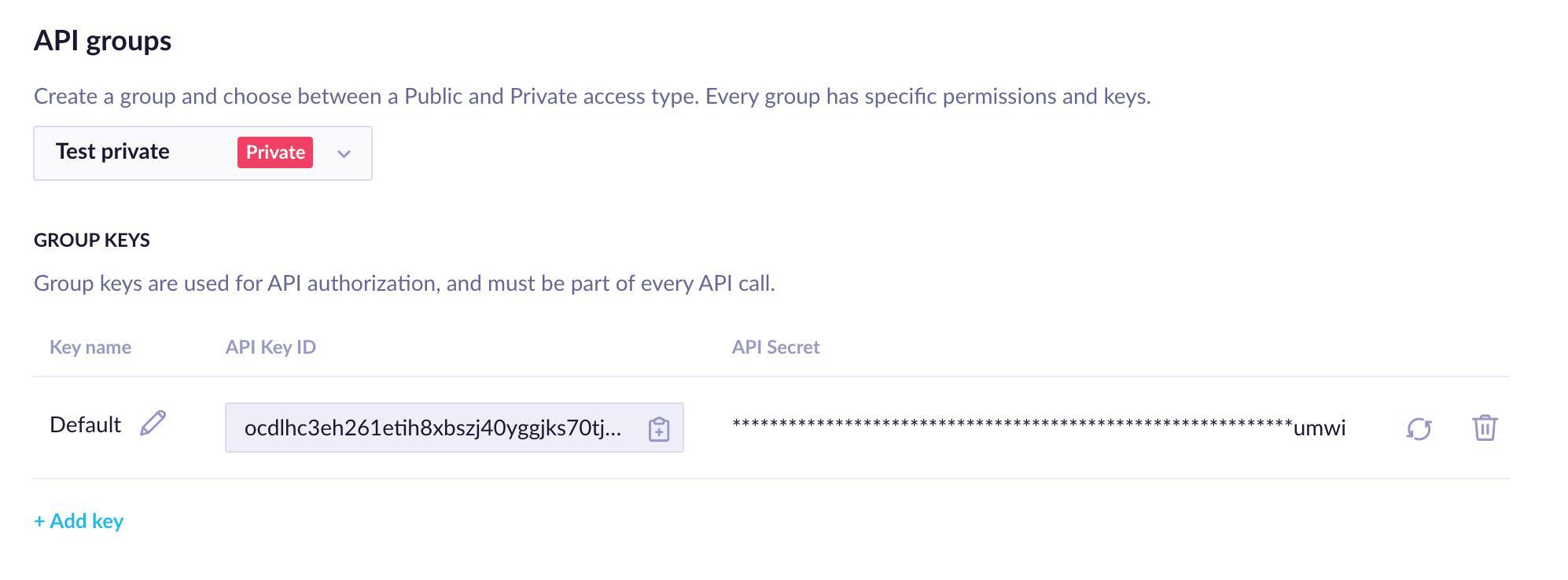
Private access group configuration in Project settings
The API Secret adds an extra layer of protection for your most sensitive data. Limit access to it — only the people or systems that absolutely need it should have it.
To maintain higher security, you can rotate or revoke the API Secret at any time. Rotate keys regularly based on your security requirements. You can do both actions directly in the Bloomreach UI or programmatically using the Revoke API Secret and Rotate API Secret endpoints.
Use API Groups
Here's a practical example. Say you want your users to view and update their consents on your website or customer portal, and you want those changes reflected in Bloomreach.
To follow the access minimization principle, create a dedicated API group for this use case: consent manipulation. Because consents are private data, this use case requires a private access group.
Once you've created the group, configure only the permissions relevant to consent manipulation:
Events
- Consent: ✅ Get + ✅ Set
These are the only permissions required for this specific use case.
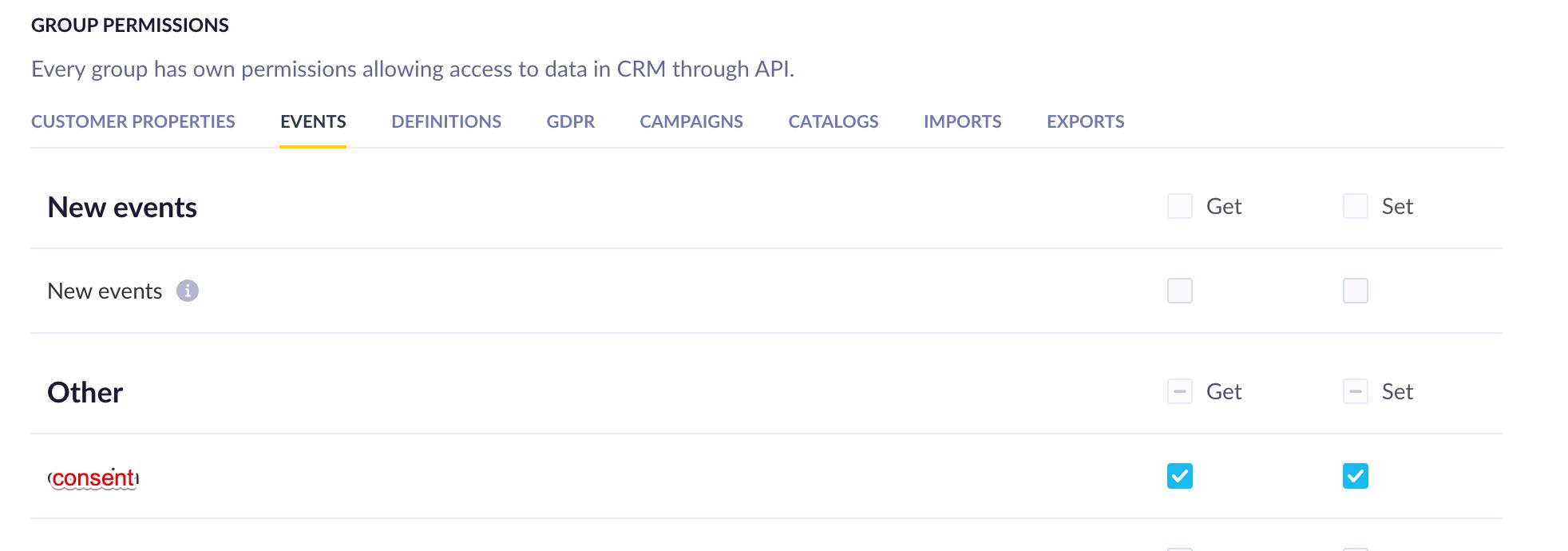
Consent permissions configured for a private API group